Explained
Social Media Content Calendar Ideas for 2025

The dreaded blank content calendar staring back at you is a universal challenge for entrepreneurs and marketers alike. Constantly generating fresh, engaging ideas that align with your brand, resonate with your audience, and drive actual results can feel like an impossible, never-ending task. This pressure often leads to inconsistent posting, last-minute scrambles for content, and a social media presence that feels more reactive than strategic. The cycle of creative burnout is real, but it doesn't have to be your reality.
What if you had a proven playbook of content pillars to pull from whenever you needed inspiration? This guide provides exactly that: a comprehensive roundup of powerful, plug-and-play social media content calendar ideas designed to fill your schedule with purpose-driven content for weeks or even months at a time. Forget the panic of an empty queue; these concepts are built to be adapted, repurposed, and scaled across your favorite platforms.
We'll move beyond generic advice and dive into actionable strategies you can implement immediately. You will learn how to:
Build Authority with educational series and data-driven infographics.
Foster Community by showcasing user-generated content and running interactive polls.
Humanize Your Brand with authentic behind-the-scenes glimpses and compelling storytelling.
Each idea is structured to provide clear examples and practical steps, ensuring you can transform these concepts from a simple list into a dynamic, effective, and sustainable content engine. It's time to stop guessing what to post and start building a strategic content calendar that works.
1. Themed Days/Weekly Themes
Establishing themed days or weekly themes is a powerful strategy for building consistency and audience anticipation into your social media content calendar. This approach dedicates specific days of the week to particular content pillars or topics. By creating a predictable rhythm, you train your audience to look forward to your posts, turning casual followers into a habitual audience.
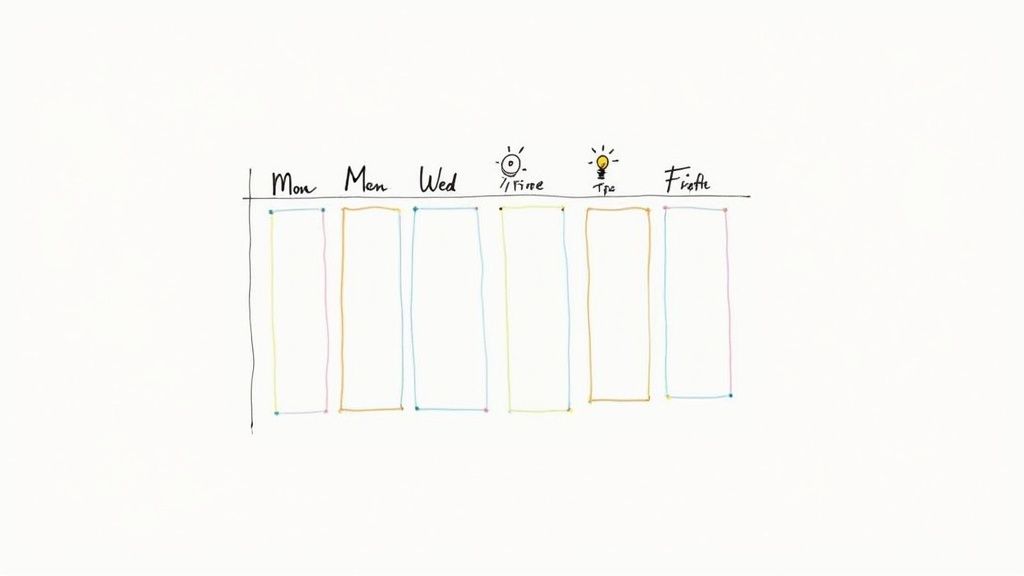
This method simplifies content planning immensely. Instead of starting from scratch each day, you have a pre-defined framework to guide your creative process. It's a cornerstone of many effective social media content calendar ideas because it streamlines production while fostering community engagement around shared, recurring topics.
How to Implement Themed Days
Start by brainstorming themes that align with your brand voice and your audience's interests. A business coach might use "Mindset Monday" to share inspirational quotes, "Tool Tuesday" to highlight a useful app, and "Client Wins Friday" to showcase testimonials.
Platform-Specific Examples:
Instagram: A fitness influencer could run a weekly "Transformation Tuesday" featuring client progress photos or a "Workout Wednesday" with a new exercise video.
LinkedIn: A B2B tech company could use "Tech Tip Thursday" to share industry insights or "Future Friday" to discuss emerging trends.
Twitter: A marketing agency might engage in #MarketingMonday polls or share #WednesdayWisdom in a short, impactful thread.
Actionable Tips for Success
To maximize the impact of your themed days, consistency is key. Use a dedicated hashtag for each theme (e.g., #MindsetMonday, #TechTipThursday) to create a discoverable content library and encourage user-generated content.
Pro Tip: Batch-create your content for each theme a month in advance. Design a template for each day's graphic to maintain a cohesive brand look and significantly speed up your workflow.
This structured approach not only saves time but also ensures a balanced content mix that consistently delivers value. To get started with organizing these ideas, you can build upon a proven structure; learn more about structuring your schedule with a content calendar template.
2. Educational/How-To Series
Positioning your brand as a go-to expert is one of the most effective ways to build trust, and an educational or how-to series is the perfect vehicle for it. This strategy involves creating content that teaches your audience a valuable skill, solves a common problem, or explains a complex topic related to your industry. It establishes your authority and keeps followers returning for the next lesson.
This approach transforms your social media feed from a simple promotional tool into a valuable educational resource. Instead of just selling, you are empowering your audience with knowledge. This is a core component of many successful social media content calendar ideas because it builds a loyal community that sees you as a credible and generous source of information.
How to Implement an Educational Series
Begin by identifying your audience's biggest pain points or knowledge gaps. What do they constantly ask you about? What common mistakes do they make? Use these questions as the foundation for a multi-part series that breaks down the solution into simple, actionable steps.
Platform-Specific Examples:
Instagram: A financial advisor could create a carousel post series on "5 Steps to Building Your First Budget," with each slide detailing one step. A brand like Canva excels at this with quick design tutorials in their Reels.
LinkedIn: A project management software company might publish a weekly article series on "Mastering Agile Methodologies," sharing in-depth guides and templates.
YouTube: A chef could produce a short video series called "Kitchen Basics," teaching a new fundamental cooking technique each week.
Actionable Tips for Success
To make your educational content stick, break down complex subjects into bite-sized, easily digestible pieces. A five-part video series is far more approachable than a single hour-long webinar. Use visuals like infographics, charts, and video demonstrations to clarify concepts and keep your audience engaged.
Pro Tip: Create a companion downloadable resource, such as a checklist, worksheet, or e-book, that summarizes the series. This not only provides extra value but also serves as an excellent lead magnet to grow your email list.
By consistently teaching and providing value, you create a powerful incentive for followers to engage with your brand long-term. This strategy is less about a single viral post and more about building a sustainable, authoritative presence.
3. User-Generated Content (UGC)
Integrating User-Generated Content (UGC) into your calendar is a game-changer for building authenticity and community. This strategy involves curating and sharing content created by your audience, such as customer photos, reviews, or videos featuring your product or service. UGC acts as powerful social proof, showcasing real people who love your brand, which often resonates more strongly than traditional marketing.
This approach not only provides a steady stream of authentic content, reducing your team's creation workload, but it also fosters a deeper connection with your community. When you feature a customer's post, you make them feel seen and valued, strengthening their loyalty and encouraging others to participate. It's a key component of many high-engagement social media content calendar ideas.
How to Implement UGC
Begin by creating a clear and simple way for your audience to submit content. A unique, branded hashtag is the most common method, as seen in campaigns like GoPro's adventure video submissions or Starbucks' annual #RedCupContest. The goal is to make it easy for users to tag you and for you to find their posts.
Platform-Specific Examples:
Instagram: A clothing brand can reshare customer posts wearing their outfits to their Stories or create a dedicated "Customer Style" highlight reel.
LinkedIn: A B2B software company can share a customer's post detailing how they achieved a specific business outcome using the tool, adding their own commentary.
TikTok: A food brand can launch a challenge encouraging users to create a recipe using their product and repost the most creative videos.
Actionable Tips for Success
Always obtain explicit permission before resharing someone's content to respect their ownership and privacy. Clearly define your submission guidelines to ensure the content you receive aligns with your brand's image and values. To further enrich your calendar, explore diverse user-generated content strategies, including those often leveraged for events.
Pro Tip: Run a contest or giveaway to kickstart UGC submissions. Offer a prize for the "best" photo or video of the month to incentivize high-quality content and generate excitement around participation.
By systematically featuring your community, you turn your social media feed into a dynamic, trust-building platform. To build a comprehensive plan around this, learn more about developing a UGC marketing strategy.
4. Behind-the-Scenes (BTS) Content
Sharing behind-the-scenes content is a powerful way to humanize your brand and build trust with your audience. This strategy involves pulling back the curtain to show the real people, processes, and culture that make your business run. It trades polished marketing for authentic, often informal glimpses into your daily operations, creating a deeper, more emotional connection with followers.
This approach makes your brand more relatable and transparent. Instead of just seeing the final product or service, your audience gets to see the hard work, the team interactions, and even the occasional mistake. This is one of the most effective social media content calendar ideas because it fosters a sense of community and loyalty that a simple sales pitch cannot.
How to Implement Behind-the-Scenes Content
Begin by identifying aspects of your business that are unique or interesting. This could be anything from your product development process to a day in the life of an employee. Brands like Glossier excel at this by showing their product creation process, while software companies like Buffer have built a following by being transparent about their remote company culture and team dynamics.
Platform-Specific Examples:
Instagram: Use Stories and Reels for spontaneous office tours, team-building activities, or quick clips of a product being packaged. A bakery could show bakers kneading dough early in the morning.
LinkedIn: Share a post introducing a new team member with a short Q&A, or film a brief video explaining how your team solved a complex client problem.
TikTok: Create short, engaging videos showcasing a "day in the life," the unboxing of new office equipment, or funny outtakes from a professional video shoot.
Actionable Tips for Success
Authenticity is the most critical element of BTS content; it should not feel over-produced or staged. Let the real personality of your team and brand shine through. Show the process, not just the perfect outcome. This includes the brainstorming sessions, the prototypes, and the iterative steps that lead to the final result.
Pro Tip: Create a recurring BTS video series, like a "Maker Monday" or "Team Tuesday." Feature a different employee or part of your process each week to build anticipation and consistently provide a human element to your feed.
By consistently including this type of post in your schedule, you transform your brand from a faceless entity into a group of passionate individuals. This transparency is highly valued by modern consumers and is a fantastic way to differentiate yourself.
5. Carousel Posts/Multi-Slide Formats
Carousel posts are a dynamic format that allows you to share multiple images or videos in a single, swipeable post on platforms like Instagram and LinkedIn. This approach transforms a standard post into a mini-presentation, perfect for breaking down complex topics, telling a story, or showcasing a product from multiple angles. It’s an incredibly effective way to increase audience dwell time and engagement.
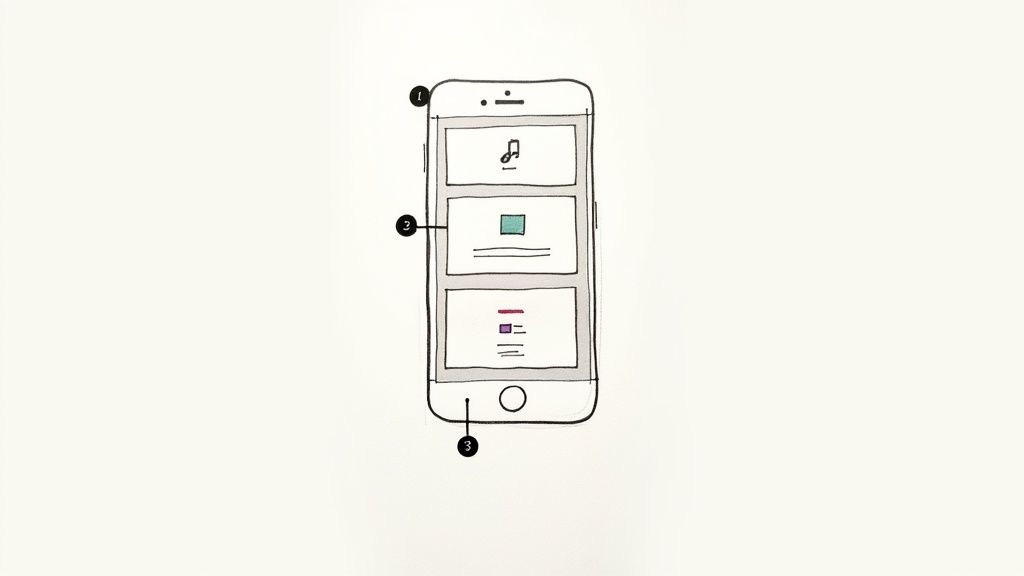
This multi-slide format is one of the most powerful social media content calendar ideas for educational content creators and service-based businesses. It allows you to deliver substantial value and establish authority by packaging information in a digestible, visually appealing, and interactive way, encouraging saves and shares.
How to Implement Carousel Posts
The key to a successful carousel is a compelling narrative that flows from one slide to the next. Start with a strong hook on the first slide to entice users to swipe, then build your story or lesson across the subsequent slides, ending with a clear call to action.
Platform-Specific Examples:
Instagram: A nutritionist could create a carousel titled "5 Simple Swaps for a Healthier Diet," with each slide detailing a different food swap and its benefits.
LinkedIn: A project manager could share a carousel post outlining a "7-Step Framework for Flawless Project Execution," with each slide explaining a step in the process.
Facebook: A real estate agent might use a carousel to showcase a new property, using each slide to highlight a different room or feature.
Actionable Tips for Success
Your first slide is the most critical; it must grab attention immediately and promise value to the viewer. Use bold headlines, intriguing questions, or stunning visuals. Keep text minimal and legible, as most users will be viewing on a mobile device.
Pro Tip: Design your carousel so that a visual element from one slide "bleeds" into the next. This creates a visual cue that encourages users to swipe to see the full picture, significantly boosting engagement through the entire post. Test slide counts between 5-7, as this range often performs best.
6. Polls, Quizzes, and Interactive Contests
Interactive content like polls, quizzes, and contests transforms your audience from passive consumers into active participants. This strategy moves beyond one-way communication, inviting your community to share their opinions, test their knowledge, and engage directly with your brand. This type of content is highly effective for boosting engagement metrics and gathering valuable audience insights.
This approach is a staple of dynamic social media content calendar ideas because it fosters a sense of community and fun. When followers participate, they feel more connected to your brand, making them more likely to remember you and share your content with their own networks.
How to Implement Interactive Content
Start by identifying opportunities to ask for your audience's input or create a fun challenge. A simple poll can help you decide on a new product feature, while a personality quiz can entertain and educate simultaneously. For bigger engagement boosts, contests and giveaways create significant buzz and attract new followers.
Platform-Specific Examples:
Instagram: Use the Stories poll sticker to let your audience vote on the next blog topic or use the quiz sticker to test their knowledge about your industry.
Facebook: Create a "Which Product Are You?" personality quiz that links back to different items on your e-commerce site. Run a "caption this photo" contest for high comment engagement.
TikTok: Launch a branded hashtag challenge encouraging users to create videos using your product in a creative way, as seen with countless viral dance challenges.
Actionable Tips for Success
To make your interactive content successful, keep the barrier to entry low and the potential reward high. For contests, ensure the prize is relevant and desirable to your target audience. Always promote your contest across all your channels to maximize participation and clearly state the rules and duration.
Pro Tip: Share the results! Announce the poll's winning choice, share interesting quiz insights, and publicly congratulate contest winners. This closes the loop and encourages participation in future interactive posts.
For more complex events like giveaways, especially in communities like Discord, planning is crucial. When planning interactive content, consider utilizing tools like a Discord raffle bot for running engaging giveaways and contests to automate the process and ensure fairness.
7. Trending Audio and Meme-Based Content
Jumping on trends is one of the most effective ways to boost reach and relevance on platforms like TikTok and Instagram. This strategy involves creating content that leverages trending audio, popular meme formats, and viral challenges. By participating in the real-time cultural conversation, you make your brand appear current, relatable, and human, which is a powerful way to connect with a modern audience.
This approach is a cornerstone of many dynamic social media content calendar ideas because it taps directly into the algorithm's preference for timely content. When you use a trending sound or format, platforms are more likely to push your content to a wider audience beyond your existing followers, dramatically increasing discoverability and the potential for viral growth.
How to Implement Trending Content
The key to success is speed and relevance. You must act within 24-72 hours of a trend emerging for maximum impact. Start by identifying trends that genuinely align with your brand's voice and values; forcing a fit can come across as inauthentic. For example, Duolingo masterfully uses its mascot, Duo the Owl, in absurd and humorous TikToks set to trending sounds, making language learning feel fun and culturally relevant.
Platform-Specific Examples:
TikTok/Instagram Reels: A local coffee shop could use a popular audio clip to create a short video showcasing the satisfying process of making a latte, with the text overlay relating to a common customer experience.
X (formerly Twitter): A SaaS company can participate in a trending meme format by adapting the text to reflect a pain point their software solves, like Wendy's does with its witty and timely commentary.
Facebook: A non-profit could use a trending challenge to raise awareness for their cause, encouraging user participation to spread their message.
Actionable Tips for Success
To effectively incorporate trends, dedicate a team member to monitor platforms daily. Use discovery tools like the TikTok Creative Center or simply scroll the "For You" page to see what sounds and formats are repeating. Always add a unique spin that ties the trend back to your brand's core message or product.
Pro Tip: Create a "rapid response" template for video or graphics. This allows you to quickly insert your brand's assets into a trending format without sacrificing quality, enabling you to capitalize on the trend while it's still at its peak.
8. Storytelling and Narrative Series
Transform your social media feed into a can't-miss series by weaving a cohesive story over multiple posts. A narrative series hooks your audience with characters, plot development, and an emotional arc, keeping them invested and eager for the next installment. This strategy moves beyond one-off posts to build a deeper, more memorable connection with your followers.
This approach is one of the most powerful social media content calendar ideas for forging an authentic bond. Instead of just selling a product, you're sharing a journey, a belief, or a compelling brand origin story. This turns passive scrollers into an engaged community that actively anticipates your content.
How to Implement a Narrative Series
Begin by mapping out the entire story arc before you publish the first "episode." Think like a screenwriter: establish the characters (your brand, a customer, a founder), the conflict or challenge, the rising action, the climax, and the resolution. This structure ensures your narrative remains focused and compelling from start to finish.
Platform-Specific Examples:
Instagram: Create a multi-post carousel series detailing a client's transformation journey, with each post revealing a new chapter. Use Reels to share weekly "episodes" of a founder's story, building a personal connection.
LinkedIn: A startup founder could post a weekly text-and-image series detailing the ups and downs of building their company, from initial idea to first major funding round.
YouTube: Develop a mini-documentary series showcasing the creation of a new product line, like Patagonia does with its environmental stories, releasing a new short film each month.
Actionable Tips for Success
Consistency is the cornerstone of a successful narrative series. Establish a predictable release schedule, such as every Tuesday, to train your audience when to expect new content. Use a unique hashtag for the series (e.g., #BrandNameJourney, #TheFounderFiles) to group the posts and make them easily discoverable.
Pro Tip: End each installment with a compelling hook or a cliffhanger. Pose a question or tease the next part of the story to spark conversation in the comments and build anticipation for your subsequent post.
This narrative method is perfect for brands with a strong mission or a compelling origin story. It ensures your content is not just seen but felt, creating a lasting impact that drives loyalty and engagement.
9. Data Visualization and Infographics
Transforming complex information and data into visually engaging formats is a cornerstone of establishing authority and providing immense value to your audience. Infographics, charts, and data visualizations make dense statistics digestible, shareable, and memorable. This positions your brand as a knowledgeable industry leader that can distill complicated topics into clear, actionable insights.
This strategy is highly effective because it caters to the visual nature of social media, stopping the scroll with compelling graphics. By translating data into a story, you make your content more impactful and increase its likelihood of being saved and shared, which is a key goal for many social media content calendar ideas. It's a powerful way to educate your audience while reinforcing your expertise.
How to Implement Data Visualization
Begin by identifying compelling data points relevant to your industry. You can use proprietary data from your own business, cite credible industry reports, or analyze public survey results. The key is to find a narrative within the numbers that will resonate with your followers and answer their pressing questions.
Platform-Specific Examples:
Pinterest: Create a tall, vertical infographic summarizing key steps in a process or highlighting industry statistics. These are highly pinnable and drive traffic over time.
LinkedIn: Share a single, powerful chart or graph from a recent report as an image post. Use the caption to provide analysis and ask a question to spark professional discussion.
Instagram: Design a carousel post where each slide reveals a different statistic or data point, telling a story piece by piece. This encourages users to swipe through the entire post.
Actionable Tips for Success
Always cite your data sources clearly and directly on the graphic to build trust and credibility. Use your brand’s colors and fonts to ensure consistency, and keep the design clean and uncluttered to let the data shine. Focus on one core message per graphic to avoid overwhelming your audience.
Pro Tip: Repurpose a single comprehensive infographic into multiple content pieces. Extract individual charts for standalone posts, create a short animated video summarizing the findings, and write a blog post that expands on the data in greater detail.
This approach not only fills your content calendar but also maximizes the ROI of your research and design efforts. To begin creating your own professional-looking graphics, you can explore powerful platforms; discover tools to build infographics at Visme.
10. Live Content and Real-Time Broadcasting
Leveraging live content is a dynamic strategy for creating authentic, real-time connections with your audience. Unscripted streaming on platforms like Instagram Live, Facebook Live, and YouTube Live generates immediate notifications, creating a sense of urgency and exclusivity that drives higher engagement rates than pre-recorded videos. This format excels at building trust and community through direct, unfiltered interaction.
This method adds a powerful, humanizing element to your social media content calendar ideas. By going live, you invite your audience into an interactive space where they can ask questions, provide instant feedback, and engage with your brand on a personal level. It's an effective way to showcase authenticity and build stronger relationships.
How to Implement Live Content
Start by identifying topics that benefit from a live format. Q&A sessions, behind-the-scenes tours, product launches, or expert interviews are excellent choices. The key is to choose a subject that encourages participation and provides immediate value to your viewers.
Platform-Specific Examples:
Instagram: A fashion brand could host a Live Q&A session with a designer to discuss a new collection, allowing viewers to ask questions about fit and inspiration.
LinkedIn: A B2B consultant could host a LinkedIn Live expert panel discussion on industry trends, positioning themselves as a thought leader.
Facebook: A non-profit organization can use Facebook Live to broadcast a fundraising event, sharing real-time updates and encouraging donations.
TikTok: A chef or food blogger could go live on TikTok to host a real-time "cook-along" session, answering questions from the comments as they prepare a dish.
Actionable Tips for Success
Preparation is crucial for a smooth live broadcast, even if the content is unscripted. Promote your live session at least 24-48 hours in advance to build anticipation and ensure your audience knows when to tune in.
Pro Tip: Have a co-host or a team member dedicated to managing the comment section. This allows you to focus on delivering your message while still acknowledging and engaging with viewers by name, making them feel seen and valued. Always record your live sessions for repurposing into highlight clips, quote cards, or short-form videos.
10 Social Media Content Calendar Ideas Compared
Content Type | Implementation Complexity | Resource Requirements | Expected Outcomes | Ideal Use Cases | Key Advantages |
|---|---|---|---|---|---|
Themed Days / Weekly Themes | Low — set a recurring schedule | Low — templates, planning time | Predictable engagement and habitual consumption | Brands seeking consistent cadence across platforms | Builds routine; simplifies planning |
Educational / How-To Series | Moderate–High — needs structure and expertise | High — subject matter experts, production, visuals | Authority building, long-term organic reach | SaaS, B2B, educational brands, tutorials | Positions brand as expert; evergreen value |
User-Generated Content (UGC) | Low–Moderate — curation and moderation needed | Low — audience-generated media; moderation resources | Increased authenticity, social proof, higher engagement | Consumer brands, community-driven campaigns | Cost-effective; highly authentic content |
Behind-the-Scenes (BTS) Content | Low–Moderate — informal production workflow | Low–Moderate — regular access to team/process footage | Stronger emotional connection and brand relatability | Employer branding, product/process storytelling | Humanizes brand; builds trust and differentiation |
Carousel Posts / Multi-Slide Formats | Moderate — requires cohesive multi-slide design | Moderate — design time, copy, assets per slide | Higher engagement and longer time on post | Educational posts, step-by-step guides, storytelling | Enables deeper storytelling; algorithm-friendly |
Polls, Quizzes & Interactive Contests | Moderate — concept and moderation logistics | Low–Moderate — platform tools, prizes, legal oversight | Dramatically increased participation and audience insights | Product feedback, lead gen, contests, community growth | Drives engagement; collects actionable data |
Trending Audio & Meme-Based Content | High — requires rapid response and sensitivity | Low — quick production but needs constant monitoring | Short-term virality and dramatic organic reach | Youth-focused brands, social-first campaigns, timely posts | High algorithm boost; feels current and relatable |
Storytelling & Narrative Series | High — long-term planning and episodic structure | High — creative resources, consistent production | Sustained engagement, loyalty, return visits | Brand-building campaigns, documentaries, episodic marketing | Deep emotional connection; strong retention |
Data Visualization & Infographics | Moderate–High — data sourcing and clear design | High — design skills, data validation, tooling | Thought leadership, shareability, evergreen traffic | B2B, research reports, LinkedIn/Pinterest content | Makes complex data accessible; builds credibility |
Live Content & Real-Time Broadcasting | Moderate–High — technical setup and host skill | Moderate — streaming equipment, moderator, promotion | Immediate interaction, high urgency and engagement | Q&As, launches, workshops, real-time events | Direct audience interaction; real-time authenticity |
From Ideas to Impact: Activating Your Content Calendar
We've explored a comprehensive toolkit of social media content calendar ideas, from the community-building power of User-Generated Content to the authority-establishing depth of an Educational Series. The journey from a blank calendar to a thriving social media presence can feel daunting, but the path is now clear. The ten distinct content types we’ve detailed are not just isolated suggestions; they are the fundamental building blocks of a dynamic, engaging, and effective digital strategy.
An endless stream of ideas is a powerful asset, but consistent, strategic execution is what truly drives growth. The key is to build a sustainable system by mixing and matching these content types. You can create a powerful rhythm that keeps your audience engaged by balancing high-effort narrative series with quick-to-create trending memes, and planned educational carousels with spontaneous live sessions.
Turning Inspiration into a Sustainable System
The true value of a content calendar isn't just in scheduling posts, it’s in creating a predictable yet exciting experience for your followers. When they know to expect your weekly "How-To" carousel or look forward to your monthly live Q&A, you're building more than a following; you're cultivating a loyal community. This consistency transforms casual viewers into dedicated fans who trust your expertise and value your presence in their feed.
To begin, don't try to implement all ten ideas at once. This is a common mistake that leads to burnout and inconsistent posting. Instead, follow this simple activation plan:
Select Your Core Pillars: Choose 2-3 content ideas from this list that most closely align with your brand's strengths and your audience's known preferences. If you excel at teaching, start with an Educational Series and Data Visualization. If your brand is personality-driven, lean into Behind-the-Scenes and Storytelling.
Map Out a Month: Dedicate time to plotting these core ideas onto a monthly calendar. Assign your weekly themed day, schedule your educational carousel for every Tuesday, and block out a slot for one live session. This creates a foundational structure you can build upon.
Layer in Spontaneity: With your core content planned, you now have the mental bandwidth to engage with trends. Leave flexible "wildcard" slots in your week to jump on trending audio, create a timely meme, or share a spontaneous BTS moment. This mix of planned and reactive content keeps your feed fresh and relevant.
Your social media content calendar is more than a schedule; it's a strategic roadmap for building a brand that connects, converts, and endures in a crowded digital landscape. It's the tool that ensures every post has a purpose, every interaction builds a relationship, and every week moves you closer to your business goals. By transforming these social media content calendar ideas from a list into a living, breathing part of your marketing workflow, you're not just filling a feed; you're building an empire, one thoughtful post at a time.