Explained
Your Guide to a Client Intake Form Template That Wins Clients

A well-designed client intake form template is one of the most strategic assets you can have in a service-based business. It’s the foundation for a smooth, professional onboarding process, turning messy first interactions into a structured system that saves everyone a headache.
It’s all about gathering the critical information you need upfront, which saves a ton of time and sets crystal-clear expectations from the get-go.
Why Your Intake Form Is More Than Just Paperwork
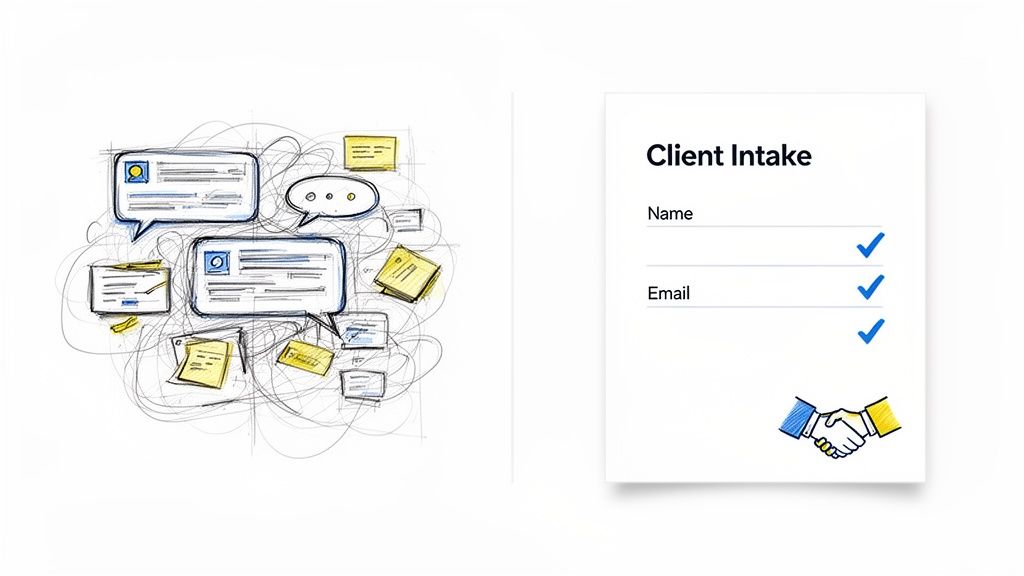
Let’s be honest, client onboarding can get chaotic fast. A great client intake form template completely changes that dynamic. It's not just another document; it’s your first real chance to impress a new client and lay the groundwork for a successful partnership.
Think of it as your secret weapon for cutting down on administrative drag and heading off the scope creep that can kill your profitability. This initial touchpoint is where you start building trust. A clear, thoughtful form shows you’re organized, detail-oriented, and respect your client's time. Instead of endless email chains hunting for basic info, you get everything in one shot.
Streamline Your Onboarding Process
The main job of an intake form is to make your life easier. It standardizes how you collect client information, making sure no critical detail ever gets missed. This structured approach is a direct counter to administrative overload.
In many professional roles, manual data entry can eat up 10–20% of a knowledge worker’s day. This is exactly why digital intake templates are so powerful—they automate the grunt work and give you back hours for billable tasks.
A standardized template also empowers your whole team. Everyone knows exactly where to find client details, project goals, and logistical needs, creating a single source of truth from day one.
Qualify Leads With Precision
Not every lead is the right fit, and your intake form is a powerful, low-effort way to figure that out early. The questions you ask can help you quickly spot high-quality prospects while filtering out those who might not be a good match for your services.
A well-crafted intake form doesn't just collect data; it serves as a silent qualifier. The thoroughness of a prospect's answers can reveal their seriousness, budget awareness, and how organized they are—all before you even schedule a call.
Key qualifying questions often dig into:
Budgetary Expectations: Asking for a budget range helps you gauge financial viability right away.
Project Timelines: Unrealistic deadlines can be a major red flag that you need to address.
Clear Objectives: Vague or undefined goals suggest the client may not be ready to start.
By gathering this information upfront, you can prioritize leads who are serious, prepared, and truly aligned with your business model. For a deeper look into the nuts and bolts of this, check out this guide on creating an effective client intake form. This approach keeps your pipeline filled with promising opportunities, not time-sucking dead ends.
Crafting the Questions That Get Real Answers
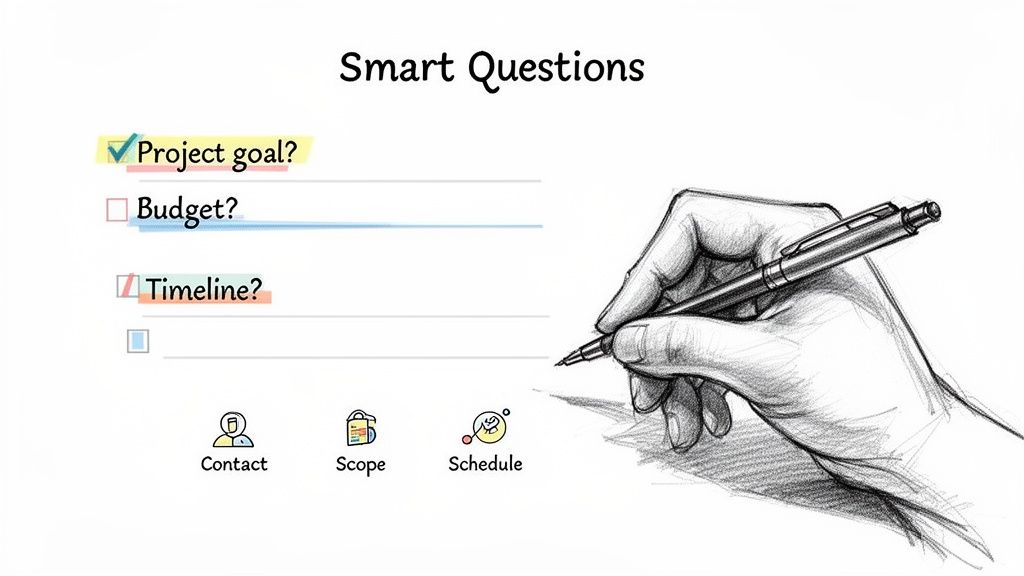
Alright, let's move from theory to action. The real power of a client intake form is in the questions you ask. It’s not just what you ask, but how you ask it. The trick is to get all the information you need without making your prospect feel like they're filling out a tax return.
Think of your form as the first strategic conversation you have with a client. It's your chance to uncover their real pain points, get clarity on their objectives, and spot any potential red flags long before you ever hop on a discovery call. The questions you write will be the difference between getting vague, one-word replies and the rich insights you need to build a killer proposal.
Each question is a tool with a specific job. Some are just for gathering data, but others are designed to make the client stop and think about what they actually need. This approach immediately positions you as a strategic partner, not just another service provider.
Nail the Contact and Company Details
This part seems obvious, but don't rush through it. Getting these details right from the very beginning saves you from those frustrating back-and-forth emails later on. It’s the simple stuff that makes all your future communication look professional and feel seamless.
Beyond the basics, this is your first opportunity to understand who the key players are. Is the person filling out the form the main point of contact, or are they just the messenger? Who has the final say? Knowing this helps you tailor your communication from day one.
Here are the must-haves for this section:
Full Name and Title: So you know exactly who you're talking to and their role.
Company Name and Website: This allows for some quick, essential research into their brand.
Email and Phone Number: Non-negotiable. You need a reliable way to follow up.
Primary Decision-Maker (if different): A simple question like, "Who will be the final decision-maker for this project?" can save you weeks of delays down the road.
Uncover Project Goals and True Scope
This is where your intake form transforms from a simple contact sheet into a powerful diagnostic tool. Your goal here is to dig into the "why" behind their project. What's the real problem they're trying to solve? More importantly, what does a "win" look like in their eyes?
Ditch generic questions like "What are your goals?" They just invite generic answers. Instead, you need to prompt them to be specific. The more detail you can pull out of them here, the more accurately you can scope the project, price your services, and avoid that dreaded scope creep later.
A great intake question doesn't just ask what the client wants; it guides them toward articulating why they need it. The difference is subtle but profound, often revealing the core business challenge you're actually being hired to solve.
To really get to the heart of their needs, try questions that make them think:
"What specific outcome would make this project a massive success for you six months from now?"
"What have you tried in the past to solve this problem, and what were the results?"
"Describe your target audience or ideal customer for this project."
If you really want to master this, digging into a detailed customer research interview protocol can give you a solid framework for asking questions that get you the most valuable answers.
Define the Budget and Timelines
Let's be honest, talking about money and deadlines can be awkward. But getting these topics on the table early is absolutely critical for managing expectations. Your intake form gives you a low-pressure way to bring it up and quickly see if a client's expectations are even in the same ballpark as reality.
Instead of asking for a single number (which can make people clam up), try offering a few budget ranges. This simple tweak makes it much easier for them to answer honestly and gives you a clear signal of their investment level. One firm I know saw a 76% year-over-year revenue increase partly because they started clarifying budget expectations right in their intake form.
Use these questions to set clear boundaries from the start:
What is your estimated budget for this project? (Use multiple-choice ranges like $1,000-$2,500, $2,500-$5,000, etc.)
What is your ideal start date and desired completion date for this project?
Are there any hard deadlines or upcoming events tied to this project's completion?
Clarify Working Logistics and Preferences
The final, crucial part of your intake form should cover the nitty-gritty of how you'll work together. How do they prefer to communicate? Who else needs to be looped in on project updates? Sorting out these logistics right away prevents so much friction and helps ensure a smooth workflow once things get started.
This section shows that you’re thinking ahead and that you value a collaborative, organized partnership. It proves you respect their time and are willing to adapt to their internal processes when it makes sense.
Consider adding fields for things like:
Preferred Communication Method: (e.g., Email, Slack, weekly calls)
Key Stakeholders: Find out who else from their team needs to be kept in the loop.
File Sharing: Do they live in Google Drive or Dropbox?
Existing Tools or Software: Ask about any relevant accounts they'll need to grant you access to.
Choosing The Right Platform For Your Intake Form
You don't need to build your client intake system from a blank slate. The right tool can save you hours of tedious work and, more importantly, create a polished first impression that sets the tone for your entire relationship.
The key is picking a platform that fits your workflow, your budget, and the specific experience you want to give new clients. Instead of getting lost in a sea of options, let's focus on the most practical and popular choices out there.
We'll look at user-friendly tools like Google Forms and Typeform, the incredible flexibility of Notion, and even the simple reliability of a printable PDF for those offline moments. This isn't about finding the single "best" tool, but the best tool for your business right now.
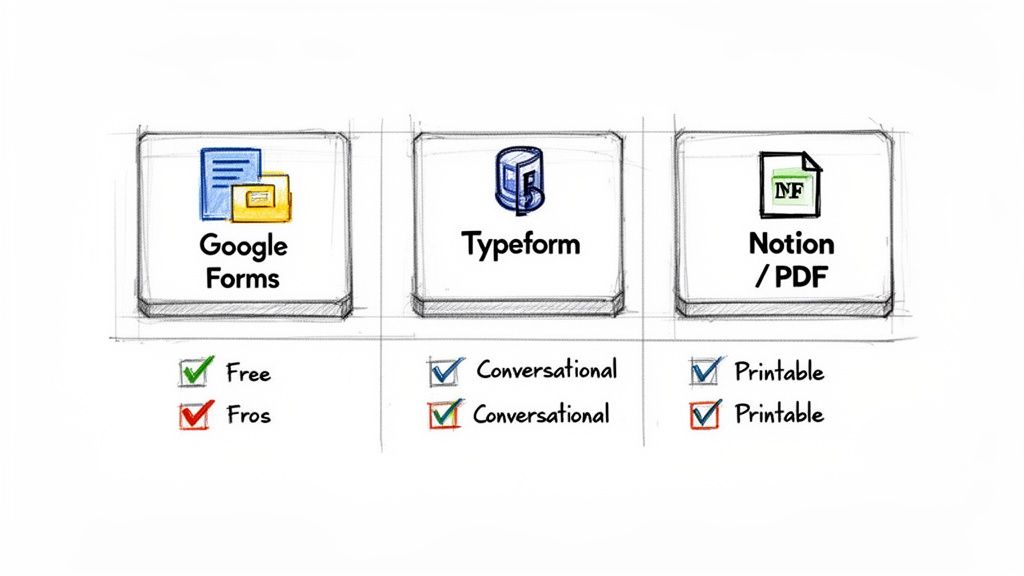
Finding The Best Intake Form Tool For Your Business
Deciding on a platform can feel overwhelming, but it really boils down to what you prioritize. Use this quick comparison to see which tool aligns best with your business needs, client experience goals, and technical comfort level.
Platform | Ideal For | Standout Feature | Keep In Mind |
|---|---|---|---|
Google Forms | Solo entrepreneurs and small businesses needing a no-cost, reliable solution. | Completely free with unlimited forms and responses. | Design is very basic; feels more functional than premium. |
Typeform | Businesses wanting to create a premium, engaging first impression. | Conversational UI that feels like a chat, boosting completion rates. | The free plan is very limited; requires a paid subscription for full features. |
Notion | Teams who already use Notion and want to keep client data centralized. | Ultimate flexibility and integration with your existing project management. | Requires manual setup and isn't a dedicated form tool. |
Printable PDF | In-person consultations or clients who are less tech-savvy. | Offline accessibility and universal compatibility. | Requires manual data entry and can feel a bit dated. |
Ultimately, the platform you choose is a direct reflection of your brand. A clunky, hard-to-use form can create friction and doubt, while a smooth, engaging experience builds immediate confidence.
Google Forms: The Free And Functional Powerhouse
For many service providers, Google Forms is the perfect starting point. It’s 100% free, incredibly intuitive, and integrates seamlessly if you're already in the Google ecosystem (Gmail, Drive, Sheets). You can build a comprehensive client intake form template in just a few minutes.
The real strength here is simplicity and reliability. You get unlimited forms, unlimited responses, and all the data is automatically organized into a Google Sheet for easy tracking. It just works.
While it won't win any design awards, its functionality is undeniable. It's the go-to for solo entrepreneurs, freelancers, and small businesses who need a straightforward solution without the monthly subscription fee.
Typeform: The Conversational Experience
If you want an intake form that feels less like paperwork and more like a friendly conversation, Typeform is the undisputed leader. Its one-question-at-a-time interface is sleek, engaging, and has been shown to improve completion rates. This premium feel can make a huge difference in how a client perceives your brand.
Typeform excels at creating a human-centered experience. It has beautiful design options, conditional logic (which shows questions based on previous answers), and seamless media integration. It’s an excellent choice for creative agencies, high-end consultants, and anyone who wants to stand out from the very first click.
The platform you choose is a direct reflection of your brand. A clunky, hard-to-use form can create friction and doubt, while a smooth, engaging experience builds immediate confidence and shows you value the client's time.
The trade-off? The price. While there's a free plan, it’s quite limited. You'll likely need a paid subscription to unlock its best features and remove their branding. For an even broader look at options, you can explore our detailed review of the best form builder tools for selling digital products.
Notion And PDFs: The Flexible And Offline Options
Sometimes, the best solution is one that lives right where the rest of your work does. For the thousands of businesses running on Notion, building an intake form directly within a workspace keeps everything centralized. You can create a database template that a new client fills out, instantly turning their submission into a new project page.
This method offers ultimate flexibility but does require a bit of manual setup. It’s perfect for those who prioritize deep integration with their existing project management system. When you're thinking about how to present your form, a detailed guide to a killer lead generation landing page template can help you build a page that effectively captures client info.
Finally, never underestimate the simple, printable PDF. It's the perfect backup for in-person consultations or for clients who are less tech-savvy. You can design a beautiful form in a tool like Canva, send it as an email attachment, and have clients fill it out digitally or by hand. It’s a reliable fallback that ensures you’re prepared for any situation.
Tailoring Your Form for Different Industries
A generic client intake form is a decent starting point, but it's never going to unlock the deep insights you need to truly serve your clients. A one-size-fits-all approach misses the crucial, industry-specific details that separate an adequate project from an exceptional one.
The questions a design agency asks are fundamentally different from what a business coach or a wellness practitioner needs to know.
This customization does more than just gather better information. It immediately signals your expertise and shows the client you understand their world. When a potential client sees questions that speak directly to their industry's challenges and terminology, it builds instant credibility. It proves you’ve done this before and know exactly what to look for.
For Marketing and Creative Agencies
If you’re in marketing, design, or any creative agency, think of your intake form as a diagnostic tool for brand health and project vision. You have to move beyond basic contact info and dig into the client's brand identity, competitive landscape, and aesthetic preferences. This is where you uncover the strategic foundation for your work.
Without this information, you're essentially designing in the dark. Asking for brand assets is a given, but a truly effective intake form goes deeper. It helps you understand the client’s perception of their own brand and their hopes for its future.
Consider adding questions like these to your form:
Brand Voice: "Describe your brand in three words. If your brand were a person, what would their personality be?"
Competitor Analysis: "Please list 2-3 competitors you admire and briefly explain what you like about their marketing or design."
Asset Collection: "Please provide a link to a cloud folder (e.g., Google Drive, Dropbox) with your logo files, brand guidelines, and any existing marketing materials."
Visual Inspiration: "Share links to 3 websites or designs you love. What specifically do you like about them?"
These questions don't just collect data; they prompt the client to think critically about their own brand, making your first strategy session far more productive.
For Coaches and Consultants
As a coach or consultant, you're in the business of transformation, whether it's for an organization or an individual. Your intake form needs to establish a baseline. It's about understanding where the client is now, where they want to go, and what’s standing in their way.
For a business coach, this means probing into revenue goals, team structure, and current operational bottlenecks. For a life coach, it's about personal values, perceived blockers, and what "success" even looks like to them. The goal is to get a clear snapshot of their starting point so you can map out the journey ahead.
Here are a few powerful questions for coaches and consultants:
Defining Success: "Fast forward 12 months. What has to have happened for you to feel like our work together was a huge success?"
Identifying Obstacles: "What do you believe is the single biggest challenge holding you back from reaching this goal right now?"
Measuring Progress: "What are the key metrics (business or personal) we should be tracking to measure your progress?"
Your intake form is the first step in the coaching process itself. It encourages self-reflection and helps the client gain clarity on their own goals before your first official session even begins.
For Legal and Professional Services
For some industries, the client intake form isn't just a best practice—it's a critical part of compliance and risk management. This is especially true for legal, financial, and healthcare services, where accuracy and documentation are everything.
In these fields, the forms are directly tied to record-keeping and protecting your practice. For instance, legal client intake templates are structured to capture full identification data plus a detailed description of the legal issue, all of which support conflict checks and ethical obligations. Similarly, healthcare and counseling intake templates routinely include medical history, emergency contacts, and consent sections. You can learn about legal intake forms at walkeradvertising.com to see more specific examples.
Don't Forget Privacy and Legal Disclaimers
No matter what industry you're in, if you collect personal information, you must address privacy and consent. This is a non-negotiable step that protects both you and your client. Your form should be totally transparent about how you handle their data.
This doesn't need to be complicated. A few key elements will ensure your form is professional and legally sound:
Privacy Policy Link: Always include a clear, clickable link to your website’s privacy policy. A simple statement like, "By submitting this form, you agree to our Privacy Policy," is standard practice.
Consent Checkbox: For marketing communications, include an explicit opt-in checkbox. For example, "Yes, I'd like to receive occasional news and updates via email." This is crucial for compliance with regulations like GDPR.
Confidentiality Statement: A brief sentence assuring the client that their information will be kept confidential can significantly increase their comfort and trust.
HIPAA Compliance (for wellness/health pros): If you are a covered entity under HIPAA, you must use a HIPAA-compliant form builder and include a notice of privacy practices.
Integrating these elements shows you are a professional who takes data security seriously, setting a standard of trust from the very first interaction.
Putting Your Onboarding Process on Autopilot
Getting a new client to fill out your intake form is a great first step, but it’s just the beginning. The real efficiency kicks in when you automate what happens next, turning that one submission into a perfectly choreographed sequence of actions.
This is where you graduate from just collecting data to building a truly hands-off onboarding machine.
A submitted form shouldn't just land in your inbox, waiting for you to find time for it. That single event can—and should—set off a chain reaction that gets the ball rolling immediately. Think of it as putting your admin work on autopilot so you can focus on the strategic, high-value work clients are actually paying you for.
It’s not about cutting corners; it’s about being smart. Automation guarantees every new lead gets immediate attention, your internal team knows exactly what to do, and nothing slips through the cracks.
Connecting Your Tools for a Seamless Workflow
The secret to powerful intake automation is linking your form to the other software you already use to run your business. Most modern form builders give you two main ways to do this: native integrations and third-party connectors like Zapier.
Native integrations are direct, built-in connections. For instance, your form tool might have a one-click option to send new contacts straight to Mailchimp or HubSpot. Connectors like Zapier are the universal translators, acting as a bridge between thousands of different apps that don't talk to each other directly.
Here are a few game-changing automations you can set up right away:
Fire Up the CRM: Instantly create a new client contact in your CRM (like HubSpot, Salesforce, or Dubsado) with all the form details. This kills manual data entry and keeps your client database perfectly current.
Kickstart the Project: Automatically generate a new project board in tools like Asana, Trello, or ClickUp. You can even have it pre-populate with key dates and details pulled right from the form submission.
Alert the Team: Ping a notification into your team’s Slack or Microsoft Teams channel the moment a form comes through. This keeps everyone in the loop and ensures a rapid response to a hot lead.
Before you can automate anything, though, you have to get the form itself right. This flowchart gives a quick look at the thinking process that comes before you even touch automation.
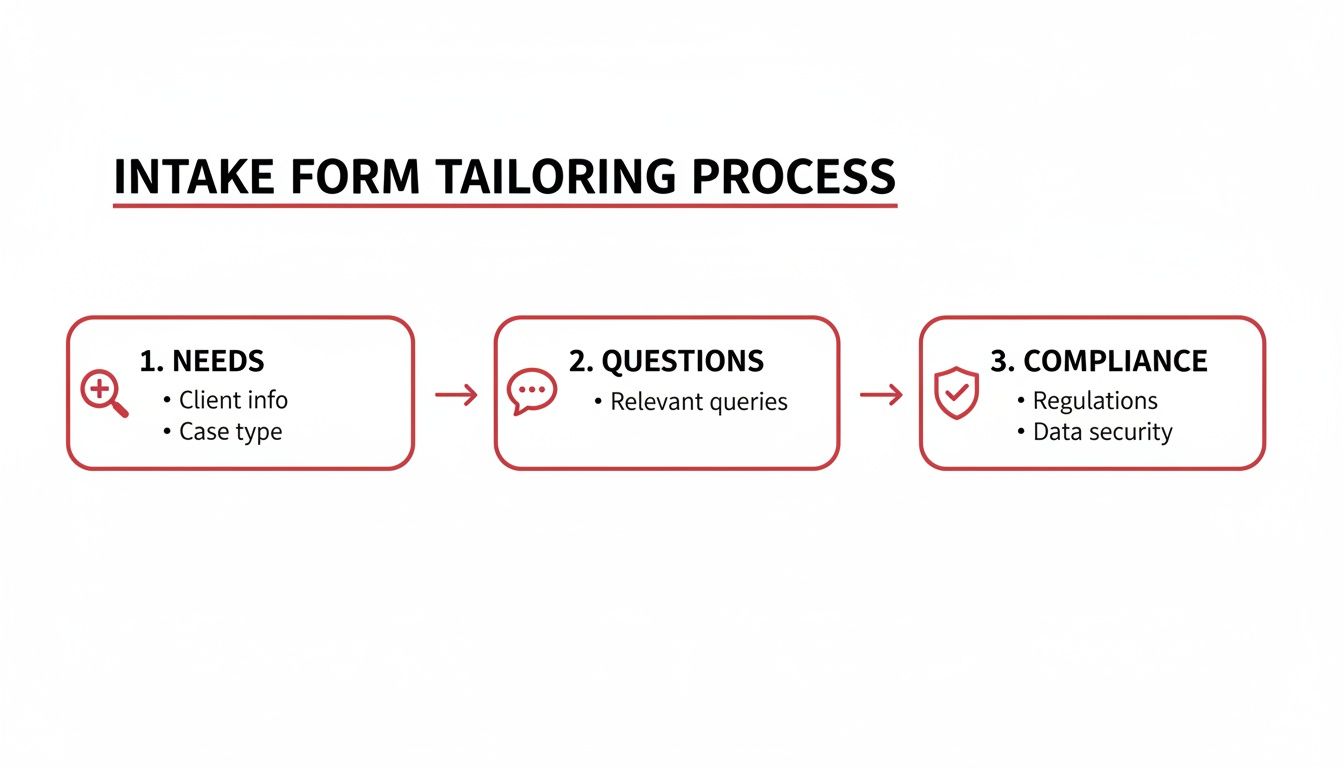
As you can see, understanding your client's needs, asking the right questions, and handling compliance are the bedrock. Get these wrong, and no amount of automation will save your process.
Crafting Automated Client Communications
Automation can also completely change the game for your client communication. A fast, professional follow-up shows you're on the ball and manages a new client's expectations from the very first interaction.
The most critical moment after a form submission is the first five minutes. An automated confirmation email not only acknowledges receipt but also reassures the client they've made the right choice and tells them exactly what will happen next.
Here’s a simple but incredibly effective email automation sequence you can build:
The Instant "We Got It" Email: The second they hit "submit," an email should go out confirming you've received their info. Thank them and set expectations on timing (e.g., "Our team will be in touch within 24 business hours to review your details.").
The Human Touch Trigger: While that first email is automated, have the system create a task for you or a team member to send a personal follow-up. This gives you the best of both worlds: the speed of automation and the warmth of a real person.
The Next-Step Automation: If the client looks like a great fit based on their answers, you can trigger another automation that sends them the next step, like a link to book a discovery call or a welcome packet with more info.
Automating these early touchpoints is a cornerstone of building a business that can scale. To map out these crucial first steps in more detail, check out our comprehensive client onboarding process template. By letting technology handle the repetitive tasks, you free up your brainpower for strategy, creativity, and building solid client relationships from day one.
Common Questions About Client Intake Forms
Even with the perfect client intake form template, you're going to have questions. Let's be real—creating a smooth onboarding process is something you constantly tweak and refine. Think of this as your go-to guide for those nagging little details that can make or break a new client's first impression.
Getting these things right isn't just about making your life easier. It's about making the process feel effortless and reassuring for your new clients from the moment they decide to work with you.
How Long Should My Client Intake Form Be?
You're aiming for the sweet spot: somewhere between 5-10 minutes to complete. Your real goal is to get the critical info you need without making your prospect so frustrated they just give up halfway through. Anything longer than that, and you'll see a big drop-off in completions.
To make it feel shorter than it is, group related questions into logical sections. Use clear, simple headings like "About Your Business" or "Project Goals" to guide them along. This simple structure makes even a comprehensive form feel way more manageable and less like a tax return.
If your form builder has it, conditional logic is a game-changer. This feature cleverly shows or hides questions based on how someone answers a previous one. For example, if a client says they need "logo design," they won't be bothered with questions about social media management. It tailors the experience on the fly.
When you absolutely have to dig deep for details, try a two-step process. Kick things off with a super-brief contact form to see if they're a good fit. Once you've qualified them, you can send a more detailed intake form as the first official step of the project.
What Are the Biggest Mistakes to Avoid?
Most problems with intake forms come down to a few common—and totally fixable—mistakes. If you can sidestep these, you'll immediately boost your form's effectiveness and the quality of the information you get back.
I see these three pitfalls trip people up all the time:
Asking Too Many Irrelevant Questions: Every single field on your form needs to earn its spot. If you can't immediately say why you need a piece of information, you probably don't need to ask for it.
Using Unclear Language or Jargon: Keep it simple. Write your questions in plain English and steer clear of industry acronyms or confusing phrases that a client could easily misinterpret.
Having No Clear Follow-Up Process: This is a huge one. The second a client hits that "submit" button, they should know exactly what happens next. A vague or silent ending just creates uncertainty and makes you look disorganized.
Always, always end your form with a confirmation page or an automated email that sets clear expectations. A simple message like, "Thanks! We've got your info and will be in touch within one business day," works wonders.
How Do I Encourage Clients to Fill Out the Form?
Getting clients to actually complete your form is all about how you frame it. You have to position it as a direct benefit to them, not just another piece of administrative work for you.
Explain that filling it out helps you create a more accurate proposal or ensures your first call is incredibly productive and focused on their solutions.
Be upfront about how long it will take. A simple note at the top—something like "This form should only take about 7 minutes to complete"—manages expectations and lowers their resistance to getting started.
And this is critical: your client intake form template must be mobile-friendly. A huge number of people will fill this out on their phone, and a clunky, hard-to-use form on mobile is a guaranteed way to lose a great lead.
Finally, make it a non-negotiable step in your process. A serious client who values your expertise will appreciate your organized approach and will gladly invest the time to do it right.