Guide
How to Make a Udemy Course That Sells and Earns Passive Income

So, you want to make a Udemy course. At its core, the process is pretty straightforward: you need a topic people actually want, a clear curriculum, decent video and audio, and a basic launch plan. It's about turning your idea into a real digital product that can earn passive income on one of the biggest e-learning platforms in the world.
Your Blueprint for a Profitable Udemy Course
Creating a Udemy course is more than just sharing what you know; it's a strategic business move. The online learning market is massive, and Udemy gives you a direct line to a global audience hungry for new skills. This guide is your complete blueprint for building a course that doesn't just teach but also generates consistent, long-term revenue. We’re going to treat this like we're building a valuable digital asset, because that's exactly what it is.
The real goal here is to move past simply filming lectures. We're focused on creating a product that people will be excited to pay for. This breaks down into a few key phases:
Validating Your Idea: First things first, you have to find a topic that's in high demand. This means getting confirmation that a real audience is actively looking for the solutions you can offer.
Designing Your Curriculum: Next, you'll map out an engaging curriculum that promises a clear transformation for your students—this is what leads to those glowing reviews.
Producing Quality Content: You’ll learn how to get professional-looking video and audio without needing to rent out a fancy studio.
Optimizing for Discovery: We’ll cover exactly how to set up your course landing page to rank high in Udemy’s search results and turn visitors into students.
Launching for Momentum: Finally, we’ll walk through a simple but powerful launch strategy to get those first crucial sales and build momentum.
This visual breaks down the entire journey into three simple stages: from the initial concept all the way to launch.
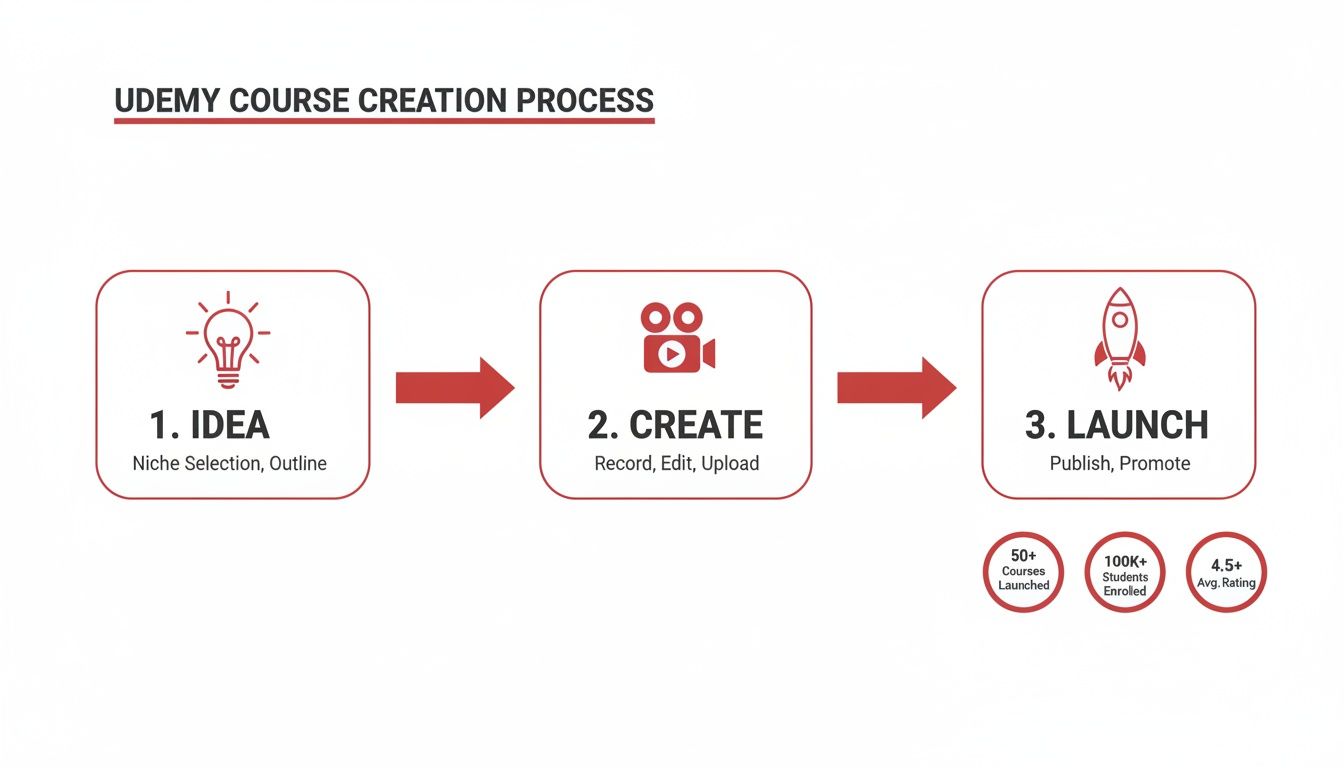
It really is that simple when you look at it this way. The journey splits cleanly into ideation, production, and marketing, making a big project feel much more manageable.
The Opportunity on Udemy
The sheer scale of the platform is hard to ignore. You’d be joining an ecosystem with over 75,000 instructors, 210,000 courses, and a staggering 67 million learners. In 2022 alone, Udemy pulled in $629 million in revenue, which shows just how much the platform is growing.
For creators looking to make a Udemy course, the financial upside is real. Udemy paid out $208.2 million to instructors in 2023, and the top 18 sellers each earned over $1 million. You can dig into more of the numbers and see the full picture on instructor earnings.
The secret to success on Udemy isn't just being an expert; it's being a strategic creator. The most profitable courses solve a specific, painful problem for a clearly defined audience.
Think of this guide as your roadmap, taking you from a simple idea to a sustainable passive income stream. By following these steps, you can confidently build, launch, and grow a digital asset on a platform that has a built-in audience just waiting to learn what you have to teach.
Before we dive into the nitty-gritty of each step, here’s a high-level look at the entire process. This roadmap will help you visualize the journey from start to finish.
Udemy Course Creation Roadmap at a Glance
Phase | Key Objective | Core Activities |
|---|---|---|
Phase 1: Idea Validation | Confirm your course topic has a paying audience. | Niche research, keyword analysis, competitor review, and surveying potential students. |
Phase 2: Curriculum & Content | Design and produce high-quality, engaging video lessons. | Outlining sections, scripting lectures, recording audio/video, and editing the final content. |
Phase 3: Launch & Marketing | Build initial sales momentum and gather student reviews. | Course page optimization (SEO), setting pricing, creating coupons, and promoting to your audience. |
Phase 4: Post-Launch Growth | Optimize and scale your course for long-term income. | Analyzing student feedback, running promotions, updating content, and creating new courses. |
This table lays out the core stages you'll be working through. With this structure in mind, you're ready to tackle the first, most crucial step: finding and validating a winning course idea.
How to Validate a Course Idea That People Will Actually Buy
Let’s be honest. The biggest mistake I see new instructors make is building an entire course they think people want, without ever actually checking. Before you write a single script or hit the record button, you have to confirm that a real market exists for your idea.
Think of this validation step as non-negotiable. It’s the difference between a course that sells and one that collects digital dust.
Passion for your topic is a fantastic starting point, but passion alone doesn't pay the bills. The sweet spot is finding the intersection of what you know, what people are actively willing to pay to learn, and where you can offer something genuinely better than what's already out there. This isn’t about guesswork; it's about using data to make a smart decision.
Use Udemy Marketplace Insights
Your first stop should be Udemy’s own tool, Marketplace Insights. It's free and it’s like having a direct line into the platform’s search data, showing you exactly what students are looking for right now.
Just type your course topic into the search bar. The tool will spit out a goldmine of information, including:
Student Demand: Is this a topic people are searching for on Udemy? It’ll rate demand from high to low.
Number of Courses: This tells you how crowded the field is. High demand with low competition is the dream scenario.
Top Monthly Revenue: You can see what the top-earning courses in your niche are pulling in. This gives you a realistic benchmark for your own income potential.
This data is your first green light. If Udemy shows high student demand and solid earnings for a topic you can teach, you’re on the right track. This simple check can save you from wasting months on a course destined for an empty classroom.
Analyze Your Competitors' Reviews
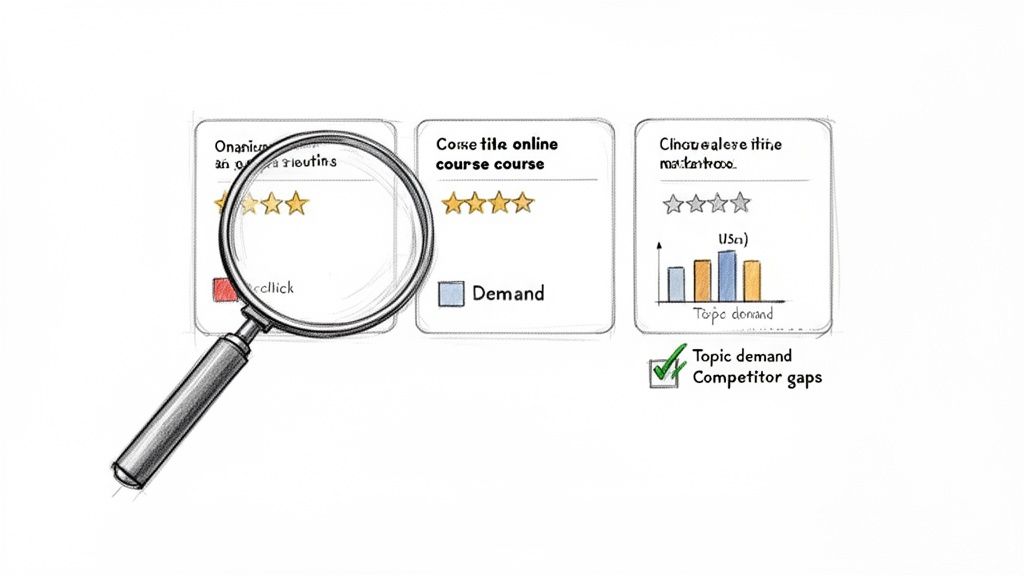
Once you’ve found a promising topic, it's time to do some ethical spying. Find the top 3-5 courses on Udemy for your topic and dive deep into their student reviews—both the good and the bad. This is where you'll find your competitive edge.
Pay close attention to the 1-star and 2-star reviews. They are a literal roadmap of student frustrations and content gaps that your course can solve.
Filter the reviews to see what students are complaining about. Are the lectures too long and rambling? Did the instructor skip over a crucial step? Is a specific concept not covered in enough detail? Every single complaint is an opportunity for you to create a better, more complete course that directly addresses those pain points.
Don't forget to read the 5-star reviews, either. They show you what students absolutely love. Take note of the specific projects, explanations, or resources they praise. This helps you nail the "must-have" elements for your own curriculum. Your goal is simple: combine what works and fix what doesn't. This process is a foundational step in turning your hobby or expertise into a profitable digital product. For more ideas on this, check out our guide on how online courses can turn hobbies into successful businesses.
Look Beyond Udemy for Clues
While Udemy is your primary research ground, looking at external signals gives you a much broader view of your topic's relevance. To really nail this, you first have to get clear on who you're creating the course for by identifying your target audience.
Once you know who you’re talking to, use these free tools to listen in on their conversations:
Google Trends: See if interest in your topic is growing, shrinking, or just seasonal. A steady upward trend is a fantastic sign of a healthy, in-demand market.
AnswerThePublic: This tool is amazing. It visualizes the questions people are typing into search engines. Pop in your keyword, and it will generate hundreds of "who," "what," "why," and "how" questions that real people have. These are perfect ideas for your lectures.
YouTube and Quora: Search for your topic and scroll through the comments and forum threads. This is an unfiltered look into the immediate problems and questions your potential students are trying to solve right now.
By blending direct feedback from Udemy with these broader market trends, you build an airtight case for your course idea. This ensures you're investing your time and energy into something people are not just interested in, but genuinely eager to buy.
Designing a Curriculum That Earns 5-Star Reviews
Once you’ve locked down a winning idea, it’s time for the real work: building the curriculum. This is where you architect the learning journey that takes a student from Point A to Point B. A great course isn't just an information dump; it's a carefully crafted transformation. Your curriculum is the roadmap for that transformation.
People buy courses for a specific outcome, and your structure is what guarantees they get there. You have to stop thinking like the expert who knows it all and start thinking like a teacher guiding a total beginner. The goal is to create a series of "aha!" moments that build on each other, keeping students hooked until the very end.
Nail Your Transformational Promise
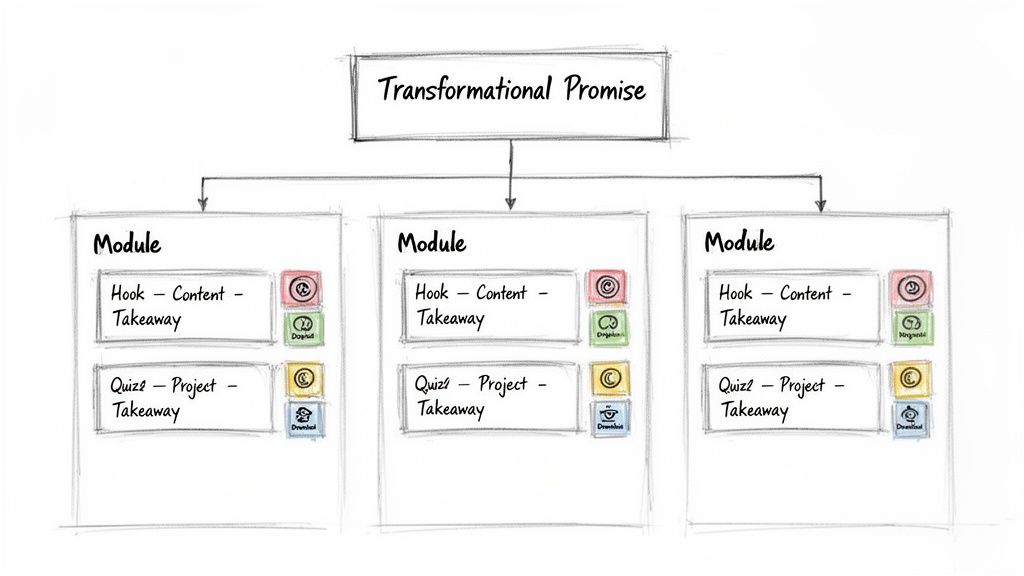
Before you write a single slide, you absolutely must define your course's transformational promise. This is the specific, tangible result a student can expect after finishing your course. It's not just a learning objective—it's your core marketing hook and the guiding light for every piece of content you create.
A weak promise is vague and forgettable, like "Learn about social media." A strong promise is concrete and exciting: "Launch your first profitable Facebook Ad campaign in 7 days, even with a tiny budget." See the difference?
Your entire curriculum should be reverse-engineered from this one promise. Every single section, lecture, and downloadable PDF must directly help your student achieve that specific outcome. If a piece of content doesn't serve the promise, cut it.
This keeps your course lean, focused, and effective. It's the best way to avoid the classic mistake of creating a course that’s packed with information but delivers zero real-world results, leaving students overwhelmed and disappointed.
Structure for Learning, Not for Experts
With your promise set, it's time to map out the journey. The best way to make a Udemy course curriculum that students love is to break down your expertise into bite-sized, logical steps.
First, do a massive brain dump. Get a whiteboard or a blank document and write down every single concept, skill, and tidbit someone needs to know to achieve the transformation. Don't worry about the order yet—just get everything out of your head.
Next, start grouping those ideas into logical sections. Think of these as the major milestones on the student's path. For a course on "YouTube for Beginners," your sections might look something like this:
Section 1: Setting Up and Optimizing Your Channel for Success
Section 2: Planning and Scripting Videos People Actually Want to Watch
Section 3: Filming and Editing Fundamentals (Without Fancy Gear)
Section 4: Uploading, SEO, and Launching Your First Video
Section 5: Understanding Your Analytics and Growing Your Audience
Keep Lectures Short and Punchy
Now, break those sections down into individual lectures. Here’s the golden rule on Udemy: keep your videos short. The sweet spot is between 2-7 minutes. This isn't just about short attention spans; it's about making it easy for students to squeeze in a lesson on their commute or during a lunch break.
Each video should have one clear purpose. Don't try to cram three different ideas into a single lecture. A simple but powerful script for each lecture follows this pattern:
The Hook: Tell them what you're about to teach and why it's a critical piece of the puzzle.
The "How-To": Teach the actual concept. Show, don't just tell. Use real-world examples.
The Action: End with a quick summary and a clear call to action, like "Now, pause this video and go try this yourself."
The online learning market is absolutely massive, with some projections suggesting it could hit $1 trillion by 2032. With over 220 million global course enrollments in 2023 and 60% of lectures being watched on mobile, short and digestible content isn't a preference—it's a necessity. You can dive deeper into the latest online learning statistics to see just how big this opportunity has become.
Go Beyond Video with Actionable Resources
Finally, a truly 5-star course offers more than just videos. To create an unforgettable experience, you need to add resources that help students apply what they've learned.
These "active learning" components are what turn a passive video playlist into a life-changing educational program. They show students you're invested in their success, not just their enrollment fee.
Consider adding valuable extras like:
Downloadable Checklists: Perfect for quick-reference guides they can use again and again.
Worksheets or Templates: Give them actionable tools to implement your teachings immediately.
Quizzes: Use simple knowledge checks to reinforce the most important concepts.
Assignments: A small project at the end of each section is a great way to build their confidence and momentum.
These additions do more than just improve learning; they dramatically increase the perceived value of your course. That's how you get students who not only finish the course but rush to leave you a glowing review.
Producing High-Quality Video and Audio on a Budget
The thought of filming an entire course can be pretty intimidating. Lots of creators get stuck here, thinking they need a professional studio and thousands of dollars in gear just to compete.
Let me tell you, that's completely false.
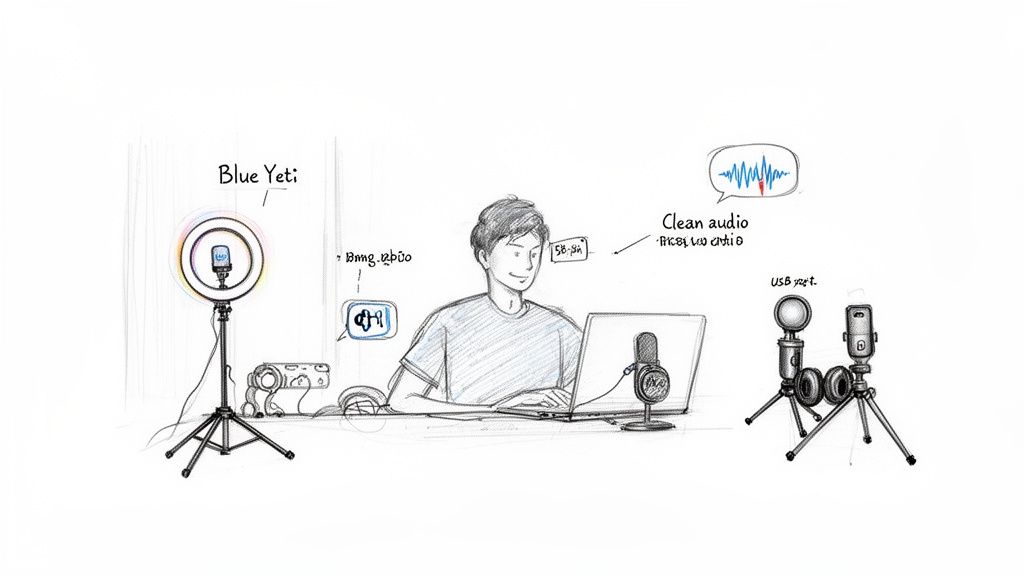
To make a Udemy course that looks and sounds great, you just need a few affordable tools and a good grasp of the fundamentals. Your smartphone is probably more than capable of shooting high-quality video. The real game-changer isn’t your camera—it's your audio and lighting.
Students will forgive video that’s a little less than perfect, but they absolutely will not tolerate crackling, echoey, or hard-to-hear audio. It's the number one reason for bad reviews, period.
This is a huge advantage for creators. Building a course on Udemy is a low-cost way to tap into a booming market. The average production cost is just $177. That kind of affordability opens the door for freelancers and small business owners to share what they know without a massive upfront investment. If you want to dive deeper, you can find more details on the financials of online course creation to see just how accessible it is.
Choosing Your Recording Style
Before you rush out and buy any gear, you need to decide on your main teaching format. This choice will shape the exact tools you'll need. Most Udemy courses end up using a mix of these three styles:
Talking-Head Videos: This is you, on camera, speaking directly to your students. It's fantastic for building a personal connection and works perfectly for intros, summaries, and big-picture lessons.
Screencasts: This is your go-to for software tutorials, coding lessons, or anything that requires showing your screen. You simply record your screen with a voiceover, walking students through a process step-by-step.
Slide Presentations: Think of this as a screencast, but you're recording a slideshow (like a PowerPoint or Google Slides deck) with your voiceover. It's an excellent way to structure complex information in a clean, visual format.
The best courses usually blend these together. You might kick off a module with a talking-head intro, jump into a screencast for the "how-to" portion, and then pop back on camera to wrap things up.
Your Essential Budget-Friendly Toolkit
You can get professional-looking results with just a few key pieces of equipment. Forget the complicated, expensive stuff and focus on these essentials.
For Crystal-Clear Audio: Your absolute top priority is a dedicated USB microphone. This is non-negotiable. A high-quality mic like the Blue Yeti or a Rode NT-USB will plug right into your computer and give you broadcast-quality sound for around $100. It's the single best investment you will make for your course.
If your audio is bad, your course is bad. It doesn't matter how brilliant your content is—if students have to strain to hear you, they will tune out and leave a poor review.
For Simple and Effective Lighting: Good lighting instantly makes you look more professional and trustworthy. You don't need a fancy three-point lighting kit. A simple ring light placed behind your camera is usually enough to kill shadows and create a clean, bright look. Natural light from a window also works wonders—just be sure you're facing the window, not backlit by it.
For Easy Recording and Editing: Modern software has made recording and editing ridiculously simple. You don't need to spend weeks learning a complex program like Adobe Premiere Pro.
Loom: This is perfect for quickly recording your screen, your camera, or both at the same time. It’s incredibly intuitive and cloud-based, which makes managing all your video files a breeze.
Descript: This tool is a true game-changer. It transcribes your audio and lets you edit your video by just editing the text. Deleting a word from the transcript automatically cuts it from the video, making it lightning-fast to remove all those "ums," "ahs," and mistakes.
With these tools, a quiet room, and a clean background, you have everything you need to produce a high-quality Udemy course that students will genuinely love.
Optimizing Your Course Page for Maximum Visibility and Sales
You've spent countless hours scripting, recording, and editing. It's so tempting to just quickly upload everything and hit "publish." But hold on—the next part is just as critical. Your course landing page is your digital storefront, and a weak one can make all your hard work practically invisible.
This isn't just a page with a description; it's your sales pitch. It’s where a potential student decides in a matter of seconds whether to click "Buy Now" or just keep scrolling. Getting this right is how you make a Udemy course that actually sells.
Crafting a Title and Subtitle That Ranks
Your title is the very first thing anyone sees. It has to be compelling, promise a result, and play nice with Udemy’s search algorithm. A great title doesn't just say what the topic is; it promises a specific outcome.
For instance, "Learn Python" is okay, but it's generic. Something like "Python for Data Science Masterclass: From Beginner to Pro" is far more powerful. It hits the main keyword ("Python"), narrows down the niche ("Data Science"), and promises a real transformation. Your subtitle then gives you another shot to sprinkle in secondary keywords and reinforce that promise.
Writing a Description That Converts
This is where you close the deal. Don't just list what's in the course; sell the transformation. Kick things off with a strong hook that speaks directly to a pain point your ideal student is feeling. From there, make it crystal clear what they will be able to do once they've finished your lessons.
Use bullet points to break down the "What You'll Learn" section so it's easy to scan. The key is to frame everything as an actionable outcome.
Instead of: "This course covers social media marketing."
Try: "Build and execute a complete social media strategy from scratch."
Instead of: "We will discuss financial modeling."
Try: "Create dynamic financial models in Excel to forecast business performance."
See the difference? That small tweak in language changes everything. It’s not just about getting views; you have to turn those views into enrollments. The psychology of online sales is fascinating, and this guide on how to improve your website's conversion rate offers some great insights that apply here, too.
The Power of Visuals: Promo Video and Image
Your two biggest visual assets are your promo video and your course image. A well-made promo video, usually around 2 minutes, can be the single biggest factor in boosting your enrollment rate. It's your chance to connect with students, let your teaching style shine, and get them genuinely excited about what's inside.
Your course image, or thumbnail, needs to be clean, professional, and readable even when it’s tiny. Think bold text, a high-quality photo of you, and something that aligns with your brand. When a student is scrolling through a sea of search results, this visual handshake is often what makes them stop and click.
Your promo video isn't just a trailer; it's a trust-builder. It’s the closest a student gets to meeting you before they enroll. Show your passion, be authentic, and make it clear you're the right instructor to guide them.
Navigating Pricing and Promotions
Let's be honest: Udemy pricing can feel a bit chaotic with all the platform-wide sales. For a new instructor, the best move is usually to set a higher list price (think $99.99 or more) and then lean on instructor coupons to drive those crucial first sales.
Offering a massive discount or even making your course free for a handful of students is a fantastic launch strategy. It helps you get those initial enrollments, but more importantly, it helps you get your first reviews. Social proof is king on Udemy. A course with even a few positive reviews is infinitely more attractive than one with zero.
Understanding how to leverage these promotional tools is a game-changer. Exploring different Udemy platform tools and strategies can give you a much deeper playbook for building that all-important momentum right from day one.
A Simple Launch Strategy to Build Lasting Momentum
You’ve finished your course, polished the videos, and have it ready for students. That’s a huge milestone, but the work isn’t quite over. A strong launch is the engine that drives your initial sales, gathers those critical early reviews, and sets the stage for long-term passive income. Without a plan, even the best course can get completely lost in the Udemy marketplace.
A successful launch isn't about complicated marketing funnels or a massive ad budget. It's really about building targeted excitement before you go live and then strategically using Udemy’s own tools to create momentum. The real goal is to get your first batch of students enrolled as quickly as possible—this signals to the Udemy algorithm that your course is valuable and worth showing to more people.
Building Pre-Launch Buzz
The best time to start marketing your course is actually before it's even published. When you build a small, interested audience ahead of time, you have a ready-made group of students on day one. That initial surge is incredibly powerful for your visibility on the platform.
Start by teasing your upcoming course to your existing network. This can be as simple as a series of posts on social media or a short email sequence if you have a subscriber list.
Share behind-the-scenes content: Post a screenshot of your recording setup or a quick clip from a lesson you just finished editing.
Ask for feedback: Let your audience vote on the final course title or thumbnail design. This makes them feel involved in the process.
Offer an early-bird discount: Create a simple waitlist and promise a special launch-day price exclusively for those who sign up.
This approach transforms your audience from passive observers into active participants who are genuinely excited for your course to finally drop.
Executing a Strategic Launch Week
Your launch week is all about getting those first crucial enrollments and, more importantly, reviews. Social proof is everything on Udemy; a course with even a handful of students and positive ratings is far more likely to attract new buyers than one with zero. The most effective tool you have for this is instructor coupons.
A common mistake I see is instructors being afraid to give their course away for free or at a steep discount. In the beginning, enrollments and reviews are far more valuable than immediate revenue.
Create a limited number of 100% free coupons and share them with your pre-launch waitlist, friends, or in relevant online communities. Be direct and ask them to leave an honest review if they find the course helpful. Once you have a few reviews trickling in, switch to a deeply discounted coupon (like $9.99) and promote that for the rest of your launch week. This strategy helps you climb the rankings while still generating some initial income.
Post-Launch Marketing for Evergreen Sales
Once your launch week is over, the goal shifts from a big push to creating a steady, consistent stream of new students. This is where your course starts to become a truly evergreen asset.
Udemy gives you two powerful tools for communicating with your existing students:
Promotional Announcements: You can send these twice a month to promote another one of your courses, often with a special coupon attached.
Educational Announcements: These can be sent up to four times a month and are perfect for sharing valuable, free content related to your course topic. Use them to link to a new blog post, a helpful YouTube video, or a free resource.
On top of that, don't neglect off-platform marketing. Sharing your course in relevant Facebook groups, Subreddits, or on Quora can drive consistent external traffic over time. For a deeper dive into these strategies, our comprehensive guide on how to market online courses offers more advanced tactics. By combining on-platform engagement with simple external promotion, you create a sustainable system that keeps your course selling long after the initial launch buzz has faded.
Frequently Asked Questions About Making a Udemy Course
When you're first starting out, a handful of questions always seem to pop up. Let's get right to them and clear up the most common hurdles aspiring instructors face.
How Much Can I Realistically Earn?
This is the big one, isn't it? The truth is, earnings on Udemy vary wildly. You'll see everything from a few dollars a month to thousands. While the top instructors have earned over $1 million, a more realistic goal for your first course is a few hundred dollars per month.
Think of each course as a long-term digital asset. Your success hinges on the topic's demand, the quality of your teaching, student reviews, and how much you're willing to market it. Most successful creators don't just have one hit course; they build a portfolio of several courses that generate a significant, cumulative income over time.
Do I Need to Be a Professional Teacher or Video Editor?
Absolutely not. This is a huge misconception that stops too many people before they even start. Students on Udemy are looking for genuine expertise and clear communication, not a slick, overproduced Hollywood film. If you know your stuff and can explain it well, you have what it takes.
When it comes to the technical side, clean audio and clear visuals are what matter most. You don't need a fancy studio. User-friendly tools like Descript or Camtasia are more than enough to handle basic editing without a massive learning curve.
The most successful instructors are not necessarily the most credentialed teachers; they are passionate experts who can simplify complex topics and guide students to a tangible result.
Can I Use AI or PLR Content to Create My Course?
Yes, you can—but you have to be smart about it. Udemy's main rule is that you must hold the necessary rights to all content in your course. This is where things get interesting.
Using PLR (Private Label Rights) content is a fantastic way to speed up the creation process, but you can't just copy and paste. You have to significantly modify, rebrand, and inject your own voice to make it uniquely yours. The same goes for AI. It can be a great assistant for generating ideas or drafting scripts, but the final course must reflect your personal expertise and teaching style. It's a starting point, not the finished product.