Guide
Lead Magnet Creator Blueprint For High Converting Offers
Lead Magnet Creator Tools can turn your hard-earned expertise into a polished, gated download in hours instead of days. You skip the back-and-forth with designers, automate topic ideas, and set up delivery workflows with a few clicks. The payoff? A surge in sign-ups and a team that’s free to craft an even sharper content strategy.
Understanding Lead Magnet Creator Benefits
When content, design, and distribution live under one roof, you react instantly to what your audience wants. Imagine a B2B startup that once took five days to produce a resource—now it’s down to three hours.
Most platforms handle multiple formats—eBooks, checklists, quizzes, mini-courses—and let you swap branding elements in seconds. Plus, integrations with email services and CRMs mean every download kicks off the perfect follow-up sequence. Faster engagement and a more personal subscriber journey? Check and check.
Multiple Format Support
Whatever shape your next lead magnet takes, these tools have you covered:
Automated Ideation: Smart suggestions pull from real audience data.
Ready-Made Templates: Professionally designed layouts for eBooks, checklists, and more.
One-Click Delivery: Connect to your email platform so assets arrive instantly.
Analytics Insights: See which pieces drive the biggest lift in sign-ups.
By removing bottlenecks at every turn, you keep momentum high and momentum equals more conversions—often a 12–18% jump, based on documented results.
Key Benefits Of A Lead Magnet Creator
Here’s a quick snapshot of what you gain when you plug into a dedicated lead-magnet solution:
Benefit | Description | Impact |
|---|---|---|
Quick Turnaround | Build gated resources in hours | 80% faster time to launch |
Conversion Uplift | Templates with proven best practices | 12–18% average lift |
Seamless Integration | Auto-delivery via email and CRM | Less manual work |
Data-Driven Updates | Real-time analytics to refine assets | Ongoing performance gains |
Each advantage translates into speed, consistency, and stronger ROI for your campaigns.
Case Study Snapshot
One SaaS founder put the entire process—from creation to tracking—into motion in an afternoon. The result?
"Using a lead magnet creator cut our launch cycle time by 85% and doubled opt-in rates within weeks."
On a bigger scale, the global lead-generation market is projected to climb from US$5.6 billion to US$32.1 billion by 2035, at a 17.2% CAGR. Discover more insights about this growth
Sales Funnel Acceleration
With a lead-magnet creator, you’re cranking out new assets in under an hour, not days. Many teams see a 15% bump in marketing qualified leads during their first month.
Read also: Check out our guide on lead magnets explained from concept to conversion to dive deeper into crafting high-impact offers.
Now that you’ve seen the big picture, let’s move into the tactics that’ll make your next lead magnet impossible to ignore.
Understanding Lead Magnet Formats And Benchmarks
When you match the right format to your audience, opt-in rates jump from 5% to nearly 40%. A targeted quiz can spark curiosity, while a dense PDF might barely move the needle.
In one case, a finance team built a personalized calculator that lifted sign-ups by 3.8%. At the same time, a B2B SaaS outfit hit 34% conversions with a straightforward cheat sheet.
Popular Lead Magnet Formats
Here are the formats that keep showing up in high-converting campaigns:
eBooks: Deep dives with data and visuals for serious learners.
Checklists: Bite-sized steps that guide readers through complex tasks.
Quizzes: Interactive, fun, and instantly revealing insights.
Calculators: Real-time, custom results that feel uniquely valuable.
Content upgrades like cheat sheets often see 34% opt-ins when they tie directly to a blog post. In fact, interactive tools routinely beat static downloads.
Contemporary benchmarks place average landing‐page conversions at 18%, quizzes between 20–40%, and calculators up to 45% for revenue‐driven offers. Industry medians span from 2.1% in e-commerce to 4.6% in professional services. For a deeper dive into these numbers, check out these lead-magnet conversion rates.
“Our interactive calculator drove 3.8% more opt-ins in two weeks.” — Finance Team
Real results back this up: coupon-based magnets can even top 80%. Use these figures to plan your next content push.
Forecasting List Growth
Estimating future leads lets you set clear acquisition targets and budgets. Combine your traffic numbers with these conversion benchmarks:
Multiply your monthly visitors by your target conversion rate.
Compare offer variations on the same landing page.
Divide your ad spend or content budget by the projected leads for a cost‐per‐lead figure.
This quick calculation points you toward realistic goals before you launch.
Industry Variation Insights
Every niche responds differently to each format. Here are a few examples:
Healthcare tools often convert near 2.4%, while finance calculators sit around 3.8%.
e-commerce lead magnets usually start around 2.1%, requiring broader reach.
Professional services checklists can hit 4.6%, improving list quality.
Public sector offers sometimes climb above 4.9%, fueled by community demand.
Knowing these averages helps you choose the right format for your market.
Infographic Overview
The chart below visualizes growth, lift, and speed metrics for top lead magnet formats using typical client data.
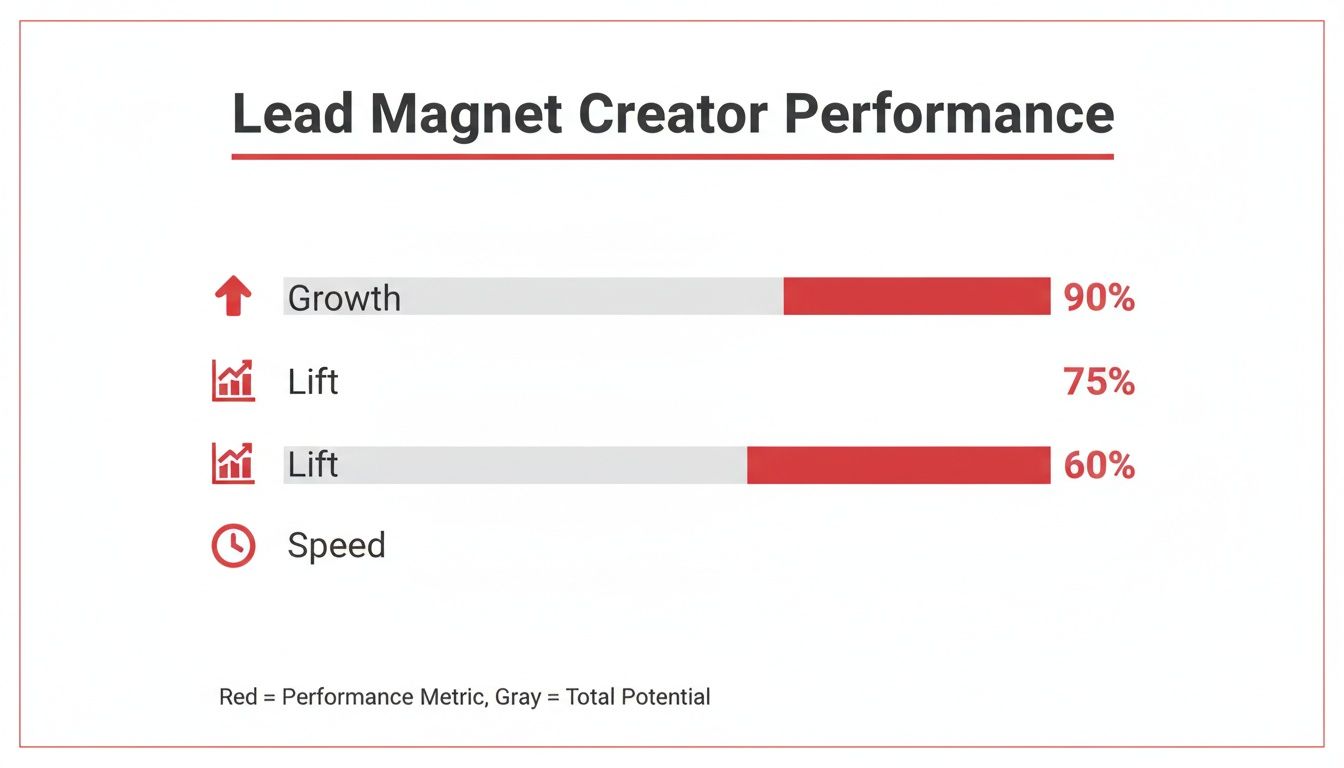
Key takeaway: calculators deliver the highest revenue lift, while quizzes strike a balance between speed and engagement.
Comparison Of Lead Magnet Formats
Before you decide, here’s a side-by-side look at popular lead magnets, their average conversion rates, and where they shine.
Format | Typical Conversion Rate | Best Use Case |
|---|---|---|
eBook | 18% | In-depth tutorials |
Checklist | 34% | Process breakdowns |
Quiz | 20–40% | Interactive engagement |
Calculator | 45% | Personalized assessments |
Cheat Sheet | 34% | Quick-reference summaries |
Use this table to fast‐track your format selection. Pick the style that fits your content goals and audience behavior.
Matching Format To Goals
Your choice should reflect both reader intent and resource bandwidth:
Need immediate engagement? Roll out a quiz with quick, personalized feedback.
Want to cement your authority? Craft an eBook or calculator packed with expert tips.
Aiming to boost blog performance? Offer a concise checklist or cheat sheet upgrade.
Keep testing. Track real conversion data. Then refine until your lead magnets consistently hit the mark.
Next up: copywriting and design tactics that turn those prospects into subscribers. We’ll explore headlines, layout tweaks, and persuasion triggers that spark action.
Copy And Design Techniques For Lead Magnets
Anyone who’s tweaked both copy and visuals knows how a 20% lift in opt-in rates can feel like magic. It comes down to two things: magnetic messaging and uncluttered layout. Nail those, and you’ll see people handing over their emails almost reflexively.
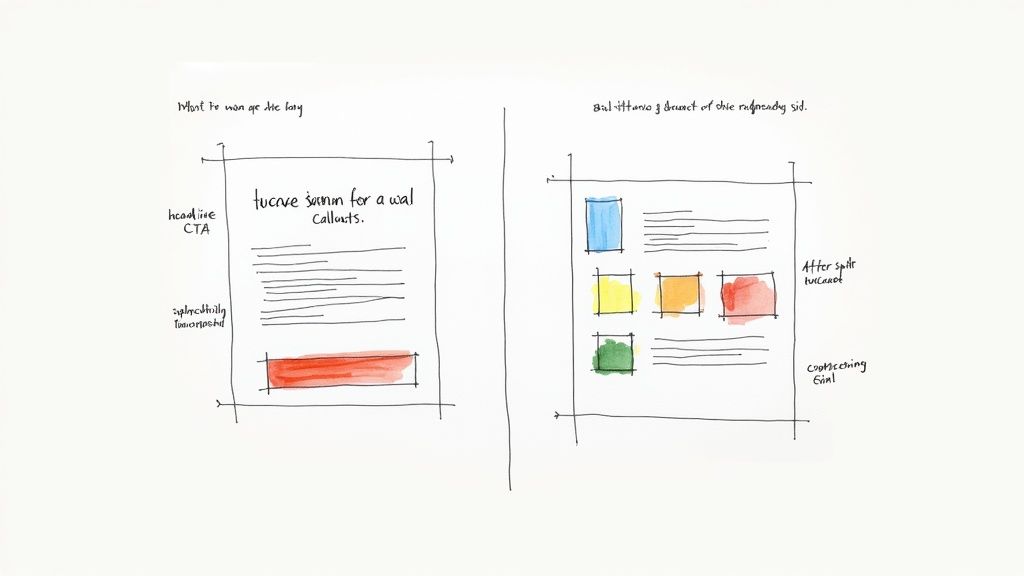
Crafting Headlines That Hook
Great headlines do two jobs: spark curiosity and promise a clear win. Picture this one: “Discover the 5-Minute Social Media Audit That Doubles Engagement.” Instantly, you know what you’ll get—and why you shouldn’t scroll past.
Bullet callouts in titles break up text and surface key benefits at a glance. That quick scan can be the nudge someone needs to click.
Use numbers for precision (e.g., 7 Steps to…).
Tap into pain (“Stop Wasting Ad Spend”).
Ask a question (“Are Your Funnels Leaking Leads?”).
Once you’ve drafted a few options, let A/B tests decide the winner. It’s the fastest way to find which phrasing really moves the needle.
Applying Color Psychology
Your color choices aren’t just decoration. They guide the eye and signal where to click. Contrast a muted backdrop with a bold button, and you’ll often see a 15–18% jump in clicks.
Personal tip: Pair warm accents like orange with trust-building blues. It works on everything from PDFs to landing pages.
• Background: light gray or white for clean readability
• Primary CTA: vibrant orange or green to stand out
• Secondary Elements: soft neutrals to support without stealing focus
These tweaks keep your reader’s attention right where you want it.
Using Layout To Guide Eyes
Whitespace isn’t empty—it creates breathing room. Generous margins and line spacing turn what could be a wall of text into a friendly welcome.
Bullet callouts, with bold phrases, act as mini-signposts. They surface your biggest points without effort.
Design Element | Purpose | Impact |
|---|---|---|
Whitespace | Direct attention | +12% readability |
Bullet Callouts | Highlight benefits | +10% scan rate |
Contrasting CTA | Encourage clicks | +18% engagement |
Combine these layout moves with sharp copy and your download button becomes the natural next step.
Adjusting Tone For Brand Voice
Your message should feel like a conversation, not a press release. A debt-coach might say, “Let’s slash your debt in 30 days!” A finance firm might stick to, “Achieve Debt Freedom in One Month.”
Smooth transitions—words like “Plus” or “Still”—keep ideas moving without sounding stiff. That conversational touch holds attention.
“Changing just two words in our description boosted opt-ins by 20%,” our marketing lead told me after a recent test.
One nutrition coach swapped “nutrition tips” for “meal makeovers,” and saw subscribers surge by 20%. It’s the little shifts that deliver big results.
Optimizing Copy For Clarity And Flow
On opt-in pages, brevity wins. Read every sentence and ask, “Could I say this in fewer words?” Swap jargon for everyday verbs (for example, “use” instead of “utilize”).
Avoid passive voice
Keep paragraphs to two sentences max
When readers skim, short and punchy beats long and winding every time.
Clarity beats cleverness when your goal is conversion.
Testing And Iterating Quickly
Don’t let design and copy sit stagnant. A reliable lead-magnet creator tool lets you spin up new headlines, bullets, or button text in minutes—no coding required.
• Draft two headline styles (direct vs. playful)
• Send each version through your email or ad funnel
• Check results after 24–48 hours
Fast feedback keeps your magnets fresh and your numbers climbing. For a shortcut on design and copy tweaks, explore the Designrr Resource Guide.
Automating Lead Magnet Creation Workflow
Putting together assets by hand can stall even the best-laid plans. When every piece requires manual tweaks, launches drag on and teams lose momentum. By weaving automation into your process, you gain both speed and consistency—no more scrambling at the last minute.
First, you’ll connect AI generators, PLR libraries, and design platforms so everything rolls out in harmony. After that, set up dynamic fields and auto-delivery triggers, then link each step to your email and CRM tools. With the right foundation, assembling new lead magnets becomes almost effortless.
Getting that first template live usually takes only a few minutes. Dynamic placeholders automatically pull in subscriber names, company details or quiz results, making every download feel personalized.
At that point, auto-delivery rules take over and push assets straight to your audience. Always run a quick check by subscribing with a test email—this simple step confirms the flow works exactly as planned.
Popular Automation Tools
AI generators now do more than spit out generic text. They’ll suggest headlines and section outlines tailored to your topic and audience data, leading to a 30–37% lift in conversions for personalized assets versus one-size-fits-all downloads.
PLR services such as Entrepedia provide hundreds of prebuilt, editable assets you can rebrand in seconds. In many cases, tapping into high-quality PLR halves your production time.
AI Generators: Launch eBooks, quizzes or reports with minimal prompts and receive instant drafts.
PLR Services: Browse 1,000+ market-tested assets, then tweak copy and visuals to match your brand voice.
Design Platforms: Use intuitive drag-and-drop editors for full control over layouts and graphics.
By 2025, several industry reports show AI-assisted lead magnet creation has boosted capture rates by 30–37% and slashed time-to-launch by a third. For deeper insights, check out the analysis on WP Tonic.
The screenshot below demonstrates how you configure dynamic fields and auto-delivery settings:
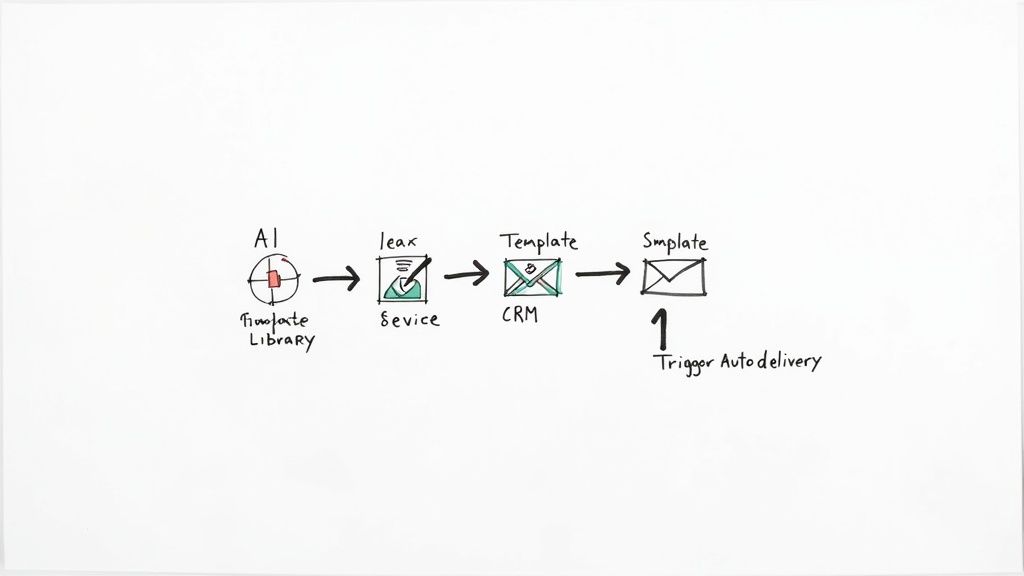
It highlights key metrics like headline performance, open rates, and real-time conversion lift.
Integrating With Email And CRM
Mapping form fields directly into your subscriber lists and custom tags ensures each download triggers the perfect follow-up sequence. Most lead magnet tools offer native connectors for Mailchimp, ActiveCampaign, HubSpot and beyond. If you need more flexibility, a Zapier workflow will bridge any gaps.
Define Custom Fields: Tag subscribers by interests, job role or quiz outcomes for precise targeting.
Set Automation Rules: Use if/then logic to send freebies, discount codes or drip courses based on user behavior.
Monitor Data Sync: Regularly review your CRM dashboard to confirm contacts and segments are updating correctly.
Running Automated A/B Tests
A/B testing within your automated workflow is a game-changer. Compare eBook titles with quiz intros, experiment with different formats and adjust delivery times. Let tests run until you hit statistical significance—this prevents chasing false positives—and then roll out the winning version to everyone.
Testing And Optimization
Consolidate conversion rates, click-through data and downstream engagement in a single dashboard. Small, data-driven adjustments over time can boost capture rates substantially.
“Our team cut time-to-launch by 50% and lifted capture rates by over 30% using this automated workflow,” says the marketing lead at a growing SaaS startup.
What once took days now takes hours, and within a month many teams report double-digit improvements in both speed and results. Once live, new lead magnets deploy automatically whenever you publish fresh content, freeing your team to focus on strategy and creativity.
Automated reports also surface hidden insights—like which topics spark the most interest—so you can double down on what works. These tactics reshape how you generate and deliver lead magnets at scale, making every campaign launch feel seamless.
Ready to speed up your process and maximize results with smart automation? Start building your automated lead magnet workflow today.
Deploying Lead Magnets Through High Converting Funnels
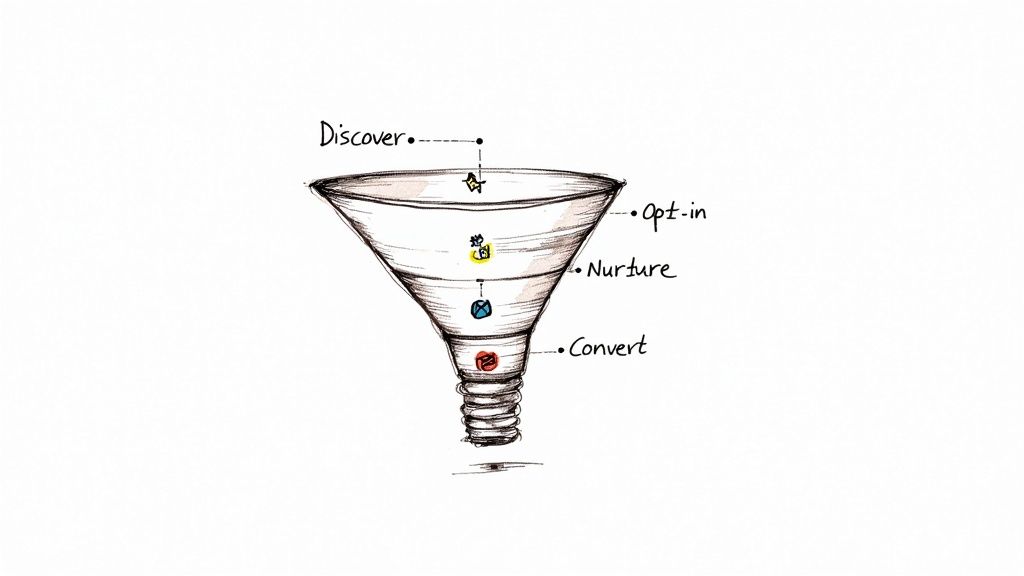
A lead magnet only works when it lands in front of the right person at the right moment. Think of your funnel as a gentle nudge—guiding curious visitors toward the decision to opt in. At every turn, crisp messaging and a clean design prevent momentum from slipping away.
Landing Page Template Structures
A landing page should turn casual interest into a firm yes, and that means stripping away anything that distracts. In one real test, a health coach saw registrations climb by 25% after switching to a single-field pop-up.
Essentials to include:
A punchy headline that calls out a specific pain point
A handful of benefits under clear subheads
Only one form field (email or name)
A bold, contrasting CTA button
Friction Point | Impact on Conversion | Proposed Fix |
|---|---|---|
Multiple fields | Drop-offs up to 40% | Use single-field form |
Slow load times | Bounce rates +15% | Compress images and scripts |
“Using a targeted pop-up at 75% scroll depth lifted our sign-ups by 25%,” says a wellness entrepreneur who tested this on two blogs.
Optimizing Pop-Ups And Embedded Forms
Deciding between overlays and inline forms comes down to context. A B2B team experimented with slide-in forms on blog posts and captured 18% more emails than they did with exit-intent pop-ups. Meanwhile, returning visitors responded best to static sidebar forms.
Test both for a week each and compare click-through and conversion rates. Don’t forget: launch pop-ups too quickly and they irritate; wait too long and you miss your chance.
Sequenced Emails To Nurture Leads
Email sequences keep leads moving toward your core offer. After a fresh opt-in, a B2B business sent three follow-ups and watched 12% of subscribers book calls.
Key elements for your sequence:
Welcome Email (Immediate): Deliver the magnet plus a concise intro.
Value-Add Follow-Up (Day 1): Share a quick tip or mini case study.
Social Proof Story (Day 3): Highlight a customer win.
Demo Invitation (Day 5): Offer a chat, consultation, or trial.
Each message should feature a single, clear link or button. Consider triggers like link clicks or viewing a specific page to tailor your timing.
“Our three-email series doubled the demo-booking rate in two weeks,” reports a sales director.
Sequence Step | Timing | Goal |
|---|---|---|
Welcome | Immediately | Secure open and build trust |
Follow-Up Guide | Day 1 | Show quick-win potential |
Case Study | Day 3 | Establish authority |
Demo Invitation | Day 5 | Convert to sales opportunity |
Refining Each Touchpoint With Analytics
Every element of your funnel should answer one question: is it working? Dive into Google Analytics and heatmaps (for example, Hotjar) to spot where people drop off. Then run A/B tests on headlines, button colors, or form triggers to find the winners.
Analytics checklist:
Track landing-page conversion rates
Measure email open and click-through stats
Review session duration on download pages
Monitor form abandonment by device
Compare mobile vs. desktop performance
“A single headline tweak boosted conversions from 22% to 27% in our split test,” notes a marketing strategist on his latest campaign.
With real-time dashboards you can pause underperforming ads or swap out email templates mid-sequence. Over time, these small tweaks add up—and soon you’ll have a funnel that effortlessly carries prospects from first glance to download, keeping them engaged and driving a stronger ROI.
Accelerating Lead Magnet Creation With PLR Services
When you’re up against a tight deadline, diving into a PLR library can turn days of work into just hours. Pair a solid lead magnet tool with high-grade PLR content, and you could have a branded eBook or checklist ready by afternoon.
I’ve watched founders slash a 48-hour build down to a mere 4 hours using a curated PLR pack plus quick, targeted tweaks.
One-off purchases: $20–$100 for lifetime access—perfect for sporadic projects
Monthly plans: $49–$199 unlock up to 50 assets each billing cycle
Custom PLR services: starting at $500, often including tailored design tweaks
Not all PLR is created equal, though. A fast vetting routine weeds out overused material and highlights fresh angles. I always check writing quality, up-to-date data, and clear reuse limits before moving ahead.
Comparing PLR Models
One agency I know grabbed a PLR workbook and, within 12 hours, rewrote it in their unique voice. By midday the next day, their live funnel was generating leads. Here’s a quick breakdown:
Model | Price Range | Notes |
|---|---|---|
One-Off Assets | $20–$100 | Single-use, straightforward rebranding |
Subscription Pack | $49–$199/mo | Access to 50+ assets, wallet-friendly |
Custom PLR Service | $500+ | Bespoke content with design finesse |
Customizing PLR Content
Successful freelancers mix PLR templates with personal anecdotes and unique visuals. They swap in brand colors, refresh stats, and layer in mini case studies to elevate the material.
Turn generic headlines into audience-specific questions or benefits
Update statistics and examples for current relevance
Replace stock images with real-world photos or custom graphics
Expand or trim sections to sharpen the narrative and add fresh insights
My vetting checklist—author credentials, last updated date, licensing terms—keeps duplicate-content penalties at bay.
“Customizing PLR with our brand voice boosted opt-ins by 30% in one week,” reports a marketing consultant.
Store every change in a master document, then use your lead magnet creator tool to swap in the final copy before export.
Sample 24-Hour Workflow
Want a live funnel in just one day? Follow this rapid plan:
Download your chosen PLR asset and skim the source material
Rework headlines, examples, and visuals to match your brand guide
Run technical sections through an AI proofreader for fresh phrasing
Build and export your PDF in the lead magnet tool
Upload to your email platform and set auto-delivery rules
Launch the landing page and fire off a targeted ad or email blast
Finish with an A/B test and gather feedback for quick fixes.
Quality Check Before Launch
Before you flip the switch, spend under 10 minutes on a final audit. I focus on source credibility, content originality, and design alignment.
Verify PLR provider reviews and author reputation
Run a plagiarism scan to catch any unwanted duplicates
Confirm brand guidelines: logo placement, color palette, voice tone
Learn more about turning leads into paying customers using PLR digital products as strategic lead magnets in our detailed article: turning leads into paying customers using PLR digital products as strategic lead magnets
Combining vetted PLR assets, swift customization, and a robust lead magnet creator turns tight deadlines into growth opportunities. Your pipeline will stay full—and your next campaign launch will be smoother than ever.
Frequently Asked Questions
Let’s tackle the questions that come up most when you start using a lead magnet creator. You’ll find practical tips on picking the right features, syncing with your existing setup, balancing AI drafts with handcrafted flair, and keeping your magnets from going stale.
What Features Should I Look For In A Lead Magnet Creator
You don’t want to wrestle with code when you’re on a deadline. Seek out a drag-and-drop editor and customizable templates that let you match your brand in minutes. Smooth connections to your email marketing and CRM systems are non-negotiable, and built-in analytics plus A/B testing keep you on track.
How Do AI-Generated Magnets Compare To Handcrafted Assets
AI can kickstart your process—think instant headline suggestions, outline ideas, and copy snippets. But nothing replaces authentic voice and real-world examples only a human can weave in. In practice, a hybrid approach wins:
Drag-and-Drop Editor for rapid layouts
Dynamic Fields to personalize each download
Native Connectors to Mailchimp, HubSpot, and more
Analytics Dashboard for conversion tracking
Can I Integrate A Lead Magnet Creator With My Existing Email Provider
Most platforms come with either native integrations or work seamlessly through Zapier. Simply map your form fields to lists and tags in services like Mailchimp or ActiveCampaign. Then set up an automated follow-up sequence that kicks in as soon as someone grabs your resource.
How Often Should I Update My Lead Magnets
Treat your lead magnets like living documents, not “set it and forget it” downloads. When opt-in rates slip or quarterly reviews roll around, dive back in:
Refresh stats and industry data
Tweak design elements for clarity
Swap in new case studies or testimonials
“Updating our lead magnet every quarter lifted conversions by 15%,” says a B2B marketing lead.
Key Considerations For Ongoing Relevance
Don’t wait for engagement to flatline. Carve out time now for future refreshes and small tweaks:
Schedule quarterly audits to monitor performance
Test fresh headlines and format variations for renewed appeal