Explained
How to Create Digital Downloads to Sell: Quick-Start Guide

The secret to selling digital downloads successfully isn't just about making something beautiful; it’s about making something necessary. The whole process kicks off by validating an idea that solves a real, painful problem your audience is already desperate to fix. Get this right, and you're building a product people are not just willing, but eager to buy.
Finding a Digital Product Idea People Will Actually Buy
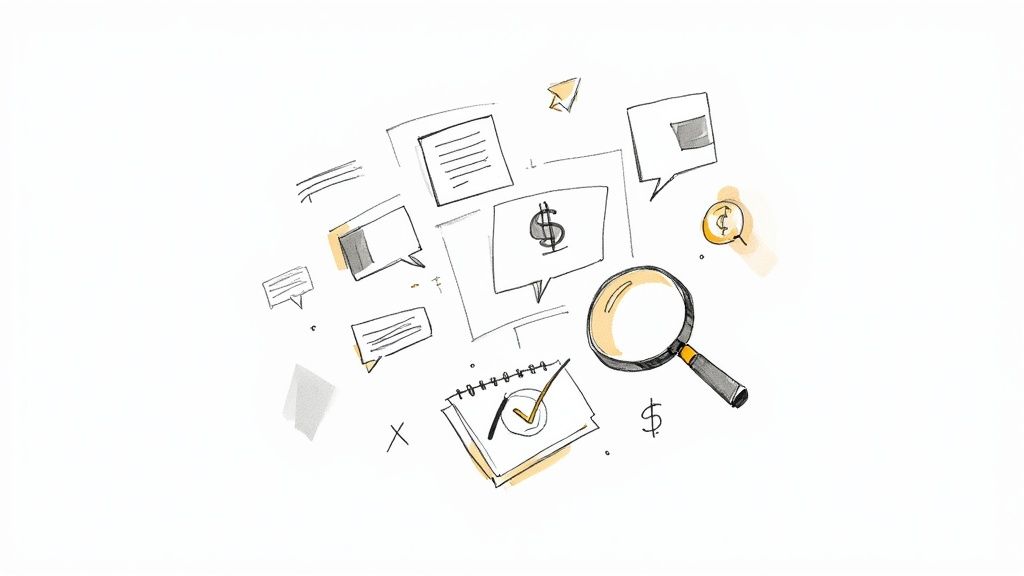
Most aspiring creators start with a passion project, crossing their fingers that an audience will magically appear. This is the single biggest mistake you can make. A successful digital download is born from evidence, not assumptions. Before you invest a single hour into creation, you need solid proof that people are actively looking for the solution you can provide.
Your goal is to become a digital eavesdropper. Listen in on the conversations your ideal customers are already having. This completely removes the guesswork and grounds your product in real-world demand.
Become a Digital Detective
The internet is a goldmine of customer pain points, if you know where to look. Instead of guessing what people need, go directly to the source. The best ideas aren't invented; they're discovered.
Start by immersing yourself in the online communities where your target audience hangs out.
Reddit Threads: Subreddits in your niche are absolute treasure troves. Look for posts titled "How do I…?", "Does anyone have a template for…?", or "I'm struggling with…". The comment sections will reveal frustrations that can directly inspire a product.
Facebook Groups: Niche groups are often even more focused. Pay close attention to the frequently asked questions, member polls, and discussions about common challenges. These are direct requests for help that you can answer with a digital download.
Instagram & Pinterest Comments: See what questions people are asking creators in your space. A photographer I know noticed dozens of comments asking, "How did you get that look?" That simple insight led him to create a massively profitable line of Lightroom presets.
Your next bestselling product idea is likely hidden in plain sight, disguised as a recurring question or a common complaint within your community. Your job is to find that pattern and build the solution.
This research isn't just about finding one idea; it's about spotting a pattern of need. When you see the same problem mentioned across different platforms, you've struck gold. If you're looking for a more structured way to brainstorm, our free Digital Product Ideator can help you organize your research and uncover profitable niches.
Use Keywords to Uncover Intent
Social listening tells you what people are talking about, but keyword research reveals what they're actively searching for on Google. Even simple, free tools can give you powerful insights into market demand.
Think like your customer for a minute. What phrases would they type into a search bar when looking for a solution? Use a tool like Google Trends to compare the search interest for a few of your product ideas. For instance, you can quickly see if "meal plan template" is a more popular search term than "weekly food planner."
A business coach I worked with had a hunch that her audience needed help with client onboarding. A quick keyword analysis showed thousands of monthly searches for "client onboarding checklist for coaches." That simple data point gave her the confidence to create a workbook that became an instant bestseller. To ensure your digital product idea will truly resonate, it's crucial to understand how to conduct market research effectively.
This validation phase is the most critical step you'll take. By building your product on a foundation of proven demand, you're not just creating a download; you're creating a solution that practically sells itself.
Choosing the Right Format for Your Digital Download
You’ve got a validated idea—that's the hard part. Now, you need to decide how you're going to package and deliver it. This isn't just a small detail; the format you choose is the vehicle that gets your knowledge into your customer's hands.
Picking the right format shapes everything that comes next: your creation workload, how much you can charge, and how your audience sees the value of what you’re offering. It’s not about choosing what’s easiest for you, but what’s most effective for the solution you're providing.
Think of it this way: you wouldn't try to teach a complex software skill with a static PDF, and you wouldn't create a massive video course just for a simple weekly meal planner. The content and its container have to be a perfect match.
Aligning Content with Format
So, where do you start? Take a hard look at the nature of your content. Is it mainly instructional, designed to organize, or meant to inspire? A deep dive into a single, complex topic practically screams "ebook," while a tool that saves your customer hours of repeatable work is a perfect fit for a template.
Let’s imagine a fitness coach who wants to sell their new program. They have a few options:
An Ebook: This works great for explaining the theory behind the workouts and nutrition. It’s fairly low-effort to create but will likely sell at a lower price point.
Printable Workout Trackers: This is a high-utility, low-cost option. It solves the very specific problem of logging progress and could be an awesome entry-level product to get people into their world.
A Video Course: Now we're talking high-perceived value. The coach can actually demonstrate proper form for every single exercise, making it an immersive experience that justifies a premium price. The catch? The creation effort is way higher.
Each of these formats solves the same core problem—getting in shape—but delivers the solution in a completely different way. Your job is to pick the vehicle that makes the most sense for your knowledge and your audience's needs.
Comparing Popular Digital Download Formats
To help you map this out, let's break down the most common digital product formats. This side-by-side look should give you a clearer picture of the effort you'll need to put in versus the potential return for each type.
Format Type | Creation Effort | Typical Price Range | Best For |
|---|---|---|---|
Ebooks & Guides | Low to Medium | $10 - $50 | Deep dives on a single topic, foundational knowledge, and lead magnets. |
Templates & Presets | Low to Medium | $15 - $100+ | Saving users time on repeatable tasks (e.g., social media graphics, project plans, photo editing). |
Printables & Planners | Low | $5 - $25 | Organizational tools, checklists, trackers, and educational worksheets for hands-on use. |
Video Courses | High | $50 - $500+ | Teaching complex, step-by-step processes or skills that require visual demonstration. |
Audio Files & Bundles | Low to Medium | $10 - $75 | Guided meditations, audiobooks, podcasts, or music tracks for passive consumption. |
As you can see, there’s a direct link between how much work you put in and how much you can charge. A printable planner is quick to create and sell, but a comprehensive video course can become a flagship product that brings in revenue for years to come.
Making a Strategic Choice
Finally, you have to be honest about your own resources. Do you have video editing skills, or the budget to hire someone who does? Are you a killer writer or more of a visual designer? Your personal skill set has to play a major role here. Don't commit to a massive video course if you know the technical side will make you quit halfway through.
Choosing your format isn't just about the customer; it's about sustainability for you as a creator. Pick a format that plays to your strengths and aligns with the time and resources you can realistically invest.
For example, if you're a talented writer but hate being on camera, an ebook or a series of in-depth guides is a fantastic place to start. You can always branch out into other formats later on as your business grows.
The key is to start with a format you know you can execute brilliantly. Learning how to create digital downloads to sell successfully begins with choosing a battle you can actually win. A polished, high-value ebook is infinitely better than an unfinished, poor-quality video course.
Your Creator Toolkit: Building a High-Quality Product
Alright, you’ve nailed down your product idea and chosen the perfect format. Now for the fun part: actually creating it.
This is where so many aspiring creators get stuck. They assume they need a design degree or a wallet-busting subscription to professional software. Let me tell you, that’s just not true. You likely already have access to powerful, simple tools that can produce a polished, high-quality digital product.
The secret isn't mastering complex software; it’s about using simple tools strategically. It’s less about technical wizardry and more about thoughtful design and clear content. Your goal is to build something that not only looks professional but also gives your customer a fantastic experience.
Crafting Text-Based Products with Everyday Tools
You don't need fancy, expensive software to write a compelling ebook or guide. In fact, the program you probably use every day is the best place to start. Simple word processors are the backbone of countless successful digital products.
Google Docs: This is my top recommendation. It’s free, cloud-based, and automatically saves your work (a lifesaver!). You can collaborate easily and, most importantly, export directly to PDF—the universal standard for text-based downloads.
Microsoft Word: If you're more comfortable in the Microsoft ecosystem, Word is a powerhouse alternative. Its formatting capabilities are more than enough to create professional-looking guides and workbooks.
The trick is to go beyond just typing. Use features like headings (H1, H2, H3) to structure your content. This makes it easier for your customer to read and automatically creates a clickable table of contents in your final PDF.
Designing Visuals Without Being a Designer
For products where looks are everything—like templates, planners, or printables—you need a tool that makes design feel intuitive. Modern graphic design platforms have completely removed the steep learning curve of traditional software.
Canva is the undisputed champion here for non-designers. It’s a browser-based tool with a massive library of templates, fonts, and graphics that you can drag and drop to create stunning visuals. I've used it for everything from social media templates to comprehensive, 50-page ebooks.
The secret to great design in Canva is starting with a template. Don’t try to build from scratch. Find a professionally designed template that matches your brand’s vibe, then just customize the colors, fonts, and content. This ensures your final product has a solid, visually appealing foundation.
This flowchart can help you visualize which tools align with different types of digital downloads, depending on whether they are text-heavy, visual, or action-oriented.
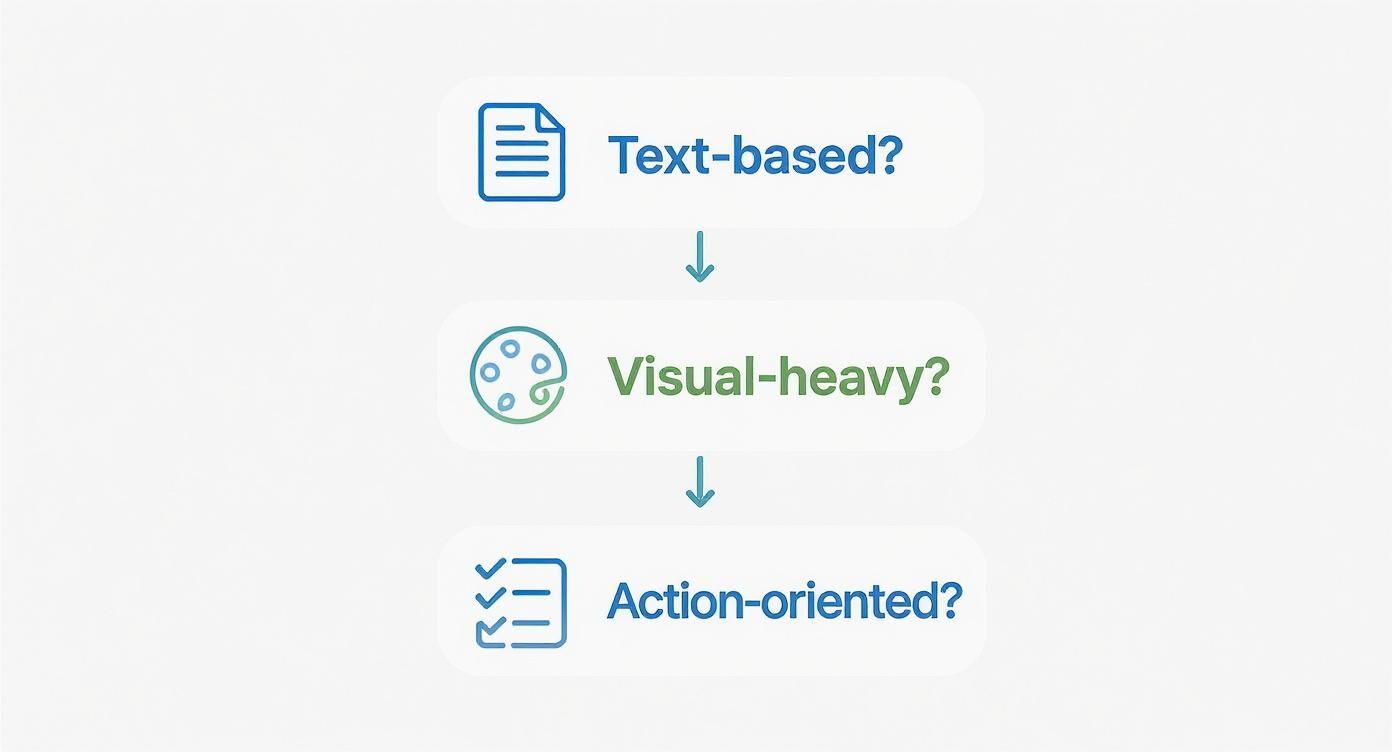
As the decision tree shows, the nature of your content should directly guide your choice of tools, from simple word processors for text to design platforms for visually-driven products.
Accessible Tools for Video and Audio Creation
Decided on a video course or an audio product? The thought of production can be intimidating, but user-friendly software has made this more accessible than ever. You really don’t need a Hollywood studio.
For screen-recording tutorials, tools like Loom and Screencast-O-Matic are fantastic. They let you capture your screen and voiceover at the same time and have basic editing features built right in. If you're creating videos of yourself talking, simple editors like CapCut (on desktop) or Descript (which lets you edit video by editing a text transcript) are incredibly powerful and easy to learn.
The tools available today have truly leveled the playing field for creators. The global digital content market is projected to hit $35.22 billion in 2025 and is expected to grow to $64.07 billion by 2030—a surge driven entirely by the accessibility of these platforms. You can read more about the growing market for digital downloads on easydigitaldownloads.com.
Ultimately, the best tool is the one you’ll actually use. Don’t get bogged down trying to find the "perfect" software. Pick a simple, accessible option from this list, focus on creating high-value content, and get your product out into the world. You can always upgrade your toolkit later as your business grows.
Pricing and Licensing Your Digital Product Confidently
Figuring out what to charge for your digital download can be one of the most paralyzing parts of the whole process. If you go too high, you might scare people away. But if you go too low, you risk making your product look cheap, which hurts your brand and your bank account.
Let's clear this up right now. The goal isn't to be the cheapest option. It’s to find the price that perfectly matches the value—the transformation or the convenience—you’re delivering. So, instead of peeking at what your competitors are charging, anchor your price to the outcome your product creates. This is called value-based pricing, and it's a game-changer.
Finding Your Pricing Sweet Spot
Ask yourself this: how much time, money, or pure frustration does your product save your customer? Maybe you’ve created a set of slick social media templates that saves a small business owner 10 hours every single month. If their time is worth $50 an hour, your $49 template bundle isn’t an expense—it’s an absolute steal.
When you frame your price around the customer's return on investment, the entire conversation shifts from cost to benefit. Suddenly, hitting that "buy" button feels like a smart business decision.
A strategy I've seen work incredibly well is offering tiered pricing. This lets you cater to different people in your audience who have different needs and budgets.
Basic Tier: The core product at a price that feels like an easy "yes."
Premium Tier: The core product plus some high-value extras, like bonus templates, a video walkthrough, or even a quick one-on-one call.
"All-In" Bundle: A whole suite of related products sold together at a discount.
For instance, a productivity coach selling a Notion planner could offer the basic template for $29. For $79, they could offer a premium version that includes video tutorials and a bonus goal-setting workbook. This simple structure does more than just bump up your average order value; it also makes the basic $29 offer look even more affordable by comparison.
If you want to go deeper on this, our free guide to digital product pricing breaks down these frameworks step-by-step.
Understanding Digital Product Licensing
Pricing is only one piece of the puzzle. The other is protecting your intellectual property. A license clearly spells out how your customer is allowed to use the product they just bought. Skipping this step is a recipe for disaster, leaving your hard work vulnerable to being resold or passed around for free.
Defining usage rights isn't about being restrictive; it's about being professional. It protects you, gives your customers clarity, and builds trust.
Think of a license as the official rulebook for your digital download. It's not about restricting your customer; it's about setting clear, professional boundaries that protect the value of what you've created.
You'll need to decide what kind of use you want to allow. There are three common types of licenses you absolutely need to know when you create digital downloads.
License Type | Description | Real-World Example |
|---|---|---|
Personal Use License | The customer can use the product for their own projects, but not for anything that makes money. | Someone buys your printable wall art to hang in their home. They can't turn around and start selling prints of it. |
Commercial License | The customer can use the product in their own business projects that generate income. | A freelance designer buys a font from you to use in a logo they’re creating for a client. That logo is a commercial product. |
Extended License | This grants much broader commercial rights, often for use in products intended for mass-market sale. | A company buys your stock photos to print on merchandise like t-shirts or mugs that they plan to sell to thousands of customers. |
A font designer, for example, might sell their font with a personal license for $20. The commercial license could be $80, and an extended license for mass production might be $300 or more. By structuring licenses this way, they're getting paid fairly based on the value their work is generating for the customer.
Always, always include a clear, easy-to-read license file with every single download you sell.
Building Your Digital Storefront and Delivery System
Creating a fantastic product is only half the battle. If customers can't easily find, buy, and get your digital download, all that hard work goes to waste. A seamless, professional digital storefront is the critical bridge connecting your product to your bank account.
This really boils down to choosing the right platform to host your product and handle the money. The platform you pick will directly impact your fees, your control over branding, and the marketing tools you have at your disposal. Let's walk through the main options so you can make a smart choice right from the start.
Choosing Your Sales Platform
You've got three main paths to choose from when deciding where to sell your digital goods: third-party marketplaces, all-in-one creator platforms, or a self-hosted e-commerce solution. Each comes with its own set of pros and cons.
A marketplace like Etsy puts your product in front of a massive, built-in audience of over 91 million active buyers. That kind of exposure is incredible for new creators, but it comes at a price. You'll be swimming in a sea of direct competition, have very little control over your branding, and get hit with a series of fees that chip away at your profits.
All-in-one creator platforms like Gumroad or Podia are built specifically for selling digital downloads. They offer a great middle ground, giving you a simple setup, integrated marketing tools like email lists, and far more branding control than a marketplace. The trade-off? You're responsible for driving your own traffic.
Finally, a self-hosted e-commerce site using a platform like Shopify or a WordPress plugin like Easy Digital Downloads gives you total control. You own the customer relationship, you have zero direct competition on your site, and you can customize every single pixel. This path takes more work to set up but offers the highest long-term potential for growth.
Comparing Top Platform Options
To make this decision easier, let's break down the most popular choices for anyone learning how to create digital downloads to sell.
Platform | Best For | Key Pro | Key Con |
|---|---|---|---|
Etsy | Beginners looking for immediate traffic and discoverability. | Huge, built-in audience actively searching for products. | High competition and multiple fees that reduce profit. |
Gumroad | Creators who want a simple, fast, all-in-one solution. | Extremely easy to set up with built-in email marketing. | Transaction fees are higher than some other options. |
Shopify | Serious businesses planning to scale with multiple products. | Unmatched customization, branding control, and app integrations. | Higher monthly cost and requires more technical setup. |
Gumroad has become a favorite for so many creators because it hits that sweet spot between ease of use and powerful features. If you just want to get your product live and start selling fast, you can explore the benefits of using Gumroad to see if it’s the right fit. Its simplicity means you can be up and running in minutes, not days.
Your platform choice is a foundational business decision. Don't just pick what's popular; choose the system that aligns with your technical comfort, business goals, and how much control you want over your customer's journey.
Essential Tech Setup for a Smooth Customer Experience
No matter which platform you choose, a few technical pieces are non-negotiable for a professional storefront that people trust. Getting these right from day one ensures a smooth ride from checkout to download.
First, you need a reliable payment processor. Most platforms integrate seamlessly with Stripe or PayPal, the two industry standards. Setting this up is usually as simple as creating an account with them and linking it to your storefront. This is what lets you securely accept credit card payments from anyone, anywhere.
Next is automated file delivery. This is the real magic of selling digital products. Your system needs to instantly send the customer a secure download link as soon as their payment clears. This should happen right on the confirmation screen and in a follow-up email. All the major platforms handle this for you, but it’s absolutely critical to run a test purchase yourself to make sure the experience is flawless.
This automated system is what allows you to make sales 24/7 without lifting a finger, creating a truly passive income stream after the initial setup.
Marketing and Launching Your First Digital Product
A brilliant digital product gathering dust on your virtual shelf helps no one. The magic happens when you pair a great product with a thoughtful marketing plan. A successful launch isn't about hoping people find you; it's a carefully orchestrated event designed to build excitement and drive sales from day one.
The process doesn't end when the product is finished. In fact, that's when the real work of getting it into the right hands begins. Let’s walk through how to build buzz before you launch, execute on the big day, and keep the sales coming long after.
Building Anticipation Before You Launch
The best launches I’ve ever seen started weeks, or even months, before the "buy now" button went live. This pre-launch phase is all about warming up your audience, building trust, and creating a sense of anticipation that makes people genuinely excited to purchase.
Your goal is to have a crowd waiting at the door before you even open for business.
Your email list is your single most valuable asset here. It's a direct line to your most engaged followers, the people who are most likely to buy first.
Nurture with Value: Don't just announce your product is coming. Send out a series of emails that offer free, high-value content related to your product's topic. If you're selling a social media template pack, share your top three tips for writing better captions. Give them a taste of the results they can expect.
Share the Journey: People connect with stories. Post on social media about your creation process. Share sneak peeks of the design, talk about a challenge you overcame while building it, and let your audience feel like they're part of the journey with you.
Create an Early-Bird List: This is a classic for a reason. Offer an exclusive launch-day discount or a special bonus only for people who sign up for a dedicated "waitlist." This segments your most interested buyers and gives you a primed and ready list to email the second you go live.
This pre-launch period builds a relationship before you ever ask for a sale, making the final pitch feel like a natural next step for your audience.
Executing a Powerful Launch Day
When launch day arrives, your job is to make a splash. All the anticipation you've built needs to be channeled into clear, direct action. This is about being visible, making your offer irresistible, and ensuring the buying process is as smooth as possible.
An introductory offer is a simple but effective strategy. Consider a limited-time discount for the first 24-48 hours or a valuable bonus for the first 50 buyers. This creates urgency and rewards the loyal followers who have been waiting patiently.
A launch is an event, not just a new page on your website. Treat it like one. Coordinate your efforts across all your channels to create a concentrated burst of energy that's impossible for your audience to ignore.
Leverage every platform you have. Announce the launch to your email list first—they deserve to know before anyone else. Then, share it across your social media channels. Use compelling visuals, put the link prominently in your bio, and make a point to engage with every comment and question that comes in.
Maintaining Momentum After the Launch
The initial launch-day buzz is fantastic, but the real goal is to create a product that sells consistently over the long term. Your focus now shifts from a high-energy event to a sustainable marketing system that continues to attract new customers.
One of the most powerful post-launch tactics is gathering social proof. Reach out to your first customers and ask for feedback and testimonials. A genuine quote from a happy customer is often more persuasive than any marketing copy you could ever write yourself.
To scale your efforts without burning out, it's worth understanding and implementing marketing automation strategies. This lets you set up email sequences that welcome new subscribers, follow up with customers, and nurture leads without you having to manually hit "send" every single time.
This isn't a small market you're tapping into. By 2025, digital products are expected to generate over $2.5 trillion in annual value worldwide. Global digital marketing spend is projected to hit between $734 billion and $765 billion. This massive market shows that creators who pair quality content with effective promotion are positioning themselves for significant success.
Finally, don't let your launch content be a one-time thing. Repurpose it. Turn key insights from your ebook into a series of social media posts, convert a video lesson into a blog post, or use customer testimonials to create compelling new ads. This extends the life of your marketing efforts and ensures your product stays visible long after the initial excitement has settled.