Digital Products
PLR Digital Planners Explained
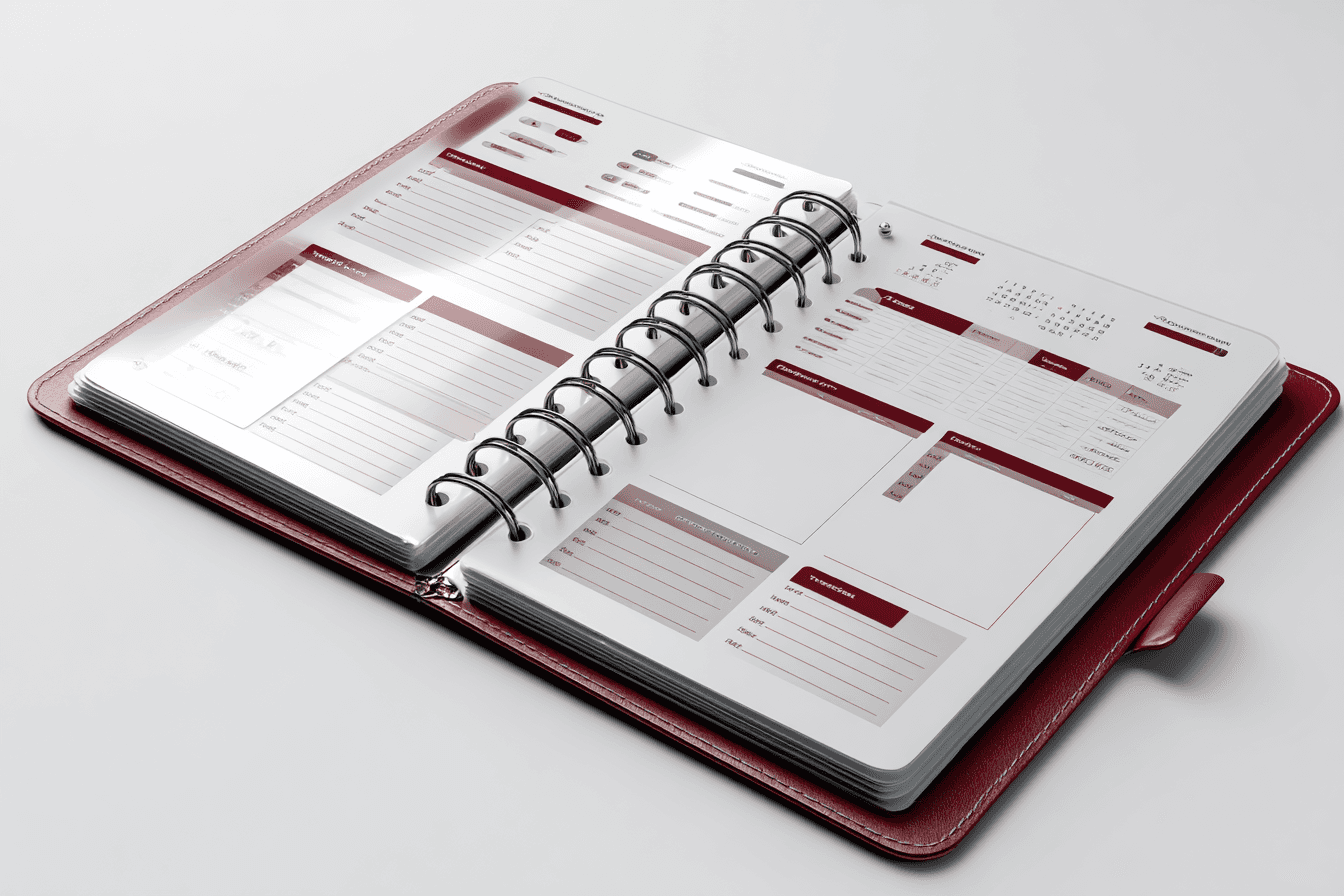
Ever wondered how some entrepreneurs launch beautiful, professional-looking digital planners so quickly? They're not all design gurus working around the clock. Many are using a smart shortcut: PLR digital planners.
Think of it like a professional baking mix. You get the high-quality, perfectly measured foundation, but you get to add your own creative frosting, sprinkles, and unique branding to make the final cake entirely yours. It's a massive head start for anyone wanting to sell digital products without starting from a blank screen.
Unlocking a Powerful Business Shortcut
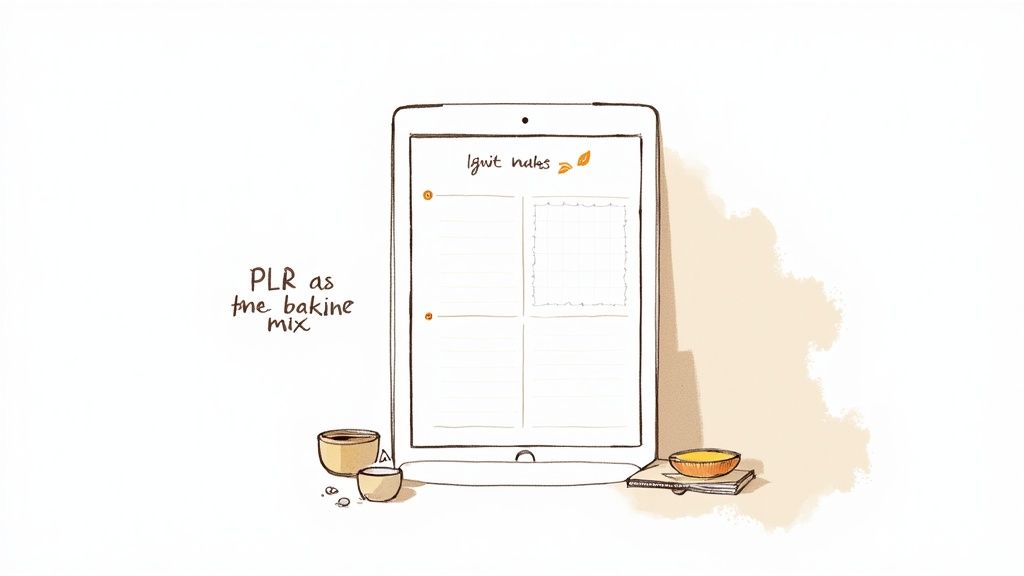
Starting a digital product business from scratch can feel like an uphill battle. You have to do the market research, create all the content, and nail the design—all before you make a single sale. This is exactly where PLR digital planners come in to change the game.
PLR stands for Private Label Rights. It's a special kind of license that gives you legal permission to take a pre-made product, modify it, rebrand it, and sell it as if you created it yourself. Instead of spending weeks designing a planner, you start with a complete, professionally crafted template.
This model dramatically lowers the barrier to entry, letting you launch a polished product line quickly and without breaking the bank.
The Core Concept of PLR
At its heart, using PLR is about acquiring a business asset, not just a digital file. When you buy a PLR digital planner, you're really buying the rights to its structure and design.
This means you can:
Change the entire look and feel—colors, fonts, graphics—to perfectly match your brand.
Add, remove, or tweak pages to better serve the specific needs of your audience.
Put your name and logo on it and sell it as your own original product on your website or marketplaces like Etsy.
It lets you skip the most time-consuming parts of product creation. You get to focus your energy on what really grows your business: marketing, sales, and building a community. For a deeper look at the mechanics, you can learn more about what PLR products are and how the licenses work.
Let's break it down for a quick overview.
PLR Digital Planners At a Glance
The table below summarizes what you get with PLR digital planners and why each component is so valuable for your business.
Component | What It Means for You | Key Benefit |
|---|---|---|
Pre-Made Template | You start with a complete, professionally designed planner structure. | Time-Saving: Launch a product in hours or days, not weeks or months. |
Private Label Rights | You have the legal permission to edit, rebrand, and sell it as your own. | Full Ownership: Build your brand with a product that looks and feels 100% yours. |
Editable Source Files | You get the original design files (e.g., in Canva or Adobe) to customize everything. | Creative Control: Easily change colors, fonts, layouts, and content to fit your vision. |
No Attribution Needed | You don't have to credit the original creator when you sell the final product. | Brand Authority: Position yourself as the expert and creator of the product. |
This combination of a ready-made foundation and full creative freedom makes PLR an incredibly efficient way to build a digital product line.
Why Are They So Popular Now?
The demand for digital tools to stay organized has absolutely exploded, creating a massive opportunity for entrepreneurs. People are moving away from paper and embracing digital solutions for everything.
In fact, the global market for digital planners is booming, with projections showing it will reach $7,047.01 million by 2033. This isn't just a fleeting trend; it's a sustained consumer shift.
PLR digital planners let you tap directly into this demand almost instantly, without the usual headaches and delays of product development.
A PLR digital planner isn't just a template; it's a launchpad. It provides the structure and quality of a market-tested product, giving you the freedom to infuse it with your unique brand identity and value.
This blend of a hot market and an efficient creation model makes PLR digital planners an incredibly attractive path for anyone looking to build a profitable and scalable online business.
Understanding PLR License Rules
Let's be honest: licensing rules can feel like trying to read a legal document in a foreign language. But getting a firm grip on the rules of PLR is the single most important step you can take to build a legitimate, successful business with PLR digital planners. Get this right, and you unlock a world of creative and commercial freedom.
Think of it this way: buying a product with a standard personal use license is like renting an apartment. Sure, you can live in it, but you can’t knock down walls, paint the kitchen, or sublet a room. The landlord—the original creator—still holds all the real control.
Buying a PLR product, on the other hand, is like buying a house. Once you have the keys, you've got the freedom to renovate. You can change the colors, add an extension, redo the landscaping, and then turn around and sell it for a profit. The core structure was provided, but the final, valuable asset is a direct result of your own vision and effort.
What You Can Do With Your PLR Planner
Your PLR license is basically your permission slip to transform a base product into something that is uniquely yours. It’s designed to give you maximum flexibility to rebrand it, tweak it, and sell it. While every creator’s terms can vary slightly (always read the fine print!), here are the universal permissions that truly define what PLR is all about.
You are generally allowed to:
Completely Rebrand the Product: This is the most critical right. You can—and absolutely should—add your own logo, brand name, and unique styling.
Change All Visual Elements: Swap out colors, fonts, graphics, and cover designs until it perfectly aligns with your brand’s aesthetic. The goal is to make it unrecognizable from the original template.
Edit and Modify the Content: Add new pages like habit trackers or budget sheets, remove sections that don’t fit your niche, or rewrite the text to match your brand’s voice.
Sell the Final Product to End Users: The ultimate goal is to sell your customized planner as a finished PDF to customers for their own personal use.
Give It Away as a Lead Magnet: You can offer your rebranded planner for free to grow your email list. This is a powerful and proven list-building strategy.
Bundle It with Other Products: Increase the perceived value of your offers by including the customized planner as part of a larger package or as a bonus for a course.
This level of freedom is exactly what makes PLR digital planners such a powerful asset for entrepreneurs. It allows you to have true brand ownership over a product you didn’t have to sink hundreds of hours into creating from scratch.
Critical Restrictions to Always Follow
With the freedom of ownership comes responsibility. PLR licenses also have firm restrictions designed to protect the original creator’s intellectual property and, just as importantly, the value of the PLR market for everyone. Breaking these rules can land you in legal trouble and seriously damage your business’s reputation.
Key Takeaway: The fundamental rule of PLR is that you must sell a modified, flattened final product to your customer. You are never allowed to transfer your PLR rights or the editable template to others.
Here are the most common and critical "don'ts" of using PLR:
Never Resell the PLR Rights: You cannot sell the planner with PLR or Master Resell Rights (MRR) to another person. Your customers only ever get personal use rights.
Never Sell the Original Editable Template: Do not sell or give away the original Canva, Keynote, or Affinity link. This is the most common—and most serious—violation.
Do Not Claim Copyright on the Original Design: While you own the final rebranded product you create, you cannot claim copyright on the foundational template you purchased.
Avoid Using the Creator’s Mockups: Always create your own unique product mockups for your listings. This helps your product reflect your branding and avoids you looking like every other seller out there.
By honoring these simple but crucial rules, you can operate your business with confidence, knowing you are using your PLR assets correctly and ethically. Always take a minute to double-check the specific license from the PLR provider you purchase from, as terms can sometimes differ.
How To Rebrand A PLR Digital Planner
This is where the magic happens. Taking a generic PLR digital planner and turning it into a signature product is less about being a design wizard and more about smart, strategic branding. It’s the step that transforms a basic template into an asset that feels authentically yours and connects with your audience.
The goal here isn’t just to swap a few colors. It's about infusing the planner with your brand's unique personality. Think of the PLR file as a high-quality blank canvas. Your job is to paint a picture on it that only you could create. This personal touch is what separates successful sellers from everyone else just reselling the same file.
Choosing Your Design Software
Before you can start customizing, you need the right tool for the job. The good news? You don't need to splurge on expensive, complicated software. Most PLR providers know their audience and supply templates in user-friendly formats that are perfect for beginners.
The most common and accessible option is Canva. Its simple drag-and-drop interface makes it incredibly easy to change colors, swap fonts, and add your own elements without any design background. It’s no surprise that so many PLR digital planners come as Canva templates.
Other great choices include:
Keynote: For Apple users, this is a free and surprisingly powerful tool. It's known for being intuitive and making hyperlinking a breeze.
PowerPoint: Nearly everyone has access to PowerPoint, and it has more than enough features to create and edit professional-looking planner pages.
Affinity Publisher: A fantastic one-time purchase for those who want to get a bit more serious. It offers professional-level control without the monthly subscription fees of other advanced software.
Honestly, the best program is the one you feel comfortable with. Pick the tool you'll actually open and use to bring your vision to life.
Establishing Your Unique Brand Identity
This is easily the most critical part of the process. A strong brand identity makes your planner instantly recognizable and ensures it aligns with all your other marketing. It’s what convinces a customer to choose your planner over dozens of others that might look similar at first glance.
Your brand identity really comes down to a few core elements:
Color Palette: Pick a set of 3-5 complementary colors that capture the vibe of your brand. Are you going for calm and minimalist, or bright and energetic? Weave these colors consistently through the cover, tabs, and internal pages.
Typography: Choose two fonts—one for headings, one for the main text—that are easy to read and match your style. For body text, a clean, sans-serif font is usually a safe bet for readability on digital screens.
Logo and Graphics: Your logo should be prominent on the cover and subtly placed elsewhere, maybe in the footer of each page. If you use icons or other graphics, make sure they all share a consistent visual style.
True rebranding is so much more than a logo swap. It’s about building a cohesive visual experience that communicates your brand’s promise from the cover to the very last page. You can learn more about how to rebrand your business effectively to apply these core principles to your digital products.
Getting this visual foundation right is what elevates a generic template into a premium, branded product. Consistency is everything; every single page should feel like it belongs. We have an in-depth article that dives into why rebranding PLR ebooks is the key to long-term success, and the exact same logic applies to planners.
Adding Value Beyond Aesthetics
A beautiful design will catch someone's eye, but real, functional value is what turns them into a loyal customer. The best way to make your planner stand out is by adding unique pages that speak directly to the needs of your niche audience.
Think beyond the basics. What does your ideal customer actually need to organize their life or business?
For entrepreneurs: Maybe you could add pages for project planning, a social media content calendar, or quarterly goal tracking.
For students: Think about including assignment trackers, weekly study schedules, or exam prep checklists.
For wellness enthusiasts: What about habit trackers, meal planners, or guided mindfulness journal pages?
This simple workflow—Purchase, Customize, and Sell—is the core of a successful PLR business.
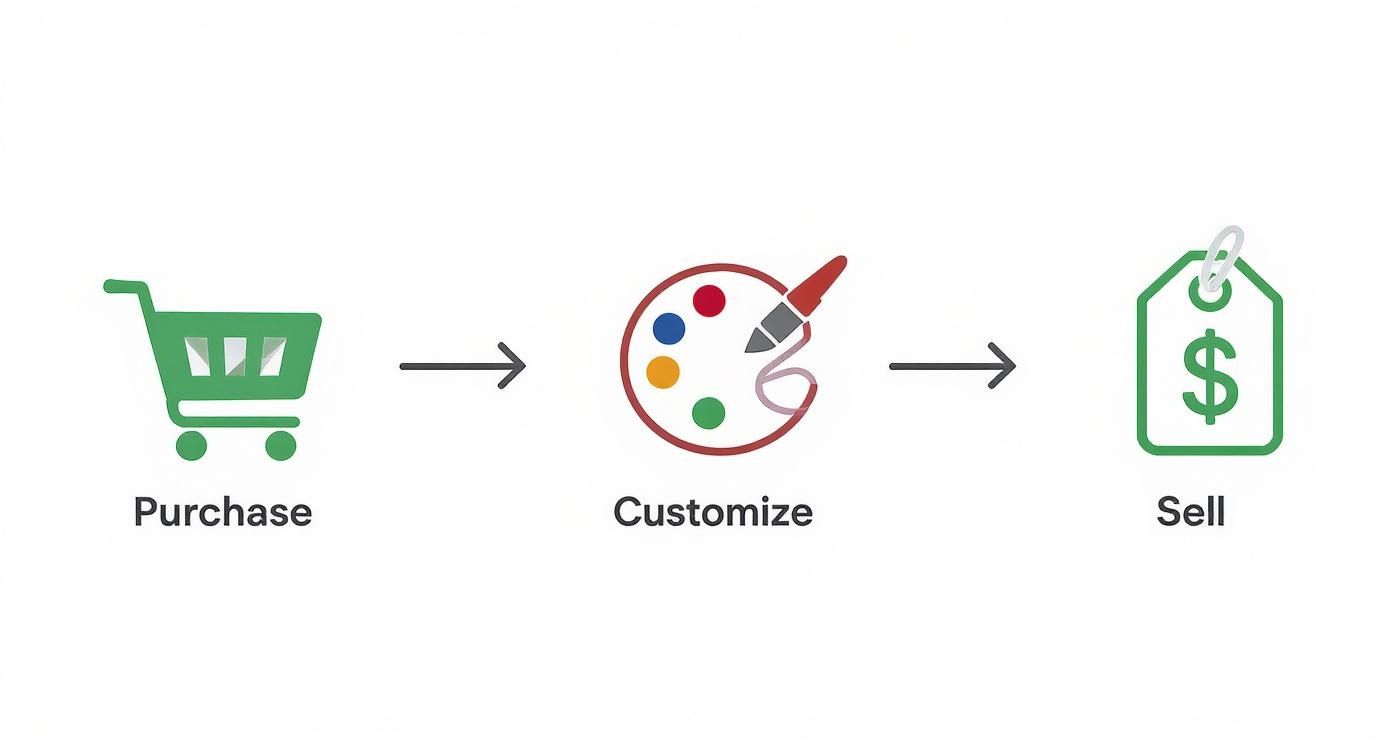
It’s a powerful model that cuts down development time and gets your finished product to market faster than you ever could from scratch.
Finalizing and Exporting Your Planner
Once you’re happy with all your customizations, the final step is exporting the file correctly. You need to save it as an Interactive PDF. This is a non-negotiable format because it keeps all the clickable hyperlinks intact—the very thing that makes a digital planner work. Without it, your tabs and links won't function.
Before you even think about listing it for sale, do a final quality check. Open the PDF in a note-taking app like Goodnotes or Notability and test it yourself. Click every single tab, button, and link to make sure everything goes where it’s supposed to. A flawless user experience is the hallmark of a professional product and key to getting great reviews.
Smart Ways to Monetize Your Planner
So, you’ve put in the work to customize and rebrand your PLR digital planner. What now? You're not just holding a single product; you're holding a versatile business asset. The real magic of PLR content is its flexibility, letting you create multiple income streams from just one initial purchase.
Thinking beyond a one-off sale is how you maximize profit and build a real brand. Your beautifully customized planner is far more than a PDF file—it's a strategic tool. You can position it as a premium product, an irresistible entry point to your brand, or an exclusive bonus that makes your main offers a no-brainer.
Let’s break down the most effective strategies for turning your planner into a money-making machine.
Sell It as a Standalone Premium Product
This is the most direct path to cash and probably the first one that comes to mind. By listing your uniquely rebranded planner on platforms like Etsy, Shopify, or your own website, you generate direct revenue with every single sale. People are actively searching for tools to help them get organized, and the digital product market is booming.
To make this work, your branding and presentation have to be on point. High-quality product mockups and compelling descriptions that speak directly to your target customer are non-negotiable. Don't just sell a planner; sell a solution. Highlight the unique pages you added or the specific problem it solves to make it a must-have.
Offer It as a Powerful Lead Magnet
Sometimes, the smartest move isn't an immediate sale. The most valuable currency in online business is often a potential customer's email address. Your email list gives you a direct line to an engaged audience, and a high-quality planner is the perfect incentive to get people on that list.
Offering your customized PLR digital planner for free in exchange for an email signup is a proven strategy for explosive list growth. Why? Because you’re providing genuine, high-value content right from the start. A well-designed planner feels like a real gift, making it far more compelling than a generic newsletter signup.
A lead magnet isn't just a freebie; it's the beginning of a customer relationship. By offering immediate, tangible value with a high-quality planner, you attract your ideal audience and earn their trust from the very first interaction.
Bundle It with Other Digital Products
Want to increase your average order value? Bundle your planner with other complementary products. This strategy works wonders for boosting conversion rates because customers feel like they're getting an incredible deal. Instead of selling one item for $15, you can create an irresistible package for $35.
Think about what else your audience might need:
Digital sticker books designed to match the planner's aesthetic.
A pack of social media templates for fellow business owners.
A short ebook or guide on a related topic, like "Productivity Hacks for Entrepreneurs."
Bundles make the buying decision so much easier for the customer. They get more value, and you get more revenue from each transaction. It's a classic win-win.
Use It as an Exclusive Bonus
Another brilliant way to monetize your planner is to use it as an exclusive bonus for a higher-ticket offer. This instantly positions the planner as a premium add-on that sweetens the deal for your main product or service.
This strategy is incredibly effective for:
Coaching Programs: Give new clients a branded planner to help them map out their goals and track their progress.
Online Courses: Include the planner as a practical tool to help students apply what they've learned.
Paid Memberships: Offer the planner as an exclusive perk for community members, which helps with retention.
By reserving the planner for paying customers, you create a sense of exclusivity and make your core offer even more attractive. This single PLR asset can be repurposed again and again, proving just how valuable and versatile it really is.
Monetization Strategy Comparison
Choosing the right approach depends on your business goals—whether you're aiming for immediate cash flow, long-term audience growth, or boosting the value of your existing offers. This table breaks down the pros and cons of each strategy to help you decide.
Strategy | Best For | Potential Pros | Potential Cons |
|---|---|---|---|
Standalone Product | Generating direct revenue; building a product-based brand. | High profit margins per sale; simple and straightforward. | Requires strong marketing; can be competitive. |
Lead Magnet | Rapidly growing your email list; building a long-term audience. | Attracts your ideal customer; builds trust and authority. | No immediate revenue; requires a follow-up strategy. |
Product Bundle | Increasing average order value; boosting conversion rates. | Higher revenue per transaction; increases perceived value. | Need other complementary products to bundle with. |
Exclusive Bonus | Enhancing a high-ticket offer; increasing customer retention. | Makes your core offer more attractive; creates exclusivity. | Doesn't generate direct sales on its own. |
Ultimately, you don't have to stick to just one method. Many successful entrepreneurs use a combination of these strategies, leveraging their customized planner in different ways across their business to maximize its impact and profitability.
Marketing Your New Digital Planner
You did it. You’ve created a beautiful, rebranded planner, and that's a huge win. But here’s the thing—that was just step one. Now comes the real work: getting it in front of the right people. Great marketing is what separates a planner that sells out from one that just collects digital dust.
The good news? You don’t need a massive budget to make a real impact. It all comes down to showing off your planner professionally and being smart about where you spend your time online. Let's walk through a simple roadmap for marketing your PLR digital planners and turning all that hard work into actual sales.
Create Irresistible Product Mockups
Before you can sell your planner, you have to make it feel real. Your customers can't physically hold or flip through your product, so high-quality mockups are your single most important sales tool. They help potential buyers imagine themselves actually using the planner, making its value click in their minds.
A great mockup should:
Show the planner in action: Display it on a tablet screen, maybe next to a stylus and a cup of coffee. You're not just selling a file; you're selling an organized, aspirational lifestyle.
Highlight the best parts: Use several images to showcase your unique layouts, like a clever weekly spread or a special goal-tracking section. Give them a peek inside.
Stay true to your brand: Make sure your mockup's backgrounds and props match the aesthetic you worked so hard to create during customization.
You don't need to be a pro photographer for this. Tools like Canva are packed with thousands of drag-and-drop mockup templates that make creating stunning, professional visuals almost laughably easy.
Choose the Right Platforms to Sell
Where you list your planner for sale is a big deal. If you're just starting out, picking a platform with a built-in audience is a brilliant move that can bring in those crucial first sales and build momentum.
Etsy is the undisputed king for new digital product sellers. It’s a massive marketplace where millions of people are actively searching for products like yours every single day. The platform's powerful search engine means customers can find you organically, without you ever spending a dime on ads.
Once your brand starts to grow, think about expanding to your own website using a platform like Shopify or Stan Store. This move gives you total control over your branding and customer experience, and best of all, you keep 100% of the profits from every sale.
Optimize Your Listings for Discovery
Just throwing your planner up on Etsy isn't enough—you have to optimize it so the right people find it. This boils down to SEO (Search Engine Optimization), which is just a fancy way of saying you need to use the same words your ideal customer is typing into the search bar.
Put yourself in their shoes. What would they search for? Instead of a generic title like "Digital Planner," get specific.
Good Title: "Minimalist Digital Planner for Goodnotes, iPad Planner"
Better Title: "Undated Goodnotes Planner, Minimalist iPad Planner for Students, ADHD Friendly Daily Organizer"
See the difference? That second title is loaded with specific keywords that attract highly motivated buyers. Use these same terms in your product description and tags to boost your visibility. Researching your niche is key; for example, reading articles on the best planners for busy moms can give you insight into the exact language a specific audience uses. That's how you find keywords that actually convert.
Leverage Visual Social Media Platforms
Digital planners are beautiful by nature, which makes visual platforms like Pinterest and Instagram your new best friends for marketing. Think of them less as social networks and more as powerful visual search engines where people go to find inspiration and discover new things to buy.
On Pinterest, create several different eye-catching pins for your planner. Show off different pages, use keyword-rich descriptions, and link them directly to your Etsy or Shopify listing. The amazing thing about pins is their long lifespan; a single pin can keep sending you buyers for months.
Over on Instagram, use Reels to create quick, engaging videos that show your planner in use. A simple screen recording of someone filling out a daily schedule or checking off a habit tracker can be incredibly persuasive because it instantly demonstrates your planner's value.
Marketing isn't just about making a sale; it's about building a connection. By showing how your planner solves a real problem, you turn a simple product into an essential tool for your customer's life.
Remember, marketing is a marathon, not a sprint. Consistency is far more important than intensity. By focusing on these low-cost, high-impact strategies, you can build a steady stream of traffic and create a profitable business around your customized PLR digital planners. These same principles are just as effective when you turn leads into paying customers using PLR digital products as strategic lead magnets, proving just how versatile these assets can be.
Common PLR Mistakes to Avoid
Success with PLR digital planners often boils down to sidestepping the common traps that snag new sellers. Once you know what to look for, navigating this world is pretty straightforward. Steering clear of just a few key errors can be the difference between building a sustainable brand and getting lost in a sea of lookalike products.
The most common mistake, by far, is selling a planner exactly as you bought it. This "sell as-is" approach is a race to the bottom. It forces you to compete on price alone because your product offers nothing unique. When dozens of other shops are selling the visually identical planner, the only way you can possibly stand out is to be the cheapest—and that’s no way to build a real business.
Ignoring Critical License Terms
Another massive pitfall is glossing over the license agreement. Every PLR product comes with specific rules, and ignoring them can land you in serious trouble. The most critical rule is that you can never sell or give away the original editable template file (like the Canva link).
Doing so is a direct violation of your license and undermines the entire PLR ecosystem. Your customers should only ever receive the final, flattened PDF for their personal use. Think of it this way: you bought the recipe, not the keys to the entire restaurant franchise.
Always read the license for every single PLR product you buy. While most follow standard rules, some creators have unique restrictions. A few minutes of reading now can save you from major headaches down the road.
Choosing Low-Quality Templates
Starting with a poorly designed PLR template is like building a house on a shaky foundation. No matter how much you rebrand it, the underlying flaws will sabotage your product—think broken hyperlinks, awkward layouts, or a confusing user experience. Your brand's reputation is built on the quality you deliver.
A cheap, low-quality template might save a few bucks upfront, but it will cost you dearly in negative reviews and lost customer trust. It's always better to invest in a premium, well-structured planner from a reputable source like the Entrepedia Master Library. There, every asset is professionally designed and market-tested for usability, ensuring your customization efforts are spent enhancing a great product, not just fixing a broken one.
Finally, there’s the flawed but common mindset of "if you build it, they will come." Creating a beautiful planner is only half the job. Without consistent marketing, even the most amazing product will go completely unnoticed. You have to actively promote your planner through channels like Etsy SEO, Pinterest, and social media to drive traffic and actually make sales. A great product needs a great marketing strategy to succeed.
Frequently Asked Questions
When you're new to the world of PLR digital planners, it’s natural to have a few questions. Let's clear up some of the most common ones so you can move forward with total confidence.
Can I Claim I Designed The Planner Myself?
You can absolutely take credit for the finished product you create and sell. Once you've rebranded and customized a PLR template, it's yours to market under your own brand.
The key distinction is that you own the final, modified version, not the original PLR template itself. Your ownership comes from the unique value and creative energy you pour into the design.
How Much Should I Customize A PLR Planner?
Honestly, the more you customize, the better. At a bare minimum, you need to change the cover, swap in your brand colors, and update the fonts to make it look like it belongs to your business.
But if you want to create something that truly stands out and commands a premium price, you'll want to go a bit deeper. Think about adding unique pages or specialized sections that your specific audience would love—like a budget tracker for students or a content calendar for entrepreneurs. That's how you turn a template into a can't-miss product.
Where Is The Best Place To Sell My Finished Planner?
If you're just starting out, Etsy is a fantastic launchpad. It comes with a massive, built-in audience of people actively hunting for digital products, which means you can make your first sales without having a huge following.
Once your brand starts to grow, moving your sales to your own website using a platform like Shopify or Stan Store is a smart move. It gives you far more control over your business and lets you keep a much larger slice of the profits.