Digital Products
The Top 12 Best Freelance Contract Template Free Downloads for 2026

Navigating the freelance world without a proper contract is like sailing without a compass. You might be fine for a while, but you're risking serious trouble. Scope creep, late payments, and intellectual property disputes can turn a dream project into a nightmare. A well-crafted agreement is your single most important tool for setting clear expectations, protecting your work, and ensuring you get paid on time.
But finding a reliable, legally-sound template that doesn't require a hefty legal budget can be a significant challenge. That's why we’ve done the heavy lifting for you. We scoured the web to find the absolute best resources for a freelance contract template free of charge, compiling a definitive list of the top 12 platforms available today.
This guide moves beyond simple links. We provide a comprehensive breakdown of each option, analyzing their features, limitations, and ideal use cases. You'll find direct download links, format availability (Word, Google Docs, PDF), and a side-by-side comparison of critical clauses like payment terms and intellectual property rights. While these contracts are crucial for project-level protection, it's also wise to consider your broader legal framework by understanding business legal structures to manage long-term liability effectively.
Our goal is to help you find the perfect contract for your specific needs, whether you're a developer, designer, consultant, or writer. We'll show you exactly where to go and what to expect, so you can stop worrying about legalities and focus on delivering great work for your clients.
1. PandaDoc
PandaDoc stands out by integrating a robust freelance contract template free of charge directly into a powerful document management and e-signature platform. This all-in-one approach is ideal for freelancers who want to streamline their workflow from creation to client signature without juggling multiple applications. The platform’s user experience is clean and modern, guiding you through the process of customizing your agreement.
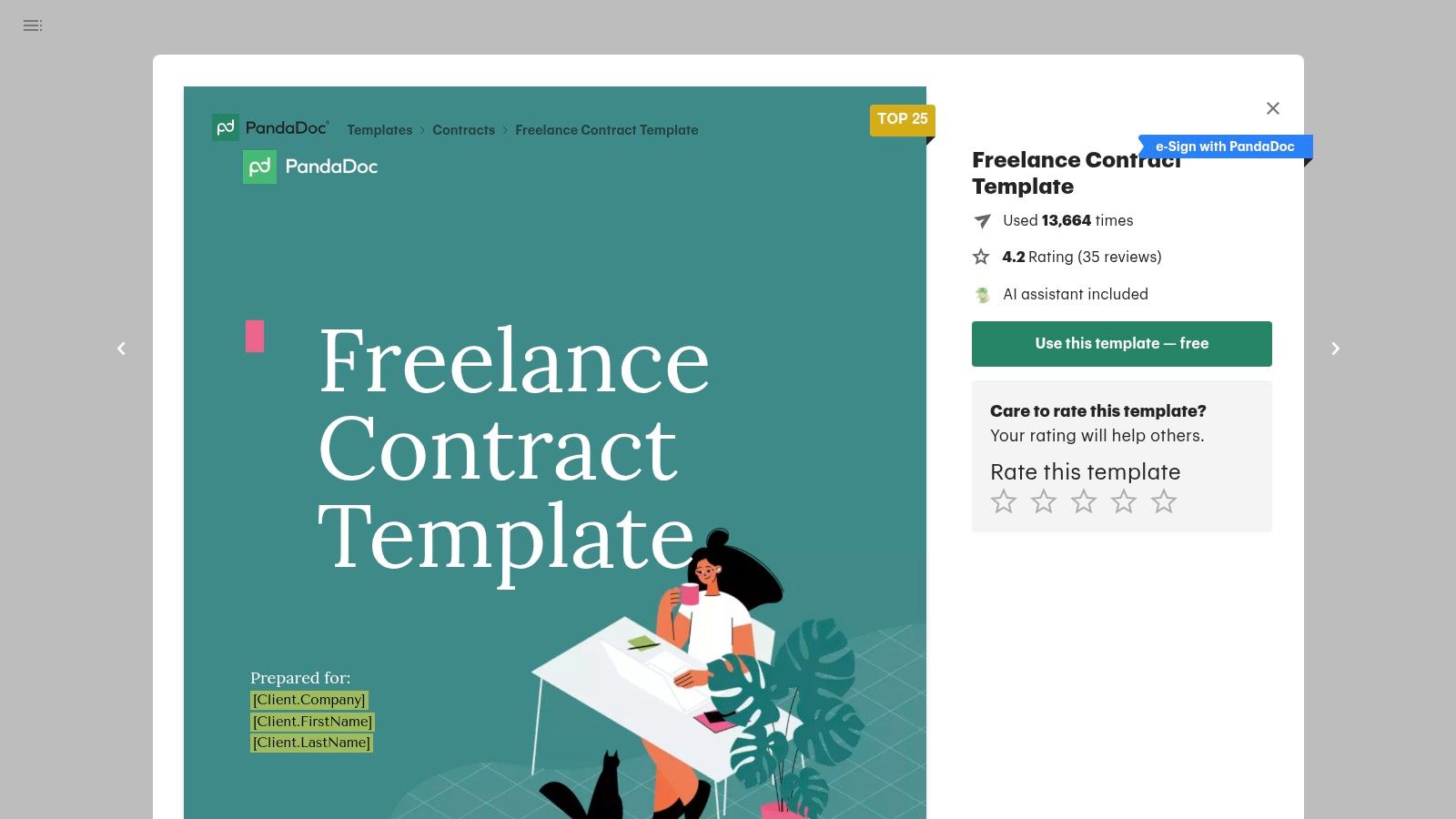
Unlike a simple downloadable file, PandaDoc’s template is a dynamic document within their web editor. You can easily modify clauses, add your branding, and insert smart content like variables for client names or project details, which auto-populate throughout the contract. The built-in electronic signature feature is legally binding and includes a digital audit trail for enhanced security and peace of mind.
Key Features and Usage Tips
PandaDoc offers a genuinely free plan that provides access to the freelance contract template, unlimited e-signatures, and document tracking. This makes it a fantastic starting point for solo professionals.
Best For: Freelancers seeking a seamless, professional process from contract creation to signing and payment. It's particularly useful for those managing multiple clients who want a polished, tech-forward presentation.
Unique Offering: The integrated workflow is its biggest differentiator. You can create the contract, send it for signature, and even collect payment (with their Stripe integration) all within one platform.
Practical Tip: Utilize the "Content Library" feature even on the free plan. Save your most commonly used clauses (like your standard payment terms or confidentiality agreement) to quickly drag and drop them into future contracts, saving significant time.
Feature | Details |
|---|---|
Availability | Free plan with unlimited legally binding eSignatures and documents |
Format | Web-based editor; documents can be downloaded as PDFs |
Pros | All-in-one creation, sending, and signing; professional presentation |
Cons | Advanced automation and integrations are locked behind paid tiers |
Website: https://www.pandadoc.com/freelance-contract-template/
2. Rocket Lawyer
Rocket Lawyer provides a more legally-grounded approach by offering an attorney-reviewed freelance contract template free through a guided document builder. This platform is ideal for freelancers who prioritize legal soundness and want the option for professional legal support. Instead of just a static template, Rocket Lawyer walks you through a step-by-step questionnaire, customizing the clauses based on your answers to create a document tailored to your specific project and state laws.
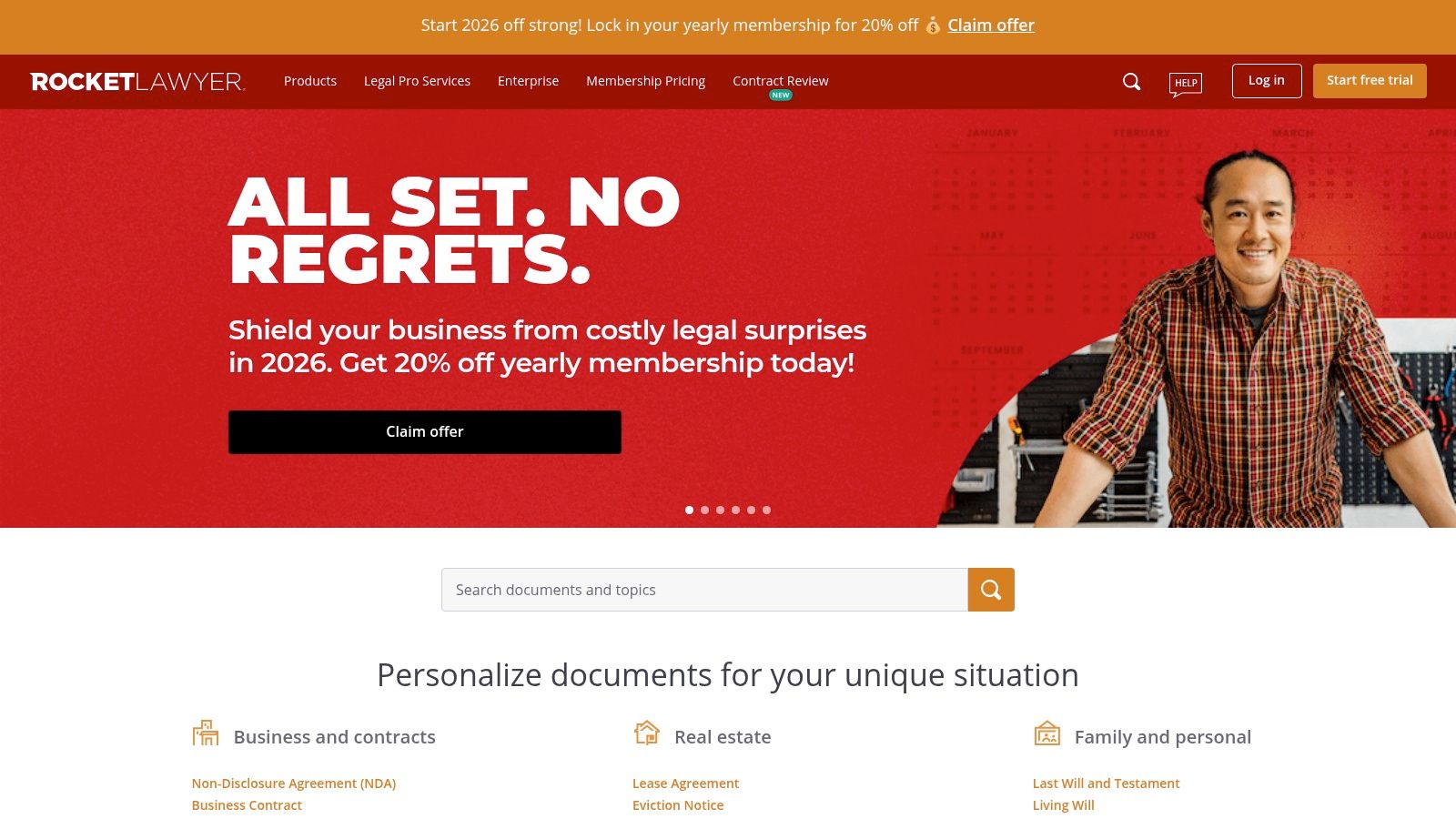
The platform’s strength lies in its blend of DIY document creation with access to real legal services. After building your contract, you can use their integrated RocketSign feature for electronic signatures. While the initial document creation is often available through a free trial, the real value comes from their membership, which includes the ability to ask lawyers questions or have them review your completed document for extra assurance.
Key Features and Usage Tips
Rocket Lawyer offers a 7-day free trial that typically provides enough access to create and sign your initial contract. After the trial, a paid membership is required to create new documents and access legal consultations.
Best For: Freelancers who are risk-averse or are handling high-value projects and want the peace of mind that comes from attorney-reviewed documents and optional legal backup.
Unique Offering: The "Document Defense" feature, available to members, provides legal support if the other party disputes the terms of a contract created and signed on their platform.
Practical Tip: Maximize the 7-day free trial. Prepare all the necessary project information beforehand so you can quickly generate, review, and send your contract before the trial period ends.
Feature | Details |
|---|---|
Availability | Free document creation during a 7-day trial; membership required for ongoing access and legal services |
Format | Guided web-based builder; documents can be downloaded as PDF or Word files |
Pros | Attorney-reviewed templates with state-specific customization; optional legal support is a major plus |
Cons | Requires a paid subscription for full, long-term access to its most valuable features |
Website: https://www.rocketlawyer.com/
3. LegalZoom
LegalZoom offers a slightly different approach by providing a well-known, established legal platform to generate your independent contractor agreement. While not a completely free service like a simple download, its strength lies in the trust associated with the brand and the option to escalate your needs from a basic template to attorney-assisted customization. The platform guides you through a step-by-step questionnaire to build a contract tailored to your specific project needs.
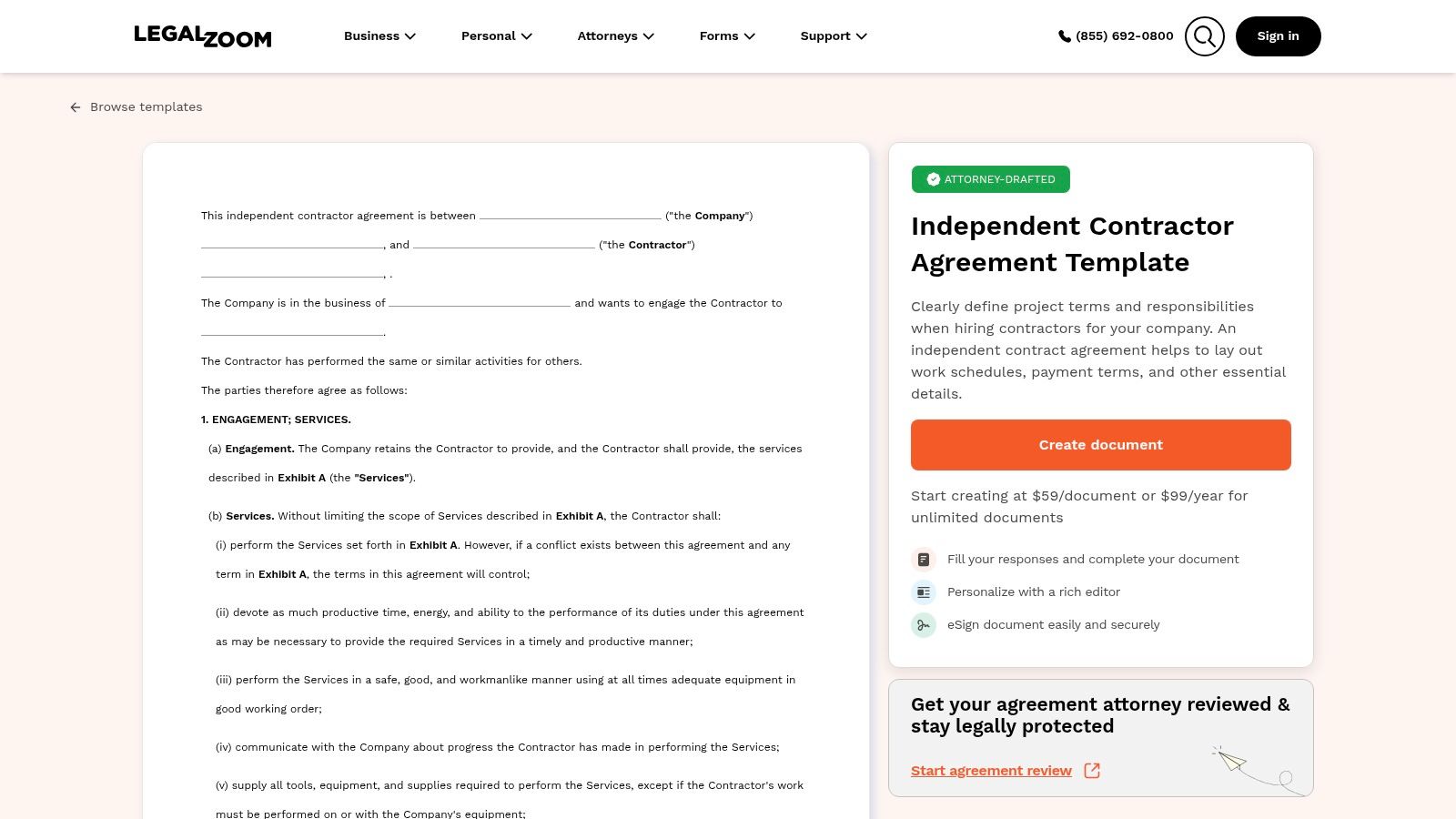
This dual-pathway system is LegalZoom’s core advantage. You can start with their standard freelance contract template, but if the project involves complex intellectual property or high stakes, you can easily transition to have a licensed attorney review or even draft a bespoke agreement. This provides a scalable solution for freelancers as their business and client complexity grow. It's a solid middle ground between a generic template and hiring a private lawyer.
Key Features and Usage Tips
LegalZoom's template builder is part of a broader ecosystem of legal services, which can be beneficial for freelancers looking to formalize other aspects of their business, like forming an LLC. Having clear terms is a crucial part of this process; you can learn more about the legal foundations of your business operations to ensure you're protected.
Best For: Freelancers who value brand recognition and want the option for affordable legal review or assistance without committing to a high-cost law firm from the start.
Unique Offering: The hybrid model of a DIY template builder combined with an accessible network of attorneys for review and customization sets it apart from simple template repositories.
Practical Tip: Use the initial questionnaire to identify potential legal blind spots in your standard agreement. The questions it asks can highlight clauses you may have overlooked, even if you decide not to purchase the final document.
Feature | Details |
|---|---|
Availability | Web-based document builder with a one-time fee or subscription |
Format | Web-based editor; documents can be downloaded as PDF/Word |
Pros | Trusted brand, option for attorney review, state-specific clauses |
Cons | Not a free service; attorney assistance comes at a significant extra cost |
Website: https://www.legalzoom.com/templates/t/independent-contractor-agreement
4. LawDepot
LawDepot provides a more guided, questionnaire-based approach to creating a freelance contract template free of charge during its trial period. Rather than starting with a static document, the platform walks you through a series of questions about your project, client, payment terms, and intellectual property rights. This method helps ensure you consider crucial clauses specific to your location and service type, making it great for freelancers who want more hand-holding.
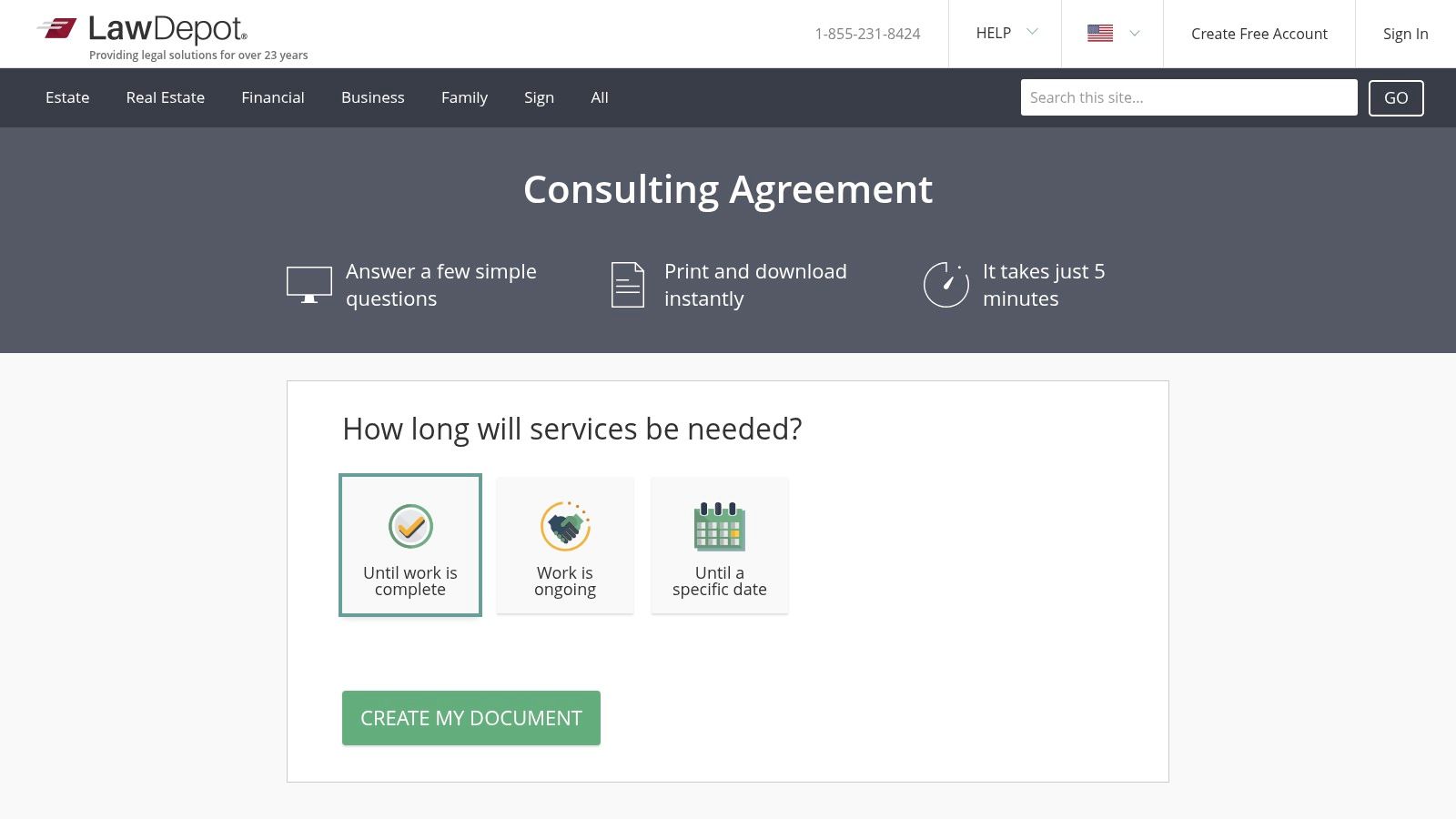
The platform generates a customized Independent Contractor or Consulting Agreement based on your answers. You can see the document being built in real-time and make adjustments as you go. LawDepot’s system is particularly strong at incorporating state-specific legal considerations, offering a higher degree of initial customization than a generic, one-size-fits-all template. This makes it a solid choice for creating a comprehensive first draft.
Key Features and Usage Tips
While LawDepot operates on a subscription model, its free trial is often sufficient to create and download the one or two documents you need to get started. Just be mindful of the trial's terms to avoid unexpected charges.
Best For: Freelancers in the U.S. who need a contract tailored to their state's regulations and prefer a step-by-step creation process over editing a blank template.
Unique Offering: The interactive questionnaire that dynamically builds the contract is its standout feature. It helps prevent you from overlooking important legal clauses related to confidentiality, termination, or liability.
Practical Tip: Before starting, have all your project details ready: client information, a clear scope of work, payment schedule, and deadlines. This will allow you to complete the questionnaire and download your document efficiently within the free trial period.
Feature | Details |
|---|---|
Availability | Free trial allows document creation and download; subscription or per-document fee required afterward |
Format | Web-based builder; final documents can be printed or downloaded as PDF or Word files |
Pros | State-specific clauses add a layer of legal consideration; guided process is easy for beginners |
Cons | Requires a subscription for ongoing access or creating multiple documents beyond the trial |
Website: https://www.lawdepot.com/us/business/consulting-agreement/
5. Bonsai (Hello Bonsai)
Bonsai offers a freelance contract template free of charge as part of its comprehensive, all-in-one business management suite designed specifically for freelancers. The platform excels at creating a seamless workflow, connecting proposals, contracts, project management, and invoicing into one cohesive system. This integrated approach saves freelancers from the administrative headache of using separate tools for each stage of a client engagement.
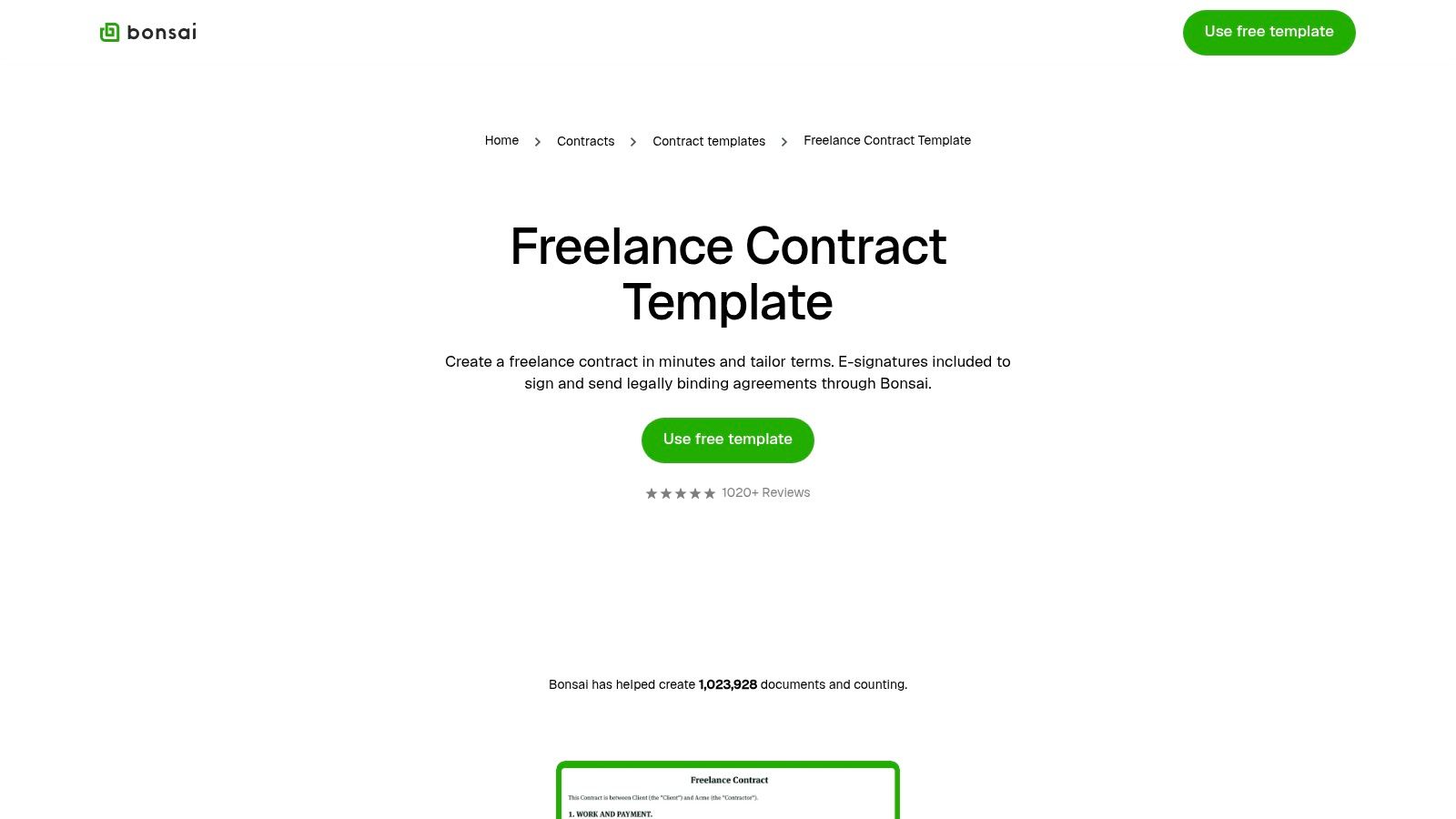
The templates provided by Bonsai are vetted and easily customizable within their clean, user-friendly editor. You can generate a contract, have your client sign it electronically, and then automatically convert the project details into an invoice once milestones are met. The platform’s strength lies in this automation, making it ideal for freelancers scaling their business who need efficient and repeatable processes.
Key Features and Usage Tips
While the template generator is free to use, unlocking the full power of Bonsai's integrated system requires a paid plan. However, the initial free access is a great way to create a professional, legally-sound contract quickly.
Best For: Solo freelancers and small agencies who need an end-to-end client management system, from initial proposal to final payment, all in one place.
Unique Offering: The deep integration between proposals, contracts, and invoicing is a key differentiator. A client can accept a proposal, which then auto-generates a contract for signing, simplifying the entire client onboarding process. This streamlined system is a core reason many successful freelancers use Bonsai's toolset.
Practical Tip: When generating your contract, explore the different discipline-specific templates Bonsai offers (e.g., for designers, writers, consultants). These pre-built agreements often contain clauses relevant to your industry that you might not have considered.
Feature | Details |
|---|---|
Availability | Free contract generator; full platform integration requires a paid plan |
Format | Web-based editor with e-signing; contracts can be downloaded as PDFs |
Pros | Complete freelancer toolkit; automates workflow from proposal to invoice |
Cons | Many core features (like invoicing and time tracking) are behind a paywall |
Website: https://www.hellobonsai.com/contract-template/freelance
6. Fiverr Workspace (formerly AND.CO)
Fiverr Workspace, formerly known as AND.CO, provides a freelance contract template free of charge that is deeply integrated into its suite of business management tools. This platform excels at creating a seamless journey from proposal to payment, with the contract acting as a key component. The standard agreement was developed with the Freelancers Union, giving it a strong foundation rooted in freelancer protection and fair practices.
The platform allows you to generate a proposal, and once accepted, it can be converted into a legally binding contract with a single click. This tight integration ensures that project scopes and payment terms agreed upon in the proposal are automatically carried over into the formal agreement, reducing manual data entry and potential errors. The e-signature functionality is built right in, simplifying the client approval process.
Key Features and Usage Tips
Fiverr Workspace offers a free plan that supports one active client, making it perfect for freelancers just starting out or those with a small number of large projects. The platform’s strength lies in its all-in-one approach to client management.
Best For: Freelancers who want a single system to manage proposals, contracts, project tracking, time logging, and invoicing for their clients.
Unique Offering: Its "Standard Freelance Contract" is pre-vetted and includes clauses referencing protections like the Freelance Isn’t Free Act, offering a solid legal baseline without requiring extensive customization.
Practical Tip: When creating a proposal, structure your services as line items. This data will flow directly into the contract and later into your invoices, creating a clean, consistent paper trail from initial contact to final payment.
Feature | Details |
|---|---|
Availability | Free plan for one client; paid plans for more clients and features |
Format | Web-based editor and e-sign system |
Pros | Vetted, freelancer-centric contract; seamless proposal-to-invoice workflow |
Cons | Limited to one client on the free plan; most value is tied to using the entire platform |
Website: https://workspace.fiverr.com/contracts
7. Jotform (Jotform Sign)
Jotform leverages its powerful form-building capabilities to offer a freelance contract template free that is both user-friendly and highly customizable. This approach is perfect for freelancers who want to connect their client intake process directly to their contract creation. The platform excels at turning form submissions into polished, signable PDF contracts automatically, saving significant administrative time.
Unlike static documents, Jotform’s template is driven by its drag-and-drop form editor. You can create a client intake form that, once filled out, populates the corresponding fields in the contract. The Jotform Sign feature enables legally binding e-signatures from any device, and automated emails ensure all parties receive a finalized copy, creating a seamless and efficient workflow.
Key Features and Usage Tips
Jotform’s free plan is quite generous, including access to the freelance contract template, a number of monthly signed documents, and form submissions. This makes it an excellent choice for freelancers just starting or those with a low volume of new clients each month.
Best For: Freelancers who already use or want to use forms for client onboarding. It's ideal for quickly generating standardized contracts based on client-provided information.
Unique Offering: The seamless integration between data collection (forms) and document generation (PDF contracts) is its standout feature, automating a key part of the client engagement process.
Practical Tip: Use conditional logic in your intake form. You can show or hide specific contract clauses in the final PDF based on the services a client selects in the form, creating a truly dynamic contract without manual editing.
Feature | Details |
|---|---|
Availability | Free plan includes contract template, forms, and a monthly allotment of signed documents |
Format | Web-based editor; generates and sends signable PDFs |
Pros | Very fast to deploy; excellent for automating contract creation from intake forms |
Cons | Broader automation and higher usage limits are tied to paid Jotform plans |
Website: https://www.jotform.com/pdf-templates/freelance-contract-template
8. SignWell (formerly Docsketch)
SignWell, formerly known as Docsketch, offers a clean and straightforward approach to securing a freelance contract template free of charge. The platform combines a library of essential legal documents with an intuitive e-signature tool, making it an excellent choice for freelancers who prioritize simplicity and efficiency over complex, feature-heavy systems. Its design philosophy is centered around getting a legally binding agreement signed with minimal friction.
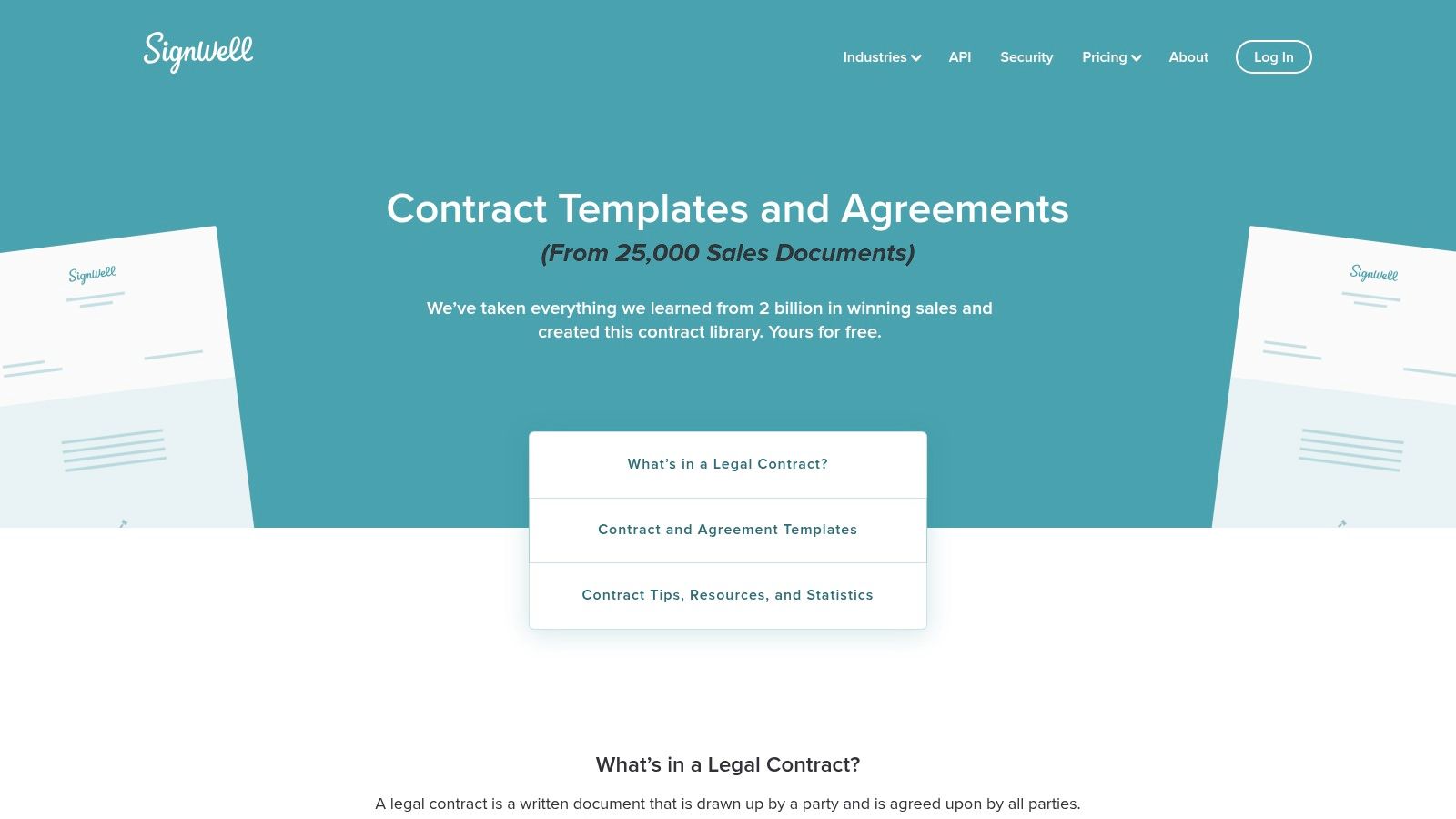
Unlike some competitors that gate templates behind extensive sign-up processes, SignWell provides direct access to its contract collection. Once you select a template, you can customize it within their user-friendly editor, add signature fields, and send it directly to your client. The experience is designed to be quick and hassle-free, which is a significant advantage for freelancers juggling multiple projects and administrative tasks. The platform's generous free plan is a major draw for those just starting out.
Key Features and Usage Tips
SignWell’s free tier is one of the most practical in the market, allowing you to send up to three documents per month and save one reusable template. This is often sufficient for freelancers with a lower volume of new clients.
Best For: Solo freelancers and small business owners who need a no-fuss, reliable e-signature solution with access to standard contract templates without a steep learning curve.
Unique Offering: The simplicity of its user interface combined with a genuinely useful free plan sets it apart. It avoids overwhelming users with features they may not need, focusing instead on the core task of getting contracts signed.
Practical Tip: Use your one free template slot wisely. Customize the general freelance contract with your most common terms, branding, and contact information. This creates a master template you can quickly duplicate and adjust for each new client, maximizing the free plan's value.
Feature | Details |
|---|---|
Availability | Free plan includes 3 documents per month and 1 reusable template |
Format | Web-based editor with PDF export and direct sending capabilities |
Pros | Very intuitive and clean user interface; generous free plan for low-volume users |
Cons | Free tier is quickly outgrown by freelancers with a steady client flow |
Website: https://www.signwell.com/contracts/
9. Dropbox Sign (formerly HelloSign)
Dropbox Sign, formerly known as HelloSign, positions itself as an enterprise-grade e-signature solution with a useful freelance contract template free offering. While its primary focus is on secure digital signing, its template functionality is a powerful asset for freelancers, especially those already embedded in the Dropbox ecosystem. The platform emphasizes reliability and efficiency, turning your most-used agreements into reusable assets.
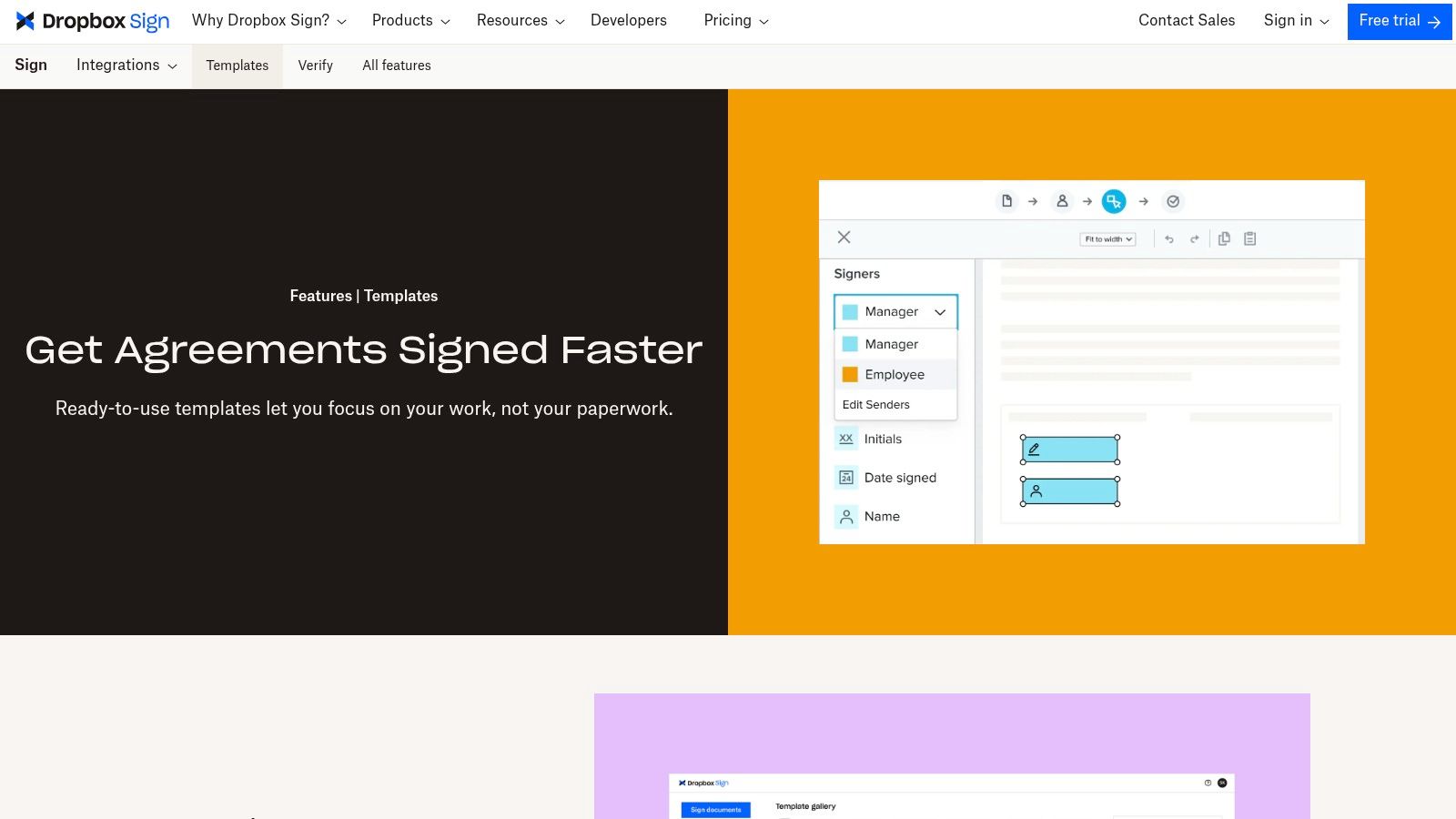
Unlike platforms that only offer static downloads, Dropbox Sign allows you to upload an existing contract and convert it into a reusable template. You can add fillable fields for client details, project scope, and signatures, which streamlines the process for recurring work. The integration with Dropbox means you can seamlessly save signed contracts directly to your cloud storage, keeping your documents organized and secure.
Key Features and Usage Tips
The free plan for Dropbox Sign is limited to three signature requests per month, but it provides access to the template creation feature, making it suitable for freelancers with a low volume of new clients or those who want to test the workflow.
Best For: Freelancers and small teams who prioritize a secure, reliable e-signature process and already use Dropbox for file management. It's excellent for those who have a standard contract they use repeatedly.
Unique Offering: The ability to create your own reusable templates from any document is its key strength. You are not limited to their pre-built gallery and can standardize your own legal language across all clients.
Practical Tip: Create a "Master Contract" in a Google Doc or Word file, then upload it to Dropbox Sign to set up as your primary template. Define roles like "Client" and "Freelancer" so you can pre-format fields for easy sending.
Feature | Details |
|---|---|
Availability | Free plan with 3 signature requests per month and template creation |
Format | Upload your own PDF, Word, etc., to create web-based reusable templates |
Pros | Enterprise-grade security, deep Dropbox integration, saves time on repeat contracts |
Cons | The free plan is quite limited; not all pre-built templates are for freelancers |
Website: https://www.dropboxsign.com/features/templates
10. Freelancers Union Contract Creator
Freelancers Union offers a unique and powerful freelance contract template free of charge through a step-by-step generator. Backed by the prominent U.S. nonprofit dedicated to independent workers, this tool is designed from the ground up to protect freelancers. It uses plain English and a guided process, making complex legal terms accessible to everyone, regardless of their legal experience. This approach demystifies the contract creation process for those just getting started with their freelance journey.
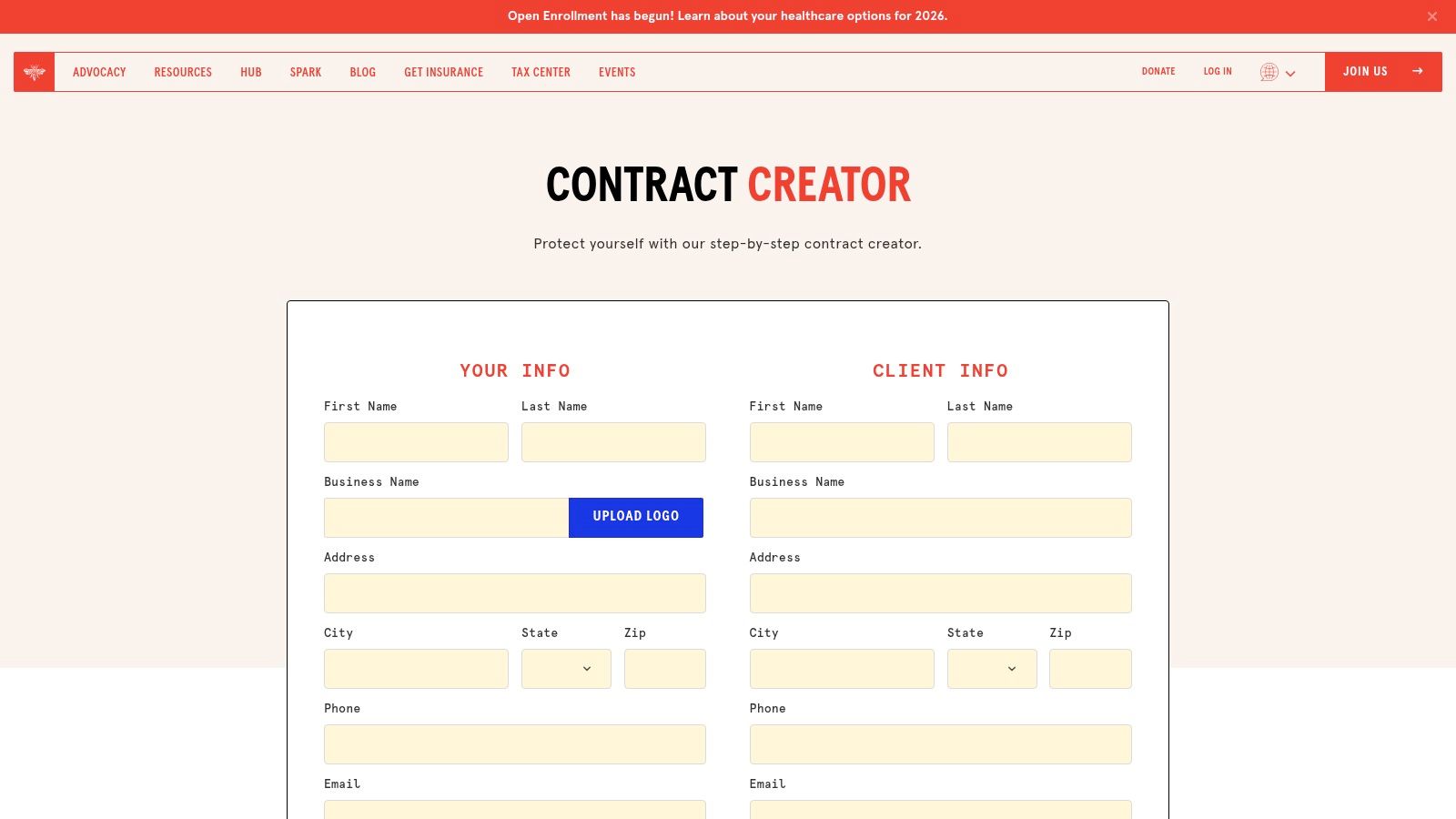
Unlike a static template, the Contract Creator is an interactive form that lets you toggle specific clauses on or off. You can easily add sections for deposits, kill fees, late payment penalties, and intellectual property rights. It even includes localized options referencing important protections like the NYC Freelance Isn’t Free Act, a feature rarely found in other free tools. The final document can be exported as a PDF or DOCX file at no cost.
Key Features and Usage Tips
The generator is an invaluable resource for U.S.-based freelancers who need a solid, enforceable agreement without any hidden costs or platform lock-in. It puts freelancer protection at the forefront.
Best For: U.S. freelancers, particularly those in areas with specific labor laws like New York City, who prioritize clear, protective, and straightforward agreements.
Unique Offering: The freelancer-centric wording and inclusion of localized legal protections (like the NYC Freelance Isn’t Free Act) make it highly practical for independent workers in the U.S.
Practical Tip: After generating your contract, export it as a DOCX file. This allows you to make minor tweaks or add custom clauses in a word processor before sending it to a client for signature using a separate e-signature tool.
Feature | Details |
|---|---|
Availability | Completely free to use and generate unlimited contracts |
Format | Web-based generator; exports to PDF or DOCX |
Pros | Designed specifically to protect freelancers; no signup required |
Cons | Lacks built-in e-signatures and any form of document tracking |
Website: https://freelancersunion.org/contract/
11. Indy
Indy positions itself as a streamlined administrative hub for freelancers, offering a freelance contract template free within a suite of project management tools. It’s designed for the solo professional who needs more than just a template but isn't ready for a complex, enterprise-level platform. The user experience is clean and intuitive, focusing on getting you from draft to a signed agreement with minimal friction.
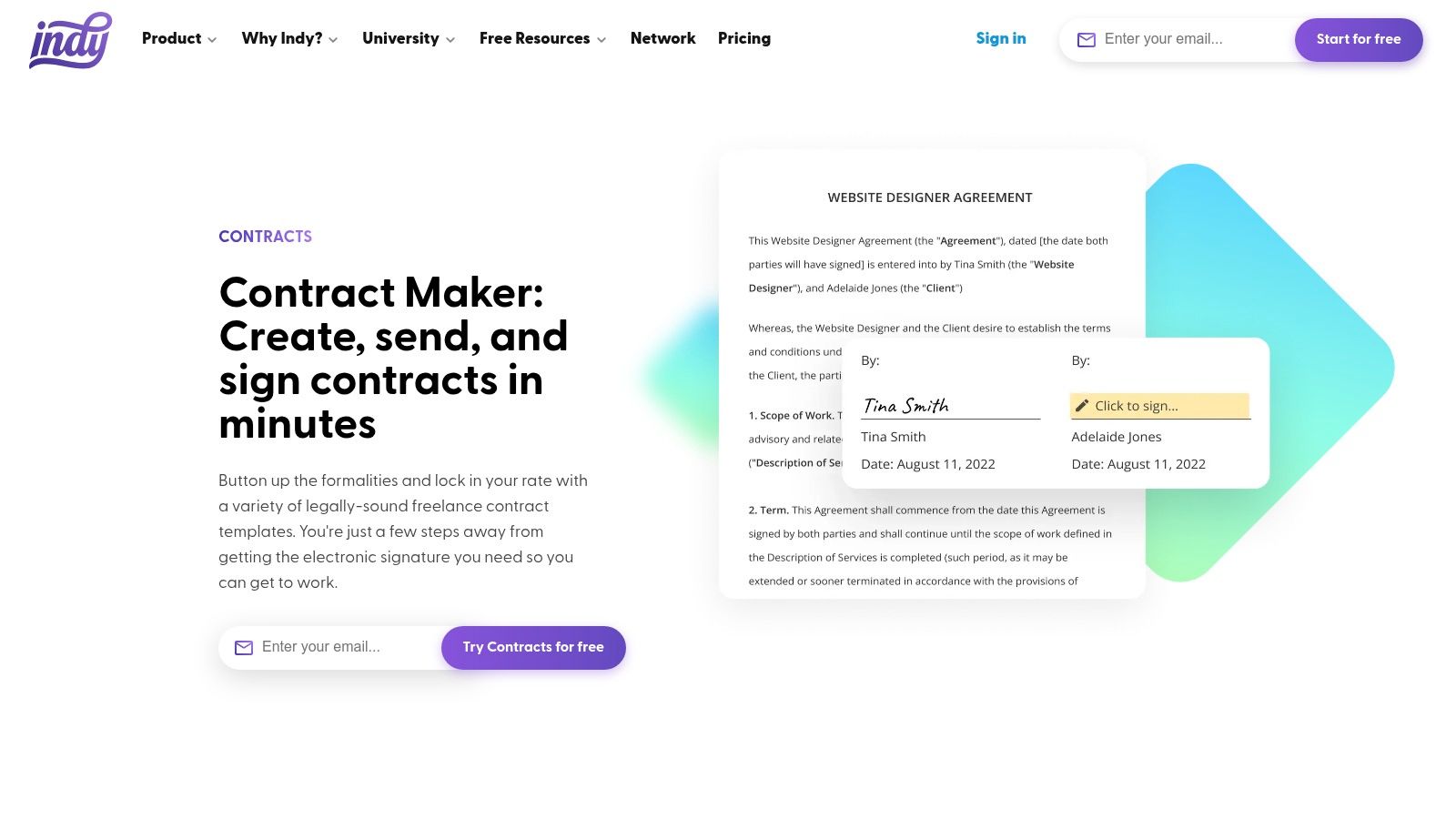
The platform provides ready-to-use, legally-vetted templates that you can customize in a straightforward web editor. A key feature is its integrated e-signature capability, which allows clients to sign without creating an account. Indy also provides clear status tracking, so you always know if your contract has been sent, viewed, or signed, helping you manage your client pipeline more effectively.
Key Features and Usage Tips
Indy offers a free starter plan that provides limited access to its tools, including contracts, proposals, and invoicing. This allows freelancers to test the entire workflow before committing to a paid plan.
Best For: Freelancers looking for an all-in-one "business-in-a-box" solution that is simple to navigate and covers the entire client lifecycle from proposal to payment.
Unique Offering: Its focus on an integrated, lightweight toolset is its main advantage. You can seamlessly move from a signed contract to creating an invoice for the project, all linked within the same system.
Practical Tip: Use the free plan to manage one or two key clients initially. This lets you experience the full proposal-contract-invoice workflow and determine if the Pro Bundle’s expanded limits are worth the investment for your business volume.
Feature | Details |
|---|---|
Availability | Free starter plan with limited access to contracts, proposals, and invoices |
Format | Web-based editor with built-in e-signatures; can be downloaded as PDF |
Pros | Simple, user-friendly interface; integrated with proposals and invoicing |
Cons | Free plan has strict limits; full functionality requires a paid subscription |
Website: https://weareindy.com/tools/contracts
12. Contractbook
Contractbook positions its freelance contract template free as an entry point into a sophisticated contract lifecycle management (CLM) system. It’s designed for freelancers who envision their business scaling and eventually needing more powerful tools to manage legal documents. The platform provides a clean, modern interface where you can edit, send, and securely e-sign your agreements without leaving the ecosystem.
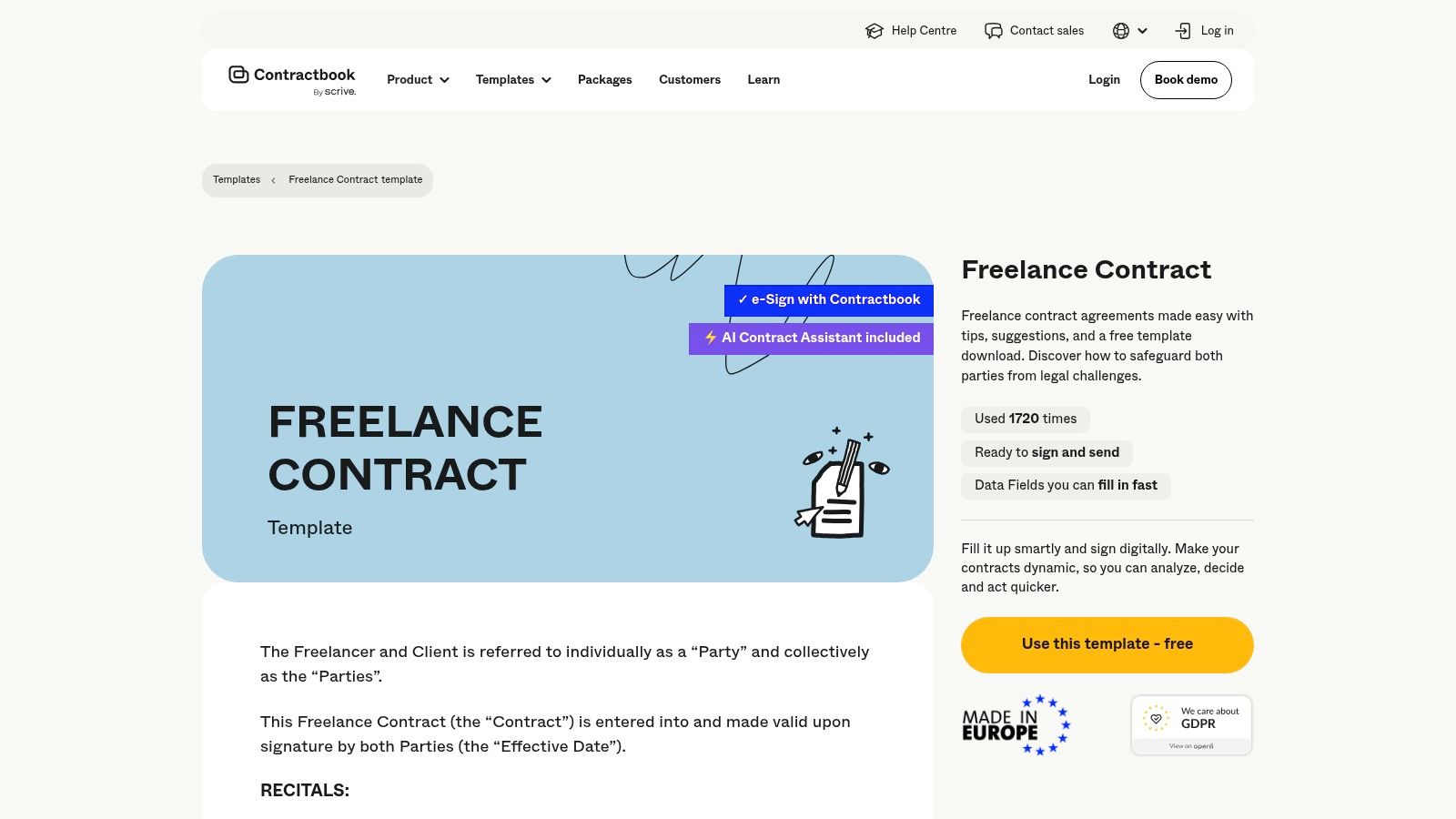
Unlike a static download, Contractbook’s template is a live document within its web-based editor. It covers all the essential clauses like scope of work, intellectual property, and payment terms. The core benefit is that once signed, the contract is stored and organized within the platform, creating a single source of truth for all your agreements. The built-in electronic signature is legally binding and comes with a complete audit trail for security.
Key Features and Usage Tips
Contractbook's free plan allows you to create and sign a limited number of contracts, making it a great way to test a professional CLM workflow. This approach is perfect for those who want to start organized and prepare for future growth.
Best For: Tech-savvy freelancers and small agencies planning to scale their operations who want to establish good contract management habits from the start.
Unique Offering: It provides a clear upgrade path. As your business grows, you can transition to paid plans that offer advanced automation, data management, and integrations without needing to switch platforms.
Practical Tip: Explore the "template library" beyond the freelance contract. You might find other useful documents like NDAs or statements of work that you can use, helping you build a consistent and professional legal framework for your business.
Feature | Details |
|---|---|
Availability | Free plan with limited e-signatures and access to the template library |
Format | Web-based editor; signed documents can be downloaded as PDFs |
Pros | Excellent pathway to full CLM; clean interface; secure document management |
Cons | The free plan is somewhat limited; true value is in the paid CLM features |
Website: https://contractbook.com/templates/freelance-contract
Top 12 Free Freelance Contract Template Comparison
Provider | Core features | Best for / Target audience | Unique selling point | Price / access |
|---|---|---|---|---|
PandaDoc | Free freelance template, web editor, variables, pricing tables, built-in e-sign | Freelancers wanting a true free template + smooth eSign flow | Creation → eSign in one tool (reduces tool switching) | Free template; paid plans for automation & CRM |
Rocket Lawyer | Guided builder, RocketSign e‑sign, cloud storage, lawyer Q&A, Document Defense | Users who want attorney-reviewed, state-aware documents & legal support | Attorney-reviewed docs with optional legal backup | Free trial; membership required for full value |
LegalZoom | Web template builder + e‑sign, option for attorney-drafted/custom documents | DIY users who may want optional attorney customization | Brand recognition + attorney network integration | Pay per service; attorney-prepared docs cost more |
LawDepot | State-aware questionnaire, clause toggles, exports (PDF/Word) | Users who need a flexible, fast baseline contract | Extensive clause library and state adjustments | Trial available; subscription or per-document fee |
Bonsai (Hello Bonsai) | Ready-to-edit templates, e-sign, proposals, time tracking, invoicing | Solo freelancers & small agencies wanting end-to-end workflow | Integrated proposals → contracts → invoices toolkit | Free templates; paid plans unlock advanced features |
Fiverr Workspace | One-click standard contract, e-sign, proposals, milestones, invoicing | Freelancers who want a vetted standard contract + invoicing | Practical, vetted baseline (references Freelance Isn’t Free Act) | Basic free; fuller admin features tied to Workspace paid tools |
Jotform (Jotform Sign) | Drag-and-drop editor, branding, form-driven data capture, e-sign, PDF outputs | Users who use intake forms and need fast, branded contracts | Tight form integration for client data → contract generation | Free template; limits depend on Jotform plan |
SignWell (Docsketch) | Template library, e-signature, reminders, bulk send (paid) | Light e-sign users seeking a simple signing UX | Generous free plan for low-volume users | Free tier (limited); affordable paid upgrades |
Dropbox Sign | Pre-built templates, reusable templates, role-based fields, Dropbox integrations | Teams already in Dropbox needing reliable e-sign | Enterprise-grade e-sign within Dropbox ecosystem | Paid plans for teams/enterprise; limited free trial |
Freelancers Union Contract Creator | Clause toggles, localized (jurisdiction) options, export to PDF/DOCX | U.S. freelancers who want plain‑English, freelancer-centric contracts | Completely free generator from a freelancer nonprofit | Completely free to generate and download |
Indy | Editable templates, built-in e-sign, proposals, invoicing, status tracking | Solo professionals wanting a lightweight all‑in‑one tool | Simple UX with integrated client lifecycle tools | Free tier (limits); Pro bundle for full features |
Contractbook | Editable agreements, e-sign, audit trails, template library, AI assist | Businesses planning to scale into contract lifecycle management (CLM) | Clean editor + pathway to full CLM capabilities | Free template; paid platform plans for CLM features |
Beyond Templates: Your Next Step to Professional Freelancing
Navigating the landscape of freelance work requires more than just talent and drive; it demands professionalism and protection. Throughout this guide, we've explored a dozen powerful platforms, from all-in-one solutions like Bonsai and Indy to specialized e-signature tools like SignWell and Dropbox Sign. We've seen how each provides a valuable freelance contract template free of charge, offering a critical starting point for securing your client relationships.
The core lesson is clear: a well-defined contract is not an obstacle but a cornerstone of a successful freelance business. It prevents misunderstandings, clarifies expectations, and establishes a professional tone from day one. Whether you need the legal rigor of Rocket Lawyer or the user-friendly interface of the Freelancers Union Contract Creator, the right tool exists to fit your specific workflow and industry needs.
From Foundation to Fortress: Making Your Choice
Choosing the right template is your first actionable step. To make the best decision for your business, consider these key takeaways:
For Simplicity and Speed: If your primary need is a straightforward, legally sound document you can generate quickly, tools like the Freelancers Union Contract Creator or a basic template from PandaDoc are excellent choices. They cut through the complexity, allowing you to focus on the essential terms.
For Integration and Workflow: For freelancers seeking to build an entire client management system, platforms like Bonsai, Indy, and Fiverr Workspace are game-changers. Their contract features are just one part of a larger ecosystem that includes proposals, invoicing, and project management, streamlining your entire administrative process.
For Legal Customization: When your projects involve complex intellectual property rights, significant financial stakes, or unique service terms, platforms like Rocket Lawyer, LegalZoom, and LawDepot provide a higher degree of legal customization and access to professional advice.
Remember, the best template is one that you actually use consistently. Select a tool that integrates smoothly into your existing processes and doesn't feel like a chore to implement.
The Bigger Picture: Securing Your Freelance Empire
A solid contract is the foundation, but a truly secure business is built with multiple layers of protection. Once you've established clear client agreements, your next priority should be safeguarding your operations and personal assets. This includes managing your finances, setting aside funds for taxes, and securing the right business insurance. Protecting your business from liability, equipment damage, or unforeseen circumstances is a non-negotiable step for long-term stability. As you formalize your operations, it's wise to learn more about the best insurance options for self-employed professionals to ensure you have comprehensive coverage.
Ultimately, using a freelance contract template free from a reputable source is a powerful move toward legitimizing your business and protecting your hard work. It transforms you from a gig worker into a professional service provider. Take the insights from this guide, select the tool that best aligns with your goals, and commit to making formal agreements a standard part of every project you undertake. This single habit will pay dividends in security, clarity, and peace of mind, allowing you to focus on what you do best: delivering exceptional work.