Digital Products
12 Best Content Calendar Template Free Downloads for 2025
In the fast-paced world of digital marketing, consistency is king. Juggling blog posts, social media updates, email newsletters, and video content without a clear plan is a direct path to inconsistent messaging and missed opportunities. This is where a robust content calendar transforms from a simple organizational tool into your marketing command center, providing the structure needed for strategic execution.
A well-designed calendar is the single source of truth that aligns your team, streamlines your workflow, and ensures a steady stream of high-quality content. For a foundational understanding of this essential marketing tool, explore this guide on what a content calendar is and how it anchors your entire strategy. But building a functional system from scratch is a time-consuming project that pulls you away from actual content creation.
That's why we’ve done the heavy lifting for you. We curated and analyzed the most effective content calendar template free options available today, so you can skip the complex setup and get straight to planning and publishing. This comprehensive list breaks down the best templates across various platforms like Google Sheets, Notion, Trello, and Airtable.
Inside, you will find:
Direct download and access links for each template.
In-depth analysis of the pros and cons for different use cases.
Actionable customization tips to adapt each template to your specific needs.
Visual previews and screenshots to see exactly what you're getting.
Our goal is to help you find the perfect content calendar template free of charge, whether you're a solo entrepreneur, a marketing agency, or a content creator managing multiple channels. Let's find the right system to organize your ideas and scale your content production.
1. Content Calendar – Notion Template
Entrepedia’s Notion Content Calendar template is a standout choice for entrepreneurs, agencies, and creators seeking a sophisticated and highly customizable system. It transcends a simple spreadsheet by offering a dynamic, all-in-one workspace built within Notion's powerful interface. This template is not merely a free tool; it comes with Private Label Rights (PLR), a unique feature that allows you to rebrand, modify, and even resell it as your own digital product.
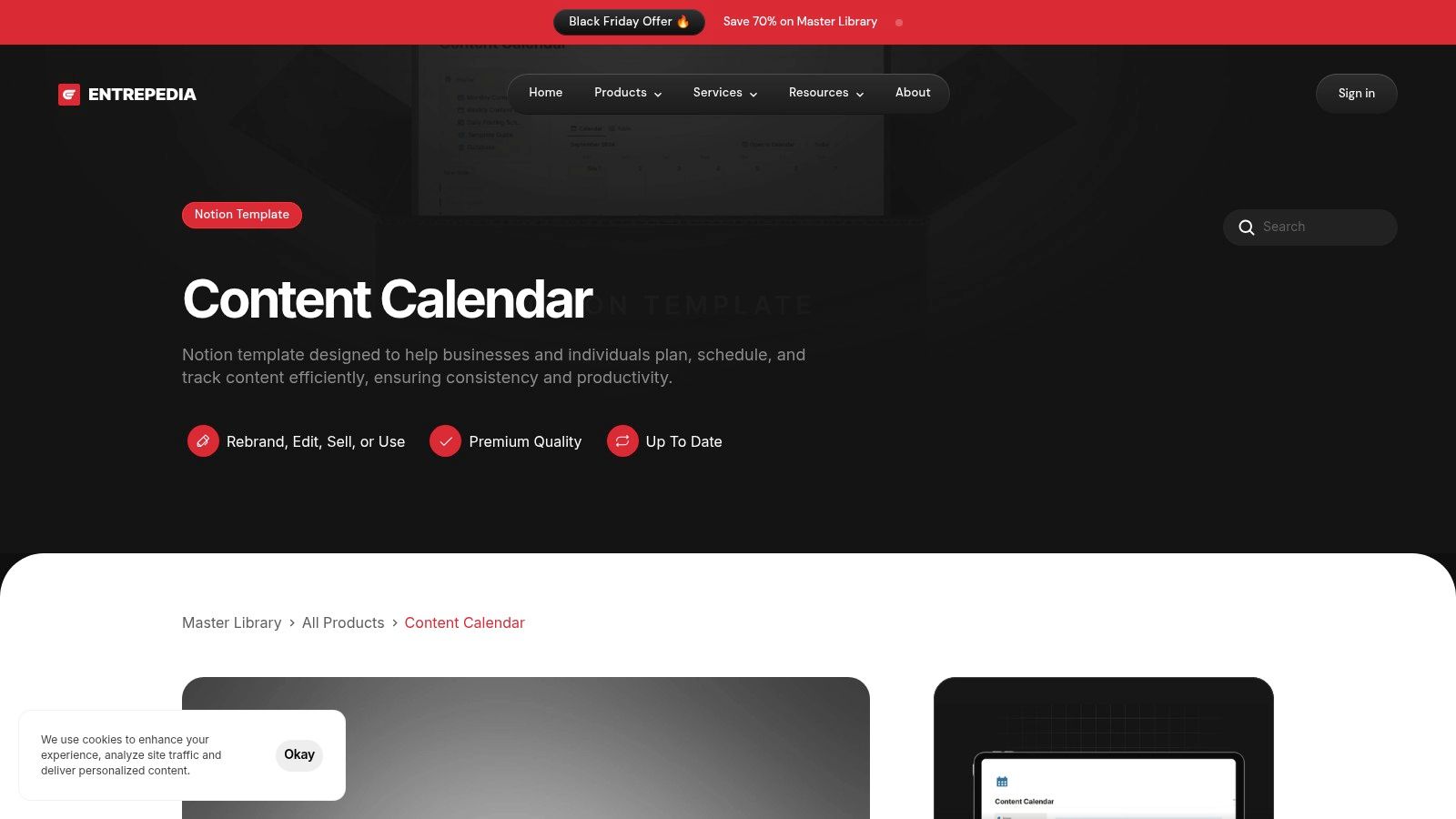
This structure is designed to be a plug-and-play solution, replacing hours of manual setup with a professional-grade content operations hub. It includes pre-configured databases, calendar views, and workflows for every stage of the content lifecycle, from ideation to publication and analysis.
Standout Features & Practical Applications
The template's primary advantage lies in its PLR licensing and robust, market-tested design. This combination offers unparalleled versatility for various business models.
For Agencies & Freelancers: Onboard new clients instantly by providing them with a polished, ready-to-use content calendar. You can rebrand it with your agency's logo and colors, presenting it as a proprietary tool that adds significant value to your services.
For Coaches & Creators: Use the template as a high-value lead magnet to attract your ideal audience or include it as a bonus resource in a paid course or membership program. This saves you the immense effort of building a comparable tool from scratch.
For Entrepreneurs: Manage your entire content strategy in a single, organized dashboard. The pre-built statuses (e.g., "Ideation," "Drafting," "Published"), platform assignments, and deadline fields create a clear and actionable workflow for your team.
Key Advantage: The Private Label Rights transform this free content calendar template from a simple productivity tool into a strategic business asset. It provides an immediate pathway to creating lead magnets, client deliverables, or even new revenue streams with minimal upfront investment.
Access and Implementation
To get this free template, you must create a free account on Entrepedia.co. It's delivered as a Notion template, so you will also need a free or paid Notion account to duplicate it into your own workspace. While the template is ready to use immediately, some basic familiarity with Notion is helpful for deeper customization. To learn more about how to set up and customize this system, explore Entrepedia’s detailed guide on leveraging their Notion calendar for content management.
Website: https://www.entrepedia.co/plr-digital-products/content-calendar-notion-template
2. HubSpot
HubSpot provides a comprehensive bundle of spreadsheet-based templates perfect for marketers and creators looking for a structured yet flexible planning system. This content calendar template free bundle includes three distinct files: a Blog Editorial Calendar, a Social Media Calendar, and a general Content Planning template, all available for both Google Sheets and Excel. HubSpot’s approach is ideal for those who prefer the familiarity of spreadsheets but need a solid, expertly designed foundation to build upon.
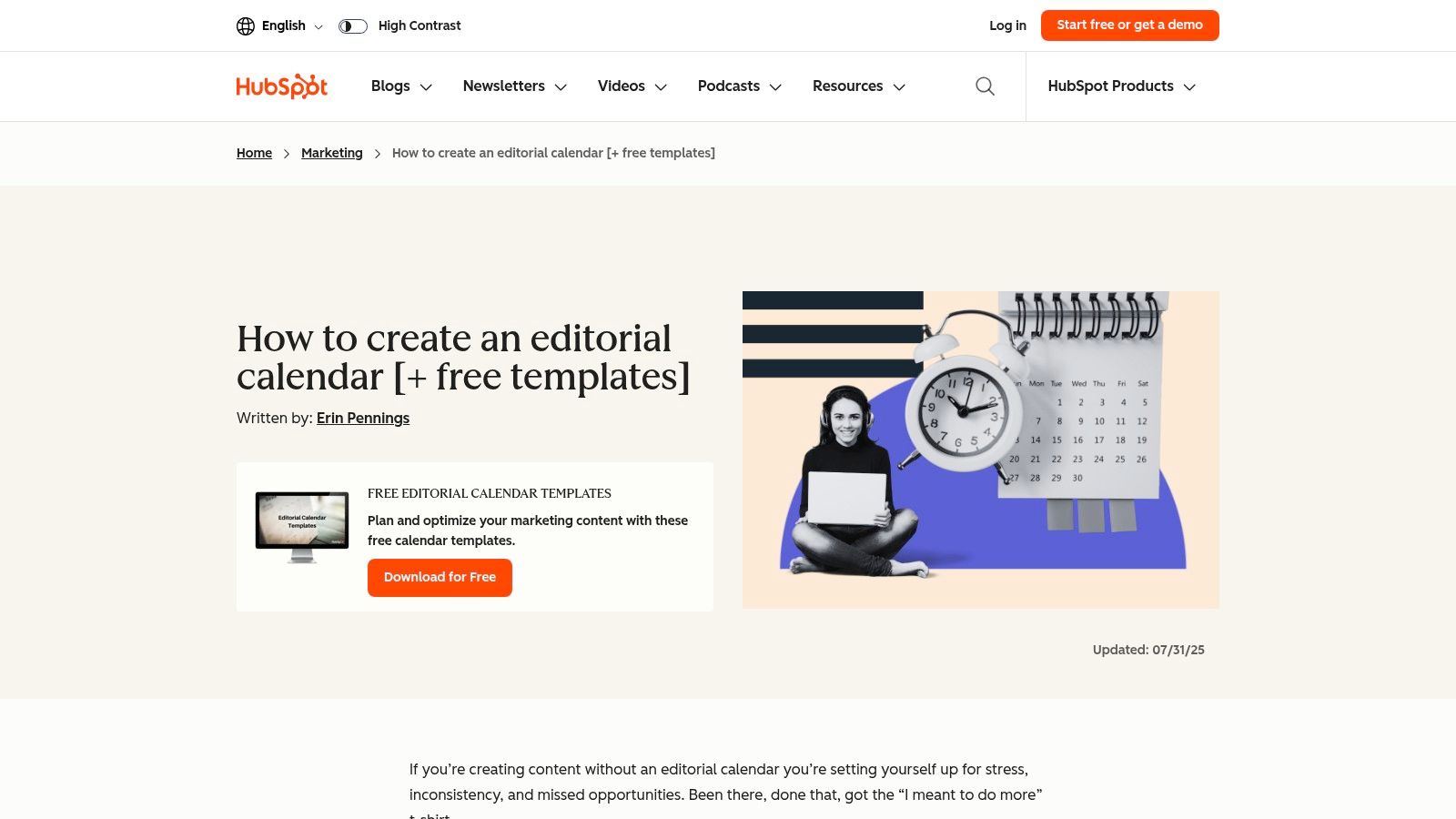
What truly sets HubSpot's offering apart is the extensive step-by-step guidance that accompanies the templates. Their tutorial content not only explains how to use the spreadsheets but also provides instructions for an optional Google Apps Script integration. This allows users to automatically sync their Google Sheet calendar with a Google Calendar, bridging the gap between a static spreadsheet and a live, dynamic schedule.
Key Features & Access
To get the templates, you must submit your name and email on their landing page, after which you'll receive the download link. This small step unlocks a powerful resource for organizing your entire content strategy, from initial keyword research and persona targeting to final publication dates.
Format: Google Sheets, Microsoft Excel
Focus: Blog content, social media, and overarching content strategy
Unique Feature: Detailed setup guide with optional Google Apps Script for syncing to Google Calendar.
Best For: Marketing teams and solo entrepreneurs who want a proven, spreadsheet-based system backed by one of the biggest names in marketing.
Pros | Cons |
|---|---|
Comprehensive Bundle: Covers blog, social, and strategic planning. | Email Required: Access is gated behind a contact form. |
No Software Lock-in: Use in either Google Sheets or Excel. | Manual Upkeep: It's a spreadsheet, not a dynamic scheduling tool. |
Excellent Guidance: Tutorials help first-timers maximize the templates. | No Team Collaboration Features: Lacks real-time project management tools. |
3. Hootsuite
Hootsuite, a leader in social media management, offers a meticulously designed content calendar template free for social media managers and marketers. This downloadable resource, available for Google Sheets and Excel, provides a clear framework for planning and organizing social media posts. The template is perfect for those who want a structured yet straightforward system developed by experts in the social media space. It helps you visualize your entire schedule at a glance, ensuring a consistent and strategic online presence.
What makes Hootsuite’s offering stand out is its specialized focus and supplementary materials. The template includes weekly and monthly views, along with a dedicated tab for evergreen content, making it easy to repurpose high-performing posts. It also comes with companion guides that teach you how to build an effective posting cadence. This educational component transforms the template from a simple spreadsheet into a practical toolkit for developing a smarter social media strategy, a core strength of the Hootsuite platform.
Key Features & Access
To download the template, you must provide your name and email on the landing page, after which you'll receive the files. This minor step grants you access to a resource designed to streamline your social media workflow, track campaigns, and maintain a balanced content mix across all your channels.
Format: Google Sheets, Microsoft Excel
Focus: Social media content planning, scheduling, and evergreen content management
Unique Feature: Includes a dedicated evergreen content library tab and is supported by expert guides on posting cadence.
Best For: Social media managers, creators, and small businesses looking for a purpose-built spreadsheet to organize their social channels.
Pros | Cons |
|---|---|
Clear, Ready-to-go Formats: Simple and intuitive weekly and monthly views. | Email Required: Access is gated behind a contact information form. |
Backed by a Major Platform: Created by social media industry experts. | Focused on Social: Broader editorial needs may require adaptation. |
Access to Free Template Library: Unlocks more valuable content resources. | No Live Integrations: Lacks automated posting or analytics features. |
4. Asana
Asana elevates content planning from static spreadsheets to a dynamic project management environment. The platform offers a content calendar template free of charge within its ecosystem, designed to manage the entire content lifecycle from ideation to publication. By leveraging Asana's robust project management features, this template transforms your calendar into a collaborative workspace, making it ideal for teams who need to track multiple dependencies, stakeholders, and production stages in a single, unified view.
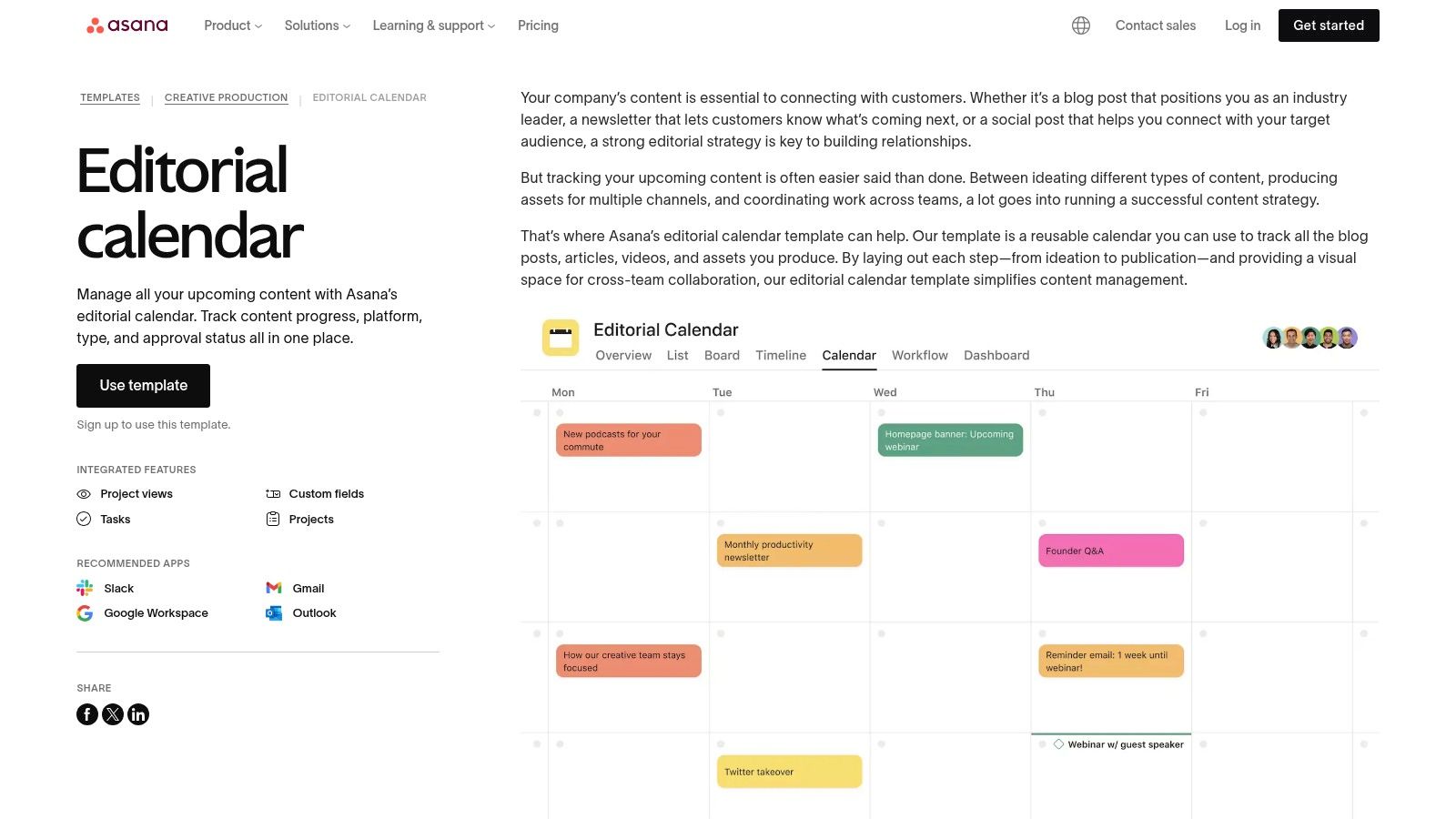
What makes Asana’s template stand out is its native integration with powerful workflow tools. Users can seamlessly switch between List, Board, Timeline, and Calendar views to visualize progress in the most intuitive way for their task. Custom fields for "Content Type" or "Approval Status" and automated rules for moving tasks forward create a truly efficient production pipeline, reducing manual check-ins and ensuring everyone on the team is aligned on priorities and deadlines.
Key Features & Access
To use the templates, you need to sign up for a free Asana account. Once inside, you can select the "Editorial Calendar" template or others like it to create a new project instantly. This gives you immediate access to a pre-built structure that you can customize to your team's specific needs, adding tasks, assigning owners, and setting due dates without any complex setup.
Format: Asana Project
Focus: Collaborative content production, workflow automation, and multi-stage approvals
Unique Feature: Multiple project views (List, Board, Timeline, Calendar) and customizable automation rules.
Best For: Marketing teams, agencies, and businesses managing multi-stakeholder content workflows that require more power than a simple spreadsheet.
Pros | Cons |
|---|---|
Ideal for Team Collaboration: Excellent for assigning tasks and tracking multi-stakeholder workflows. | Asana Account Required: You must use their platform; it's not a downloadable file. |
Multiple Views: Visualize production stages and timelines in various formats. | Steeper Learning Curve: More complex than a basic spreadsheet. |
Free Tier is Powerful: The core template and features are fully usable on the free plan. | Advanced Features are Paid: Certain views or automations require a premium subscription. |
5. Trello
Trello offers a highly visual, Kanban-style approach to content planning with its duplicable Editorial Calendar board. This content calendar template free option is perfect for teams and solo creators who thrive on seeing their workflow progress from one stage to the next. Instead of a grid, your content pieces are represented by cards that you can move across lists like "Ideas," "In Progress," "In Review," and "Published," providing a clear, at-a-glance status update for every project.
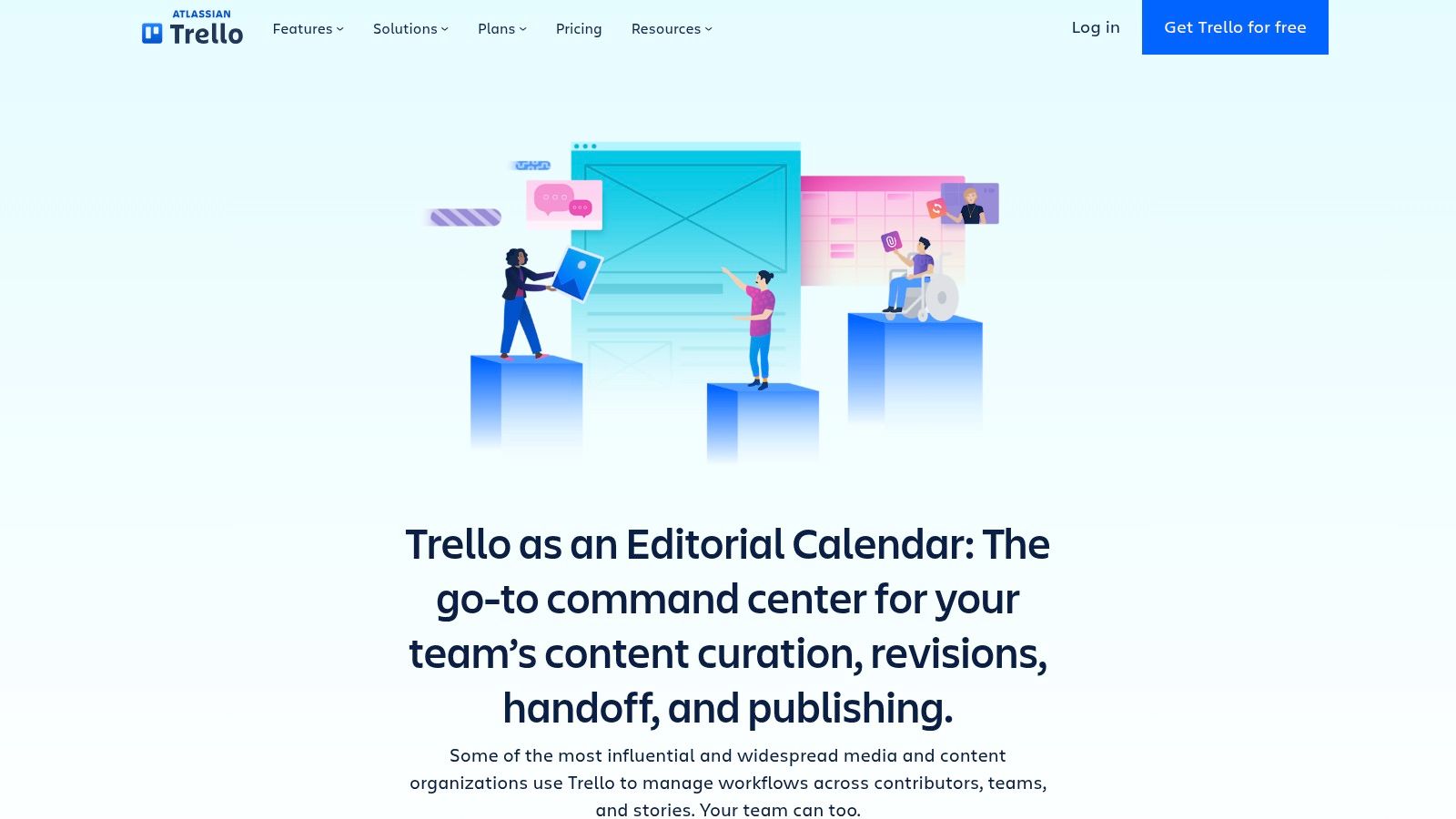
What makes Trello's template powerful is its built-in flexibility and integrations. Each card can hold checklists, attachments from Google Drive, conversations, and due dates. The Calendar Power-Up, available on the free plan, transforms your board into a traditional calendar view, giving you the best of both worlds. Automation rules can also be set up to manage due dates or move cards automatically, reducing manual administrative work.
Key Features & Access
To use the template, you simply need a free Trello account. Navigate to their template page and click "Use template" to duplicate the entire pre-configured board into your own workspace instantly. From there, you can customize the lists, labels, and automations to perfectly fit your content production cycle.
Format: Trello Board (Kanban & Calendar View)
Focus: Visual workflow management for blog and social media content
Unique Feature: Kanban card system with a switchable Calendar Power-Up and workflow automation rules.
Best For: Small teams and individuals who prefer a simple, visual drag-and-drop interface for managing content from ideation to publication.
Pros | Cons |
|---|---|
Highly Visual Workflow: The Kanban system is intuitive and easy to adopt. | Limited Free Plan: Some advanced views and automation require a paid plan. |
Easy to Duplicate: The template is ready to use in seconds. | Less Suited for Complexity: Not ideal for very complex, cross-channel operations. |
Good for Collaboration: Excellent for assigning tasks and tracking team progress. | Can Get Cluttered: A high volume of content can make the board feel crowded. |
6. Notion
Notion offers a powerful alternative to traditional spreadsheets with its free, database-driven Content Calendar template. Found in its official Template Gallery, this content calendar template free option allows users to duplicate a fully functional system directly into their own workspace. It’s the ideal solution for creators and teams who want to build a truly integrated content hub where planning, drafting, and documentation coexist seamlessly. Unlike static files, Notion's template is a dynamic workspace.
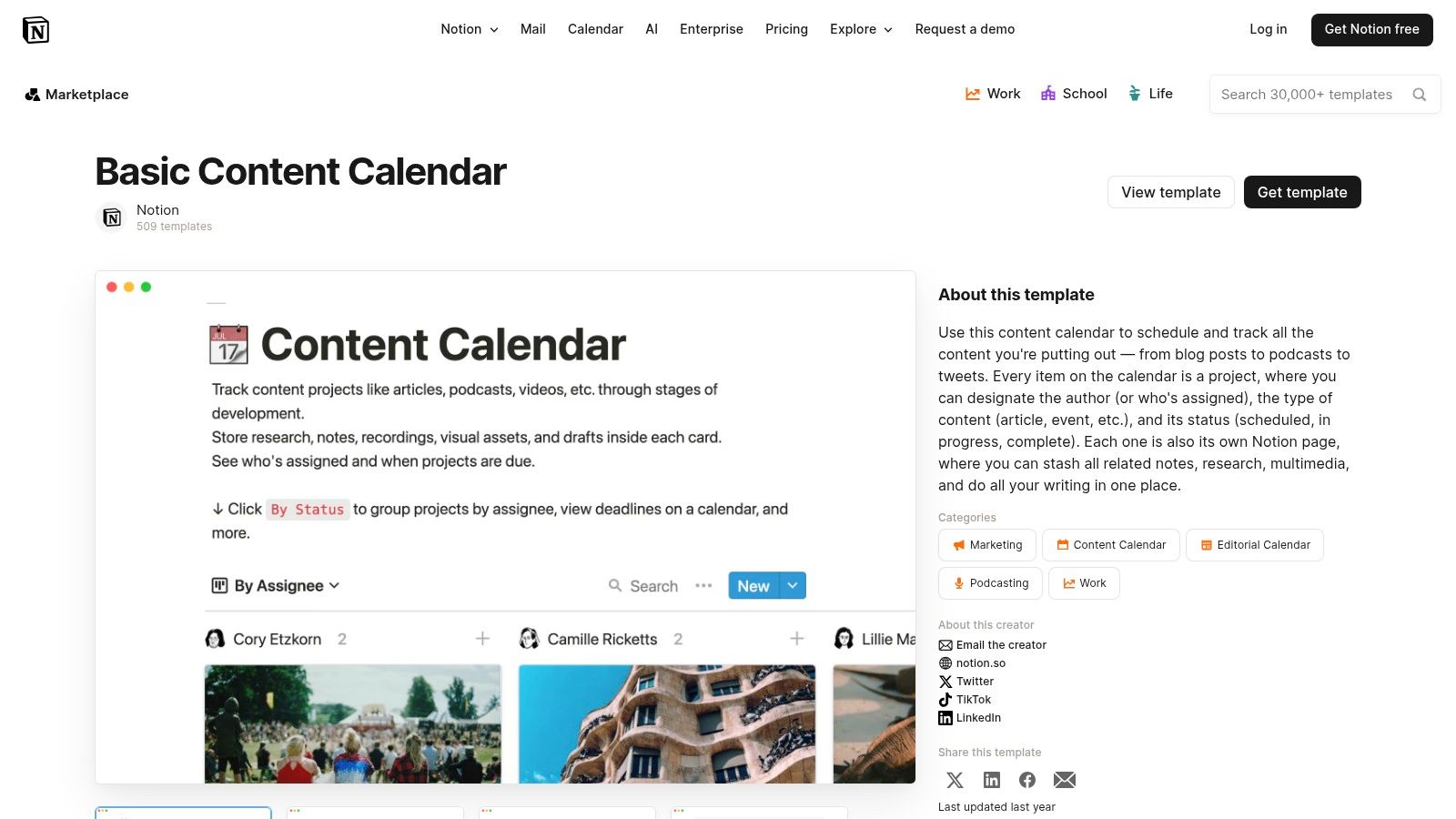
What makes Notion stand out is its all-in-one nature. Each calendar entry is a full page where you can draft entire articles, store research, embed assets, and create task lists. The template comes pre-configured with both a traditional calendar view and a Kanban board view, letting you track content progress from "Idea" to "Published" in a visual workflow. This blend of planning and execution in one tool eliminates the need to switch between different apps.
Key Features & Access
Accessing the template is as simple as clicking "Get template" on the gallery page, which duplicates it into your personal Notion workspace (a free account is required). From there, you can customize every property, from content status and target channels to author assignments and review dates, building a system that perfectly matches your workflow.
Format: Notion Database
Focus: Integrated content planning, drafting, and project management
Unique Feature: Dual calendar and board views, plus each content item is its own customizable page.
Best For: Solo creators and teams seeking a highly flexible, all-in-one workspace that goes beyond simple scheduling.
Pros | Cons |
|---|---|
Highly Customizable: Adapt properties and views to fit any workflow. | Requires Notion: You must use the Notion platform to access it. |
All-in-One Workspace: Combines planning with full documentation and notes. | Can Become Complex: Heavy customization can create a steep learning curve. |
Free with Account: Instantly duplicate and use with a free Notion plan. | Limited Export Options: Not as easily exportable to spreadsheets as native files. |
7. Airtable
Airtable elevates the concept of a content calendar from a simple spreadsheet to a powerful relational database. It offers a variety of free base templates, like the Social Media Calendar and Content Production templates, which can be added to any free Airtable account. This content calendar template free solution is perfect for teams who need more than static cells, offering dynamic linking between assets, campaigns, and tasks in multiple visual formats.
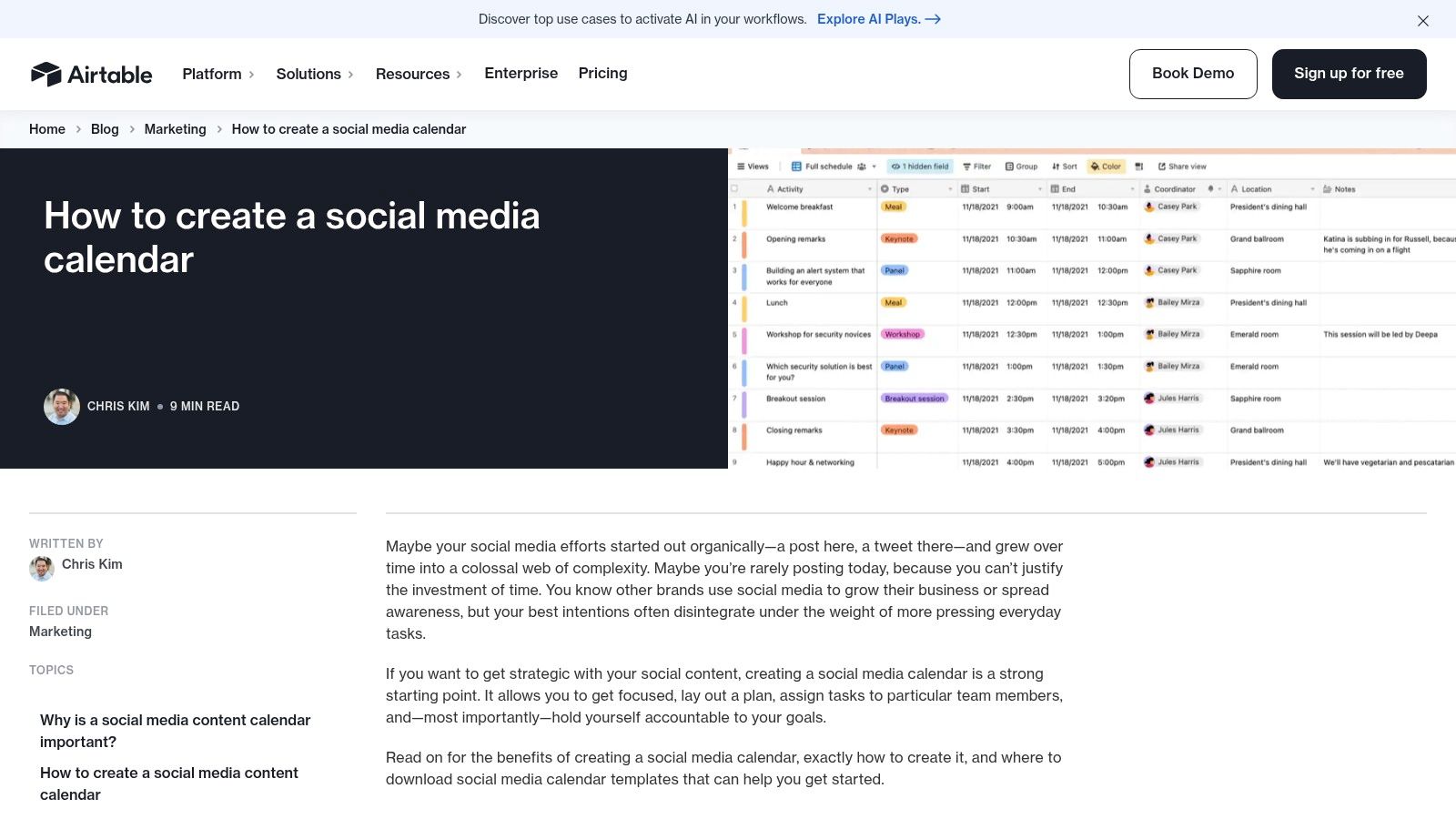
What makes Airtable stand out is its ability to serve as a single source of truth for an entire content operation. You can switch between a traditional calendar view, a Kanban board for tracking progress, and a gallery view for visual assets. Some templates even include helpful fields like character-count helpers and post mockups, while built-in forms allow you to easily intake content requests or crowdsource ideas from your team.
Key Features & Access
To use Airtable's templates, you must sign up for a free account. Once you’re in, you can add any template from their gallery to your workspace and begin customizing it. This approach offers a highly scalable system that can grow from a simple social media planner to a comprehensive editorial hub managing multiple channels and complex workflows.
Format: Airtable (Cloud-based relational database)
Focus: Social media, content production, editorial planning, asset management
Unique Feature: Multiple data views (Calendar, Kanban, Gallery, Grid) and relational linking between different data tables (e.g., campaigns to individual posts).
Best For: Marketing teams, agencies, and creators who need a central database to manage content, assets, and workflows across multiple channels.
Pros | Cons |
|---|---|
Excellent for Multi-channel Detail: Easily link assets, campaigns, and tasks. | Sign-up Required: Must create a free Airtable account to use templates. |
Scales Beyond Spreadsheets: More powerful and flexible than a static sheet. | Learning Curve: Requires more setup and familiarization than a simple spreadsheet. |
Multiple Visual Views: Different views suit different stakeholder preferences. | Advanced Features are Paid: Some apps and automations are behind a paywall. |
8. ClickUp
ClickUp moves beyond simple spreadsheets by offering a powerful, integrated content calendar template free within its all-in-one project management platform. This template is designed for teams that need to connect their content pipeline directly to tasks, documents, and broader project goals. It provides a dynamic environment where planning, creation, and execution all happen in the same workspace, eliminating the need to juggle multiple tools.
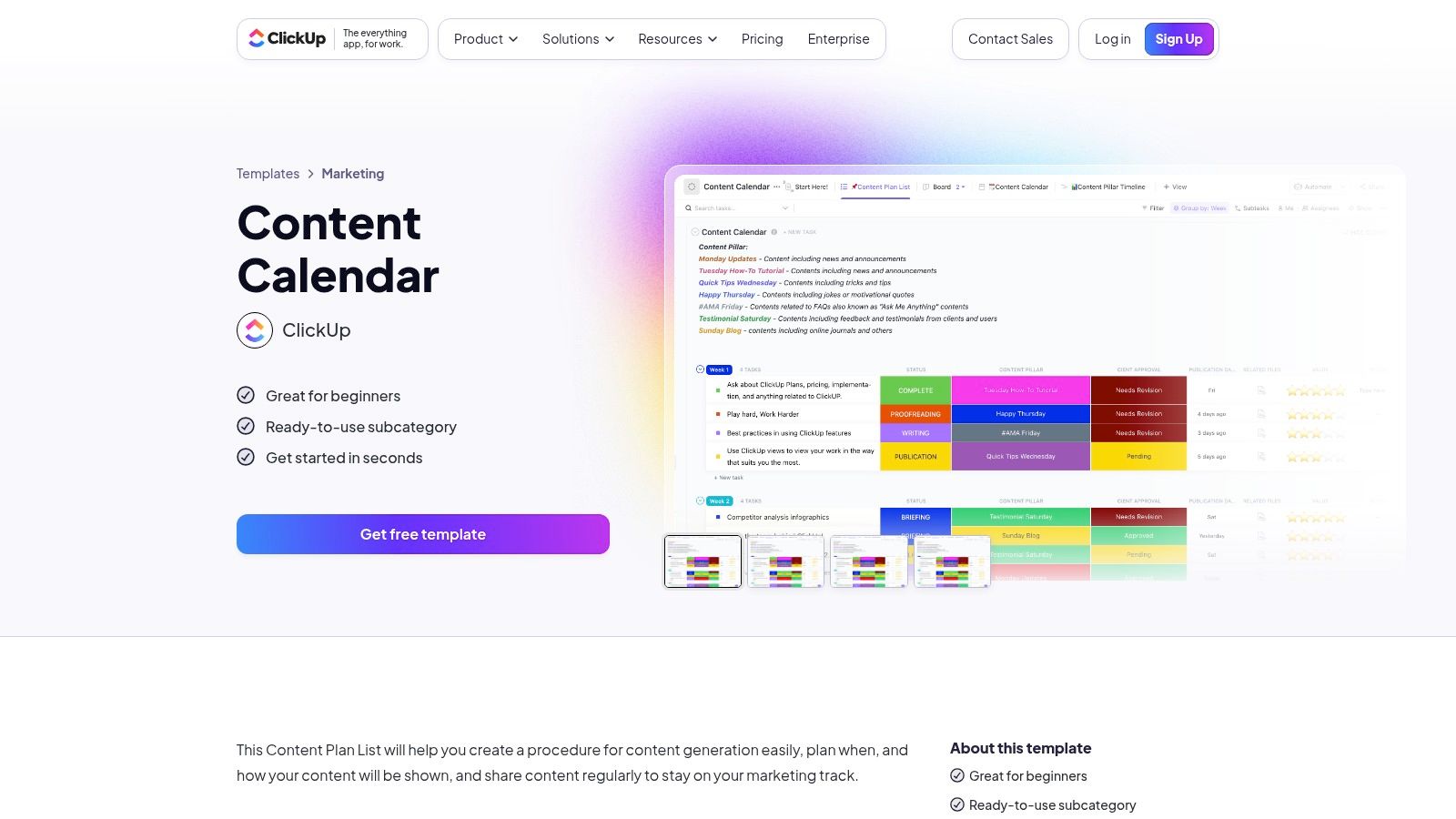
What makes ClickUp’s approach unique is its versatility. The template comes with pre-configured statuses like "In Progress" and "Ready for Review," plus custom fields for tracking content type, channels, and publish dates. Users can instantly switch between a traditional calendar view for scheduling, a Kanban board view for tracking workflow, and a list view for a detailed overview. This adaptability allows teams to manage their content lifecycle from a perspective that best suits their needs at any given moment.
Key Features & Access
To use the template, you must sign up for a free ClickUp account. Once inside, you can add the Content Calendar template directly from the Template Center to your workspace. The free plan is robust enough for most solo creators and small teams to get started with a sophisticated planning system without any initial cost.
Format: ClickUp Platform (List, Board, Calendar views)
Focus: Integrated content planning, task management, and documentation
Unique Feature: Multiple dynamic views (Board, List, Calendar) and deep integration with project management features like tasks and docs.
Best For: Content teams and agencies that want to manage their entire content workflow, from ideation to publication, within a single project management tool.
Pros | Cons |
|---|---|
All-in-One Solution: Combines content planning with project management. | Can Be Overwhelming: The interface can feel complex for simple calendar needs. |
Generous Free Plan: Sufficient for basic content calendar functionality. | Learning Curve: New users may need time to learn the platform's features. |
Highly Customizable: Pre-built fields and statuses speed up setup. | Advanced Features Gated: Some capabilities require a paid subscription. |
9. monday.com
monday.com offers a dynamic and visually-driven project management environment that excels as a content calendar template free solution for collaborative teams. Unlike static spreadsheets, its prebuilt templates for content and social media planning are interactive boards designed for real-time workflows. This platform is perfect for teams that need to manage content requests, track progress through various stages, and automate follow-ups to keep everyone aligned without constant manual check-ins.
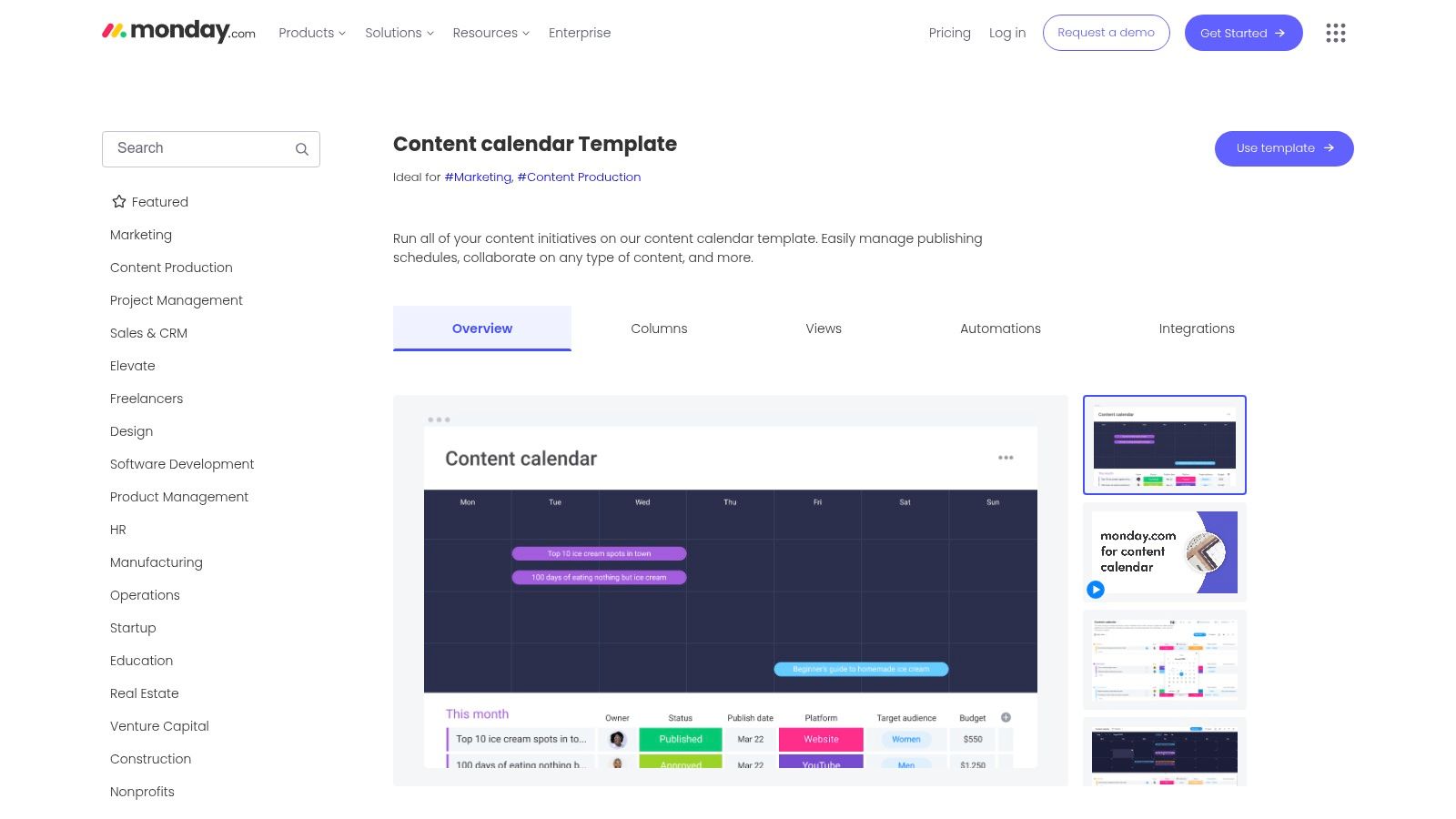
The platform’s strength lies in its incredible flexibility and powerful automation capabilities. You can set up rules to automatically assign tasks, notify stakeholders when a status changes, or move items to the next stage upon completion. With over 27 different work views, including Calendar, Timeline, and Gantt charts, every team member can visualize the content pipeline in the way that best suits their role, from high-level strategic overviews to detailed daily task lists.
Key Features & Access
To use the templates, you need to sign up for a free monday.com account. The free plan has limitations, but it provides a robust starting point for small teams to organize their content production. The templates are instantly available upon signup and can be customized to fit your specific workflow, including adding columns for content pillars, target personas, or performance metrics.
Format: Interactive Project Management Boards
Focus: Collaborative content planning, social media scheduling, and workflow automation
Unique Feature: Powerful automations to reduce manual tasks and multiple work views (Calendar, Gantt, Timeline) for tailored perspectives.
Best For: Marketing agencies, in-house content teams, and creators who need a collaborative, all-in-one platform to manage the entire content lifecycle.
Get the monday.com Templates →
Pros | Cons |
|---|---|
Visual, team-friendly structure: Supports seamless collaboration. | Requires Sign-up: You must create an account to access templates. |
Powerful Automations: Reduces manual follow-ups and status checks. | Paid Plans Needed: Advanced features and larger team seats are on paid tiers. |
Multiple Views: Helps align different stakeholders with tailored perspectives. | Learning Curve: Can be more complex than a simple spreadsheet for new users. |
10. Smartsheet
Smartsheet offers a curated collection of free downloadable templates designed for robust, data-driven content planning. This resource hub is particularly valuable for those who need a content calendar template free from platform lock-in, providing files in multiple formats, including Excel, Google Sheets, Word, and even PDF for offline use. The selection ranges from simple weekly social media schedules to complex annual calendars complete with dashboard views and content audit frameworks.
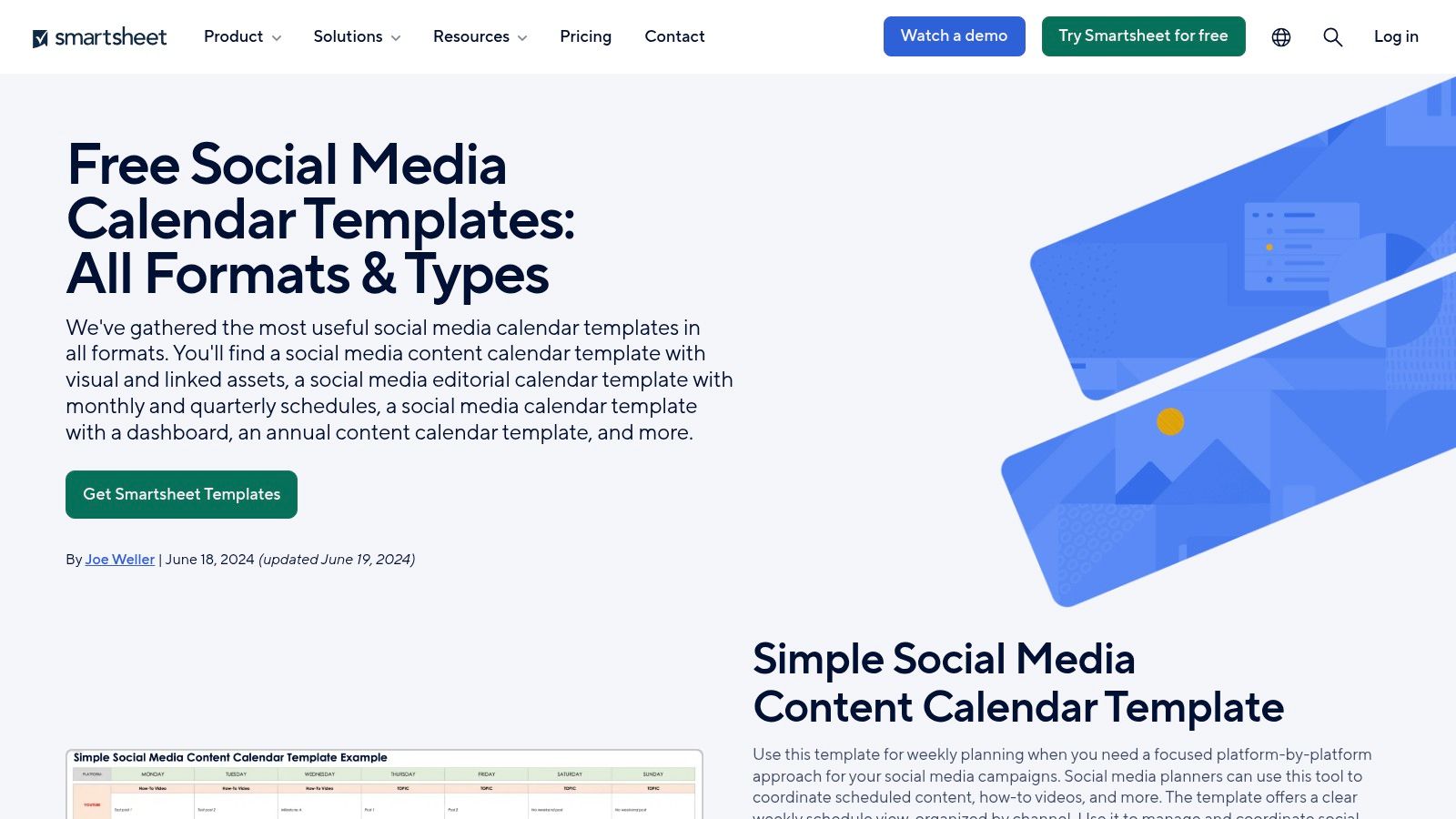
What makes Smartsheet a standout choice is its emphasis on accessibility and variety. Unlike many providers that gate their resources, most of Smartsheet's templates are available for direct download without requiring an email or account sign-up. This frictionless access makes it an excellent starting point for marketers and project managers who want to quickly grab a functional template and adapt it to their specific workflow, whether they're planning online or need a printable version.
Key Features & Access
Simply visit their templates page and download the files you need directly. While the templates are designed to integrate seamlessly into the paid Smartsheet application for enhanced project management, they function perfectly as standalone files in their respective programs. This approach provides a clear upgrade path without limiting the immediate utility of the free resources.
Format: Google Sheets, Microsoft Excel, Word, PDF
Focus: Social media, content strategy, content audits, and long-term planning
Unique Feature: Offers a wide array of formats, including Word and PDF, with truly free and direct downloads for most templates.
Best For: Planners and teams who value format flexibility, offline access, and a no-strings-attached download experience.
Get the Smartsheet Templates →
Pros | Cons |
|---|---|
Truly Free Downloads: No account or email is required for many templates. | No Live Scheduling Features: Lacks dynamic scheduling unless used with the Smartsheet app. |
Broad Format Compatibility: Includes options for offline use with Word and PDF. | Basic Visual Polish: Function-over-form design compared to dedicated creative tools. |
Diverse Template Range: Covers simple weekly plans to advanced annual dashboards. | Manual Upkeep: Requires manual updates like any standard spreadsheet or document. |
11. Sprout Social
Sprout Social, a leader in social media management, offers a content calendar template free of charge, designed specifically for the rigorous demands of social media scheduling. This resource is more than just a spreadsheet; it’s a framework grounded in industry best practices, guiding users on essential fields like copy, media, links, approval steps, and key performance indicators (KPIs). This makes it perfect for teams needing a structured, collaborative, and results-driven approach to their social presence.
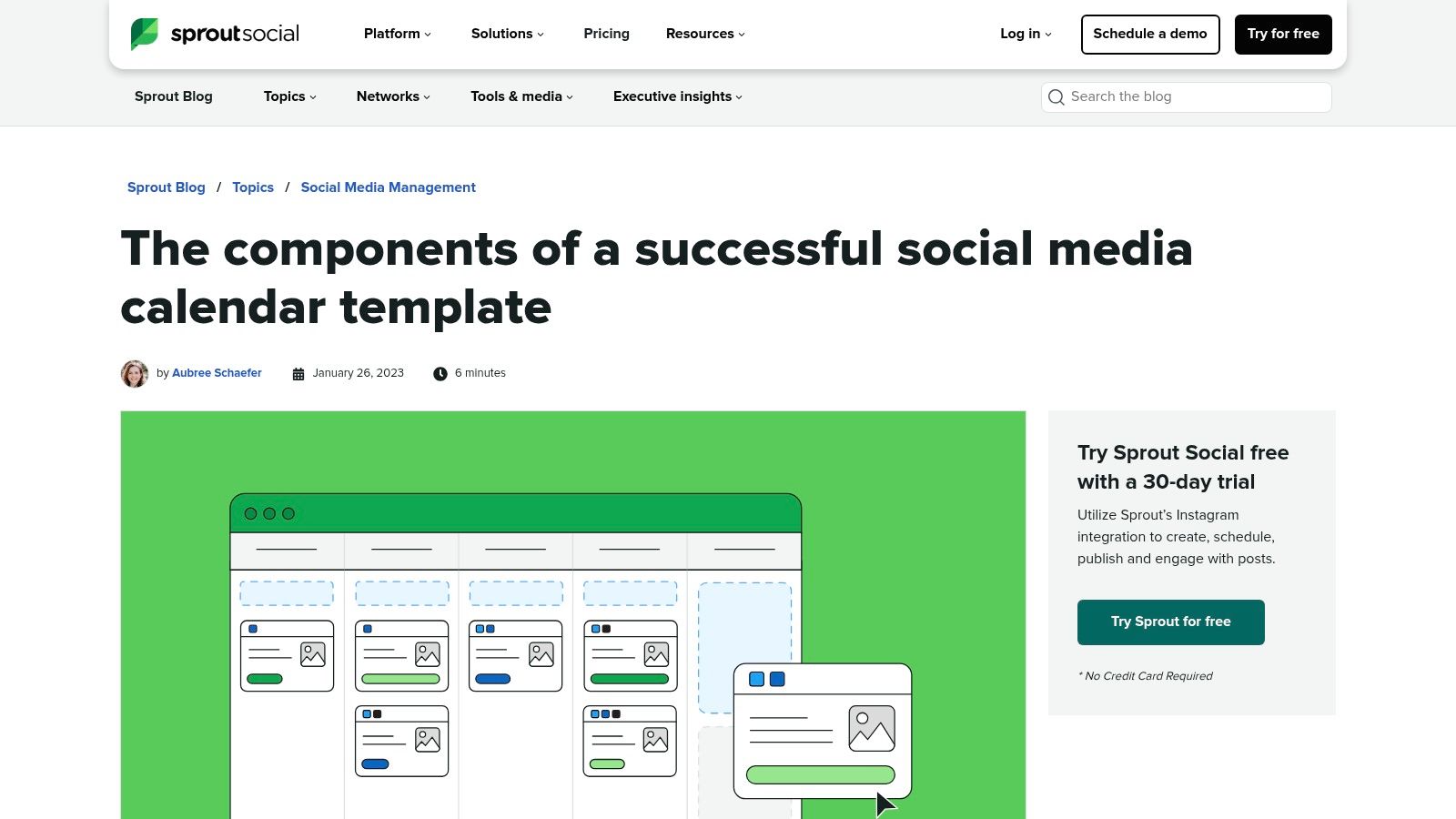
What distinguishes Sprout Social's offering is the emphasis on the entire social media workflow. The template and accompanying guide provide practical planning tips and incorporate columns for crucial collaboration steps, such as internal approvals and feedback. This built-in process tracking helps social media managers, agencies, and marketing teams maintain brand consistency and streamline their content pipeline from creation to publication, ensuring every post is vetted and aligned with strategic goals.
Key Features & Access
To access the template, you will likely need to provide contact information on their landing page. Once downloaded, the resource serves as an excellent tool for day-to-day social media planning, helping you organize content across multiple platforms and track its performance systematically.
Format: Google Sheets, Microsoft Excel
Focus: Social media scheduling, collaboration, and performance tracking
Unique Feature: Strong emphasis on a collaborative workflow, including dedicated columns for approval and feedback loops.
Best For: Social media managers and marketing agencies who need a detailed, process-oriented template for daily scheduling and team coordination.
Get the Sprout Social Template →
Pros | Cons |
|---|---|
Credible Best Practices: Guidance from a leading social media platform. | Social Media Focus: Not designed for long-form content like blogs or videos. |
Collaboration-Oriented: Emphasizes approval steps and team feedback. | Email Required: Access is likely gated behind a lead capture form. |
Practical for Daily Use: Great for detailed, day-to-day social scheduling. | Manual Spreadsheet: Lacks the automation of a dedicated software tool. |
12. TeamGantt
TeamGantt offers a powerful social media schedule template that integrates directly into its project management software, providing a visual-first approach to content planning. Instead of a static spreadsheet, this content calendar template free with their free plan leverages Gantt charts and calendar views, making it exceptional for mapping out multi-channel campaigns over time. The platform excels at visualizing dependencies and timelines, which is a significant step up from traditional grid layouts.
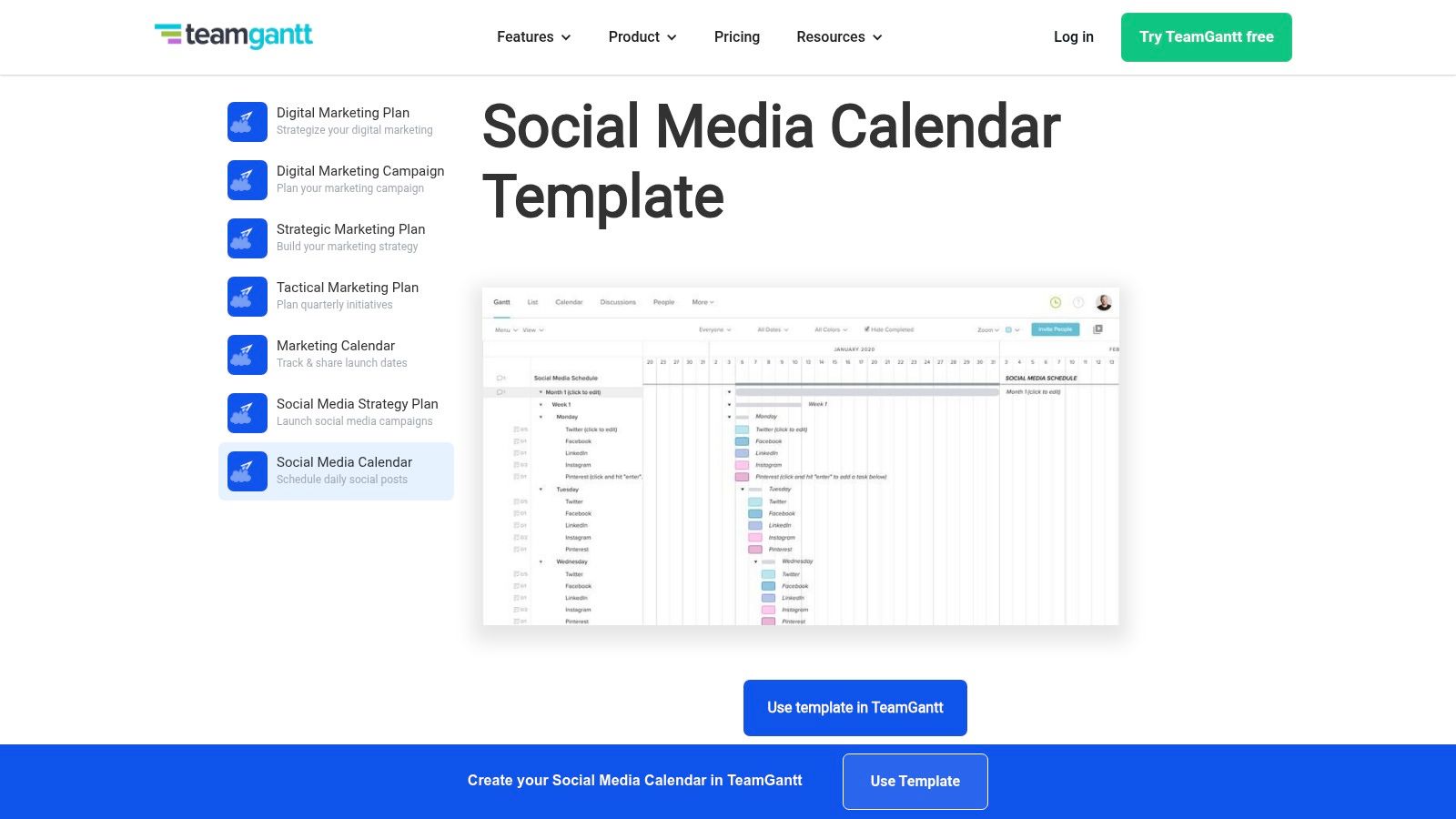
What makes TeamGantt's offering unique is its drag-and-drop scheduling within a timeline view. This allows marketers to easily adjust publication dates for entire campaigns or individual posts, with all related tasks shifting automatically. The template also brings core project management features like comments, file uploads, and checklists to each content task, centralizing communication and asset management directly within the schedule.
Key Features & Access
To use the template, you must sign up for a free TeamGantt account. Once inside, you can load the social media schedule template and begin mapping out your content. This system is perfect for managers who need to see how social media efforts align with broader project milestones.
Format: TeamGantt Platform (Gantt Chart & Calendar Views)
Focus: Social media campaigns and timeline-based content scheduling
Unique Feature: Drag-and-drop Gantt chart interface for easy timeline adjustments and dependency tracking.
Best For: Marketing teams and agencies managing complex campaigns where visual timelines and task dependencies are critical for success.
Pros | Cons |
|---|---|
Easy Drag-and-Drop Timelines: Rescheduling is simple and visual. | TeamGantt Account Required: You must use their platform to access the template. |
Strong Campaign Visualization: Excellent for seeing how posts and campaigns span across weeks or months. | Project-Management Focus: Lacks some content-specific fields out of the box. |
Built-in Collaboration: Includes comments, file uploads, and checklists per task. | Learning Curve: May be more complex than a simple spreadsheet for new users. |
Top 12 Free Content Calendar Template Comparison
Item | Format / Delivery | Core features | Best for (Target audience) | Ease & access | Price / Value |
|---|---|---|---|---|---|
Content Calendar – Notion Template (Entrepedia) | Notion template with PLR | Prebuilt calendars, assignment fields, status tracking, publishing workflows | Entrepreneurs, creators, agencies needing rebrandable product or lead magnet | Requires Notion account; plug‑and‑play with minor customization | Paid (PLR) — rebrand/edit/sell rights |
HubSpot | Google Sheets / Excel download | Blog, social & content sheets; setup guide; optional Apps Script automation | Marketers who prefer spreadsheets and step‑by‑step tutorials | Download after email; manual upkeep | Free (lead‑gated) — flexible spreadsheets |
Hootsuite | Google Sheets / Excel download | Weekly/monthly views, evergreen tab, posting cadence guides | Social teams wanting ready‑to‑go social calendar formats | Download after form; manual scheduling | Free (lead‑gated) — social focused |
Asana | In‑app project/template | Calendar, Timeline, Board, List views; custom fields; automations | Collaborative teams needing production workflows and tracking | Requires Asana account; some paid features | Free template in app; paid tiers for advanced features |
Trello | Duplicable board with calendar view | Kanban cards, calendar view, automation rules, Power‑Ups | Small teams and solo creators preferring visual Kanban workflows | Requires Trello account; very easy to adopt | Free templates; premium features paid |
Notion (template gallery) | In‑gallery Notion template | Calendar & board views, custom properties, docs integration | Creators/teams wanting highly customizable all‑in‑one workspace | Requires Notion account; flexible but can grow complex | Free to duplicate; account required |
Airtable | In‑app base template | Relational bases, calendar/gallery/kanban views, asset linking, forms | Teams needing relational DBs, asset management, multi‑channel planning | Sign‑up required; more initial setup | Free tier; paid for advanced apps |
ClickUp | In‑app template (List/Folder) | Board/List/Calendar views, custom fields, Docs + tasks integration | Teams wanting project management and content planning combined | Requires ClickUp account; interface can feel heavy | Free plan available; paid for extras |
monday.com | In‑app templates | 27+ views (Calendar/Timeline/Gantt), automations, integrations | Teams needing visual boards with automations and intake forms | Sign‑up required; paid for advanced seats | Templates available; best value on paid plans |
Smartsheet | Downloadable files (Sheets/Excel/Word/PDF) | Weekly/monthly/annual templates, dashboards, audit variants | Users wanting offline‑friendly, printable templates and varied formats | Many downloads no account; offline friendly | Free downloads for many templates |
Sprout Social | Downloadable social template + guide | Checklist of fields, planning tips, approval/KPI guidance | Social teams needing approval workflows and best practices | Likely gated by lead form | Free (lead‑gated) — social best practices |
TeamGantt | In‑app template (Gantt & calendar) | Gantt & calendar views, drag‑and‑drop rescheduling, comments, uploads | Campaign planners and teams that need visual timelines | Requires TeamGantt account | Free template; paid plans for larger teams |
Choosing and Implementing Your Ideal Content Calendar
You’ve explored a comprehensive array of free content calendar templates, from the familiar grids of Google Sheets to the dynamic databases of Airtable and Notion. The sheer number of options can feel overwhelming, but the journey to a more organized, strategic content workflow starts with a single, crucial step: understanding that the perfect template is not about the tool itself, but about the system you build with it. The most effective content calendar is the one that your team genuinely adopts and uses consistently, transforming it from a static document into a dynamic hub for creativity and execution.
The key takeaway is that your choice must align directly with your operational reality. A solopreneur juggling social media posts will have vastly different needs than a marketing agency coordinating multi-platform campaigns for several clients. Before you commit, take a moment to audit your current process. Where are the bottlenecks? What information gets lost? Answering these questions will illuminate which template is your best fit.
How to Select the Right Free Content Calendar Template
To narrow down your options from the list above, consider these three core factors:
Complexity vs. Simplicity: If you need a straightforward, no-fuss solution for planning and tracking, the templates offered by HubSpot (Google Sheets/Excel) or a basic Trello board are excellent starting points. They are intuitive and require minimal setup. However, if your strategy involves complex workflows, multiple approval stages, and deep integration with other tasks, a more robust platform like Asana, ClickUp, or monday.com is a better long-term investment.
Collaboration Needs: How many people will be using this calendar? For solo creators or very small teams, almost any option will work. But for larger teams and agencies, features like task assignments, real-time comments, and user-specific permissions are non-negotiable. Tools like Asana, Notion, and ClickUp are built for this level of collaboration, ensuring everyone stays aligned without clogging up email inboxes.
Customization and Scalability: Your content strategy will evolve, and your calendar must be able to adapt. A spreadsheet from Smartsheet offers more advanced functionality than a standard Excel sheet, but a platform like Airtable or Notion provides near-limitless customization. You can build a system that grows with your business, adding new properties, views, and databases as your needs become more sophisticated.
From Template to System: Your Implementation Roadmap
Once you’ve selected a promising content calendar template free of charge, your work is just beginning. Implementation is where most teams fail. To ensure your new tool becomes an indispensable asset, follow these steps:
Commit to a Trial Period: Choose one template and commit to using it exclusively for two to four weeks. This provides enough time to identify its strengths and weaknesses in the context of your actual workflow.
Customize It First: Before inviting your team, spend a few hours tailoring the template. Adjust statuses, add custom fields for your specific channels (e.g., "TikTok," "LinkedIn Newsletter"), and create filtered views that are relevant to different team members.
Onboard and Document: Hold a brief training session to walk your team through the new system. Record this session and create a simple one-page document outlining the core processes. Make it clear what goes into the calendar, when, and by whom.
Integrate and Automate: Connect your calendar to other tools you use, like Slack or your email. Set up automations for recurring tasks or notifications to reduce manual work and ensure deadlines are never missed. Many of the tools listed, such as Asana and ClickUp, offer powerful free tiers. When considering various options for your content calendar, exploring the best cheap project management software can help you find powerful tools like Asana and ClickUp that fit your budget.
Ultimately, a content calendar is more than just a schedule. It is a strategic document that brings clarity, accountability, and foresight to your marketing efforts. By choosing a template that matches your needs and thoughtfully implementing it, you are building the operational foundation for consistent, high-impact content that drives real business results.